
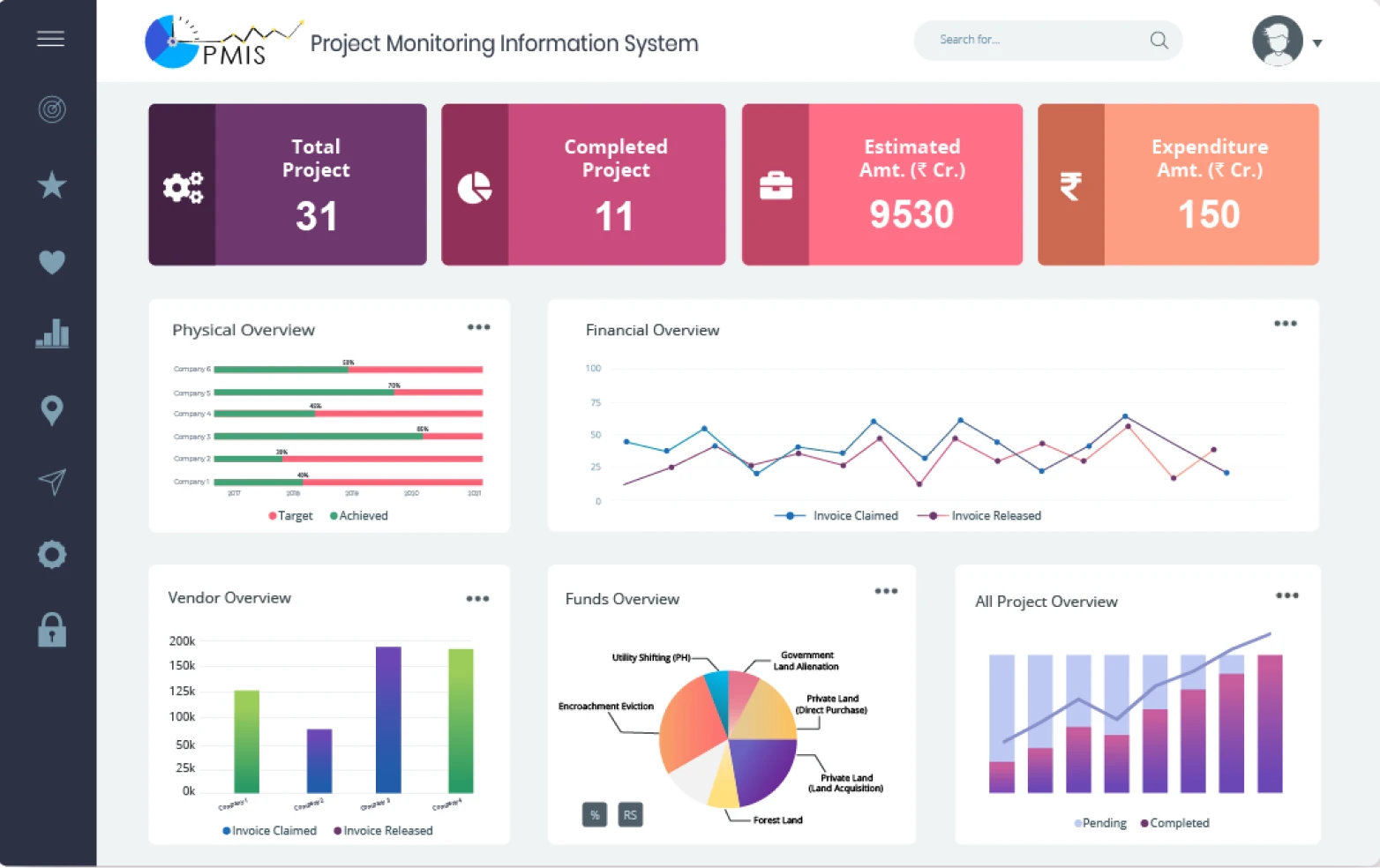
7 Information Management System Features That Improve Business Data and Workflow Control
An information management system helps businesses collect, organize, store, access, and control information from one structured environment. Instead of relying on scattered spreadsheets, email attachments, paper files, and disconnected applications, teams can use a central system to manage information throughout its useful life. This makes information easier to find, update, share, and protect.
As businesses handle more customer records, documents, operational data, reports, and digital files, organized information management becomes increasingly important. A well-designed information management system can also support better decisions, smoother workflows, stronger accountability, and more consistent access to business information.
In this guide, we will explain what an information management system is, how it works, its key features and benefits, common use cases, important implementation considerations, and mistakes businesses should avoid.
What Is an Information Management System?
An information management system is a structured system that helps an organization manage information from creation and collection through storage, use, sharing, retention, and disposal. It can combine software, databases, processes, policies, and user permissions to keep business information organized and accessible.
In practice, the system gives employees a reliable place to find the information they need. For example, a business might use it to manage customer records, contracts, invoices, employee documents, project files, reports, policies, and operational data.
The exact design depends on the organization. Some businesses use a dedicated information management platform, while others connect document management, databases, cloud storage, workflow tools, and business applications into a broader information environment.
Key takeaway
Information management is broader than simply storing files. A useful system helps businesses control how information is created, organized, accessed, used, secured, retained, and eventually removed.
How Does an Information Management System Work?
An information management system usually follows a continuous information lifecycle. First, employees or connected applications create or collect information. Next, the system classifies and stores it according to defined rules.
Users can then search, view, update, share, or process information based on their permissions. Meanwhile, the system can track changes, maintain records, and support workflows around that information.
Finally, the organization can retain information for as long as it needs it and dispose of information according to its policies and applicable requirements.
- Capture: The system collects information from forms, applications, documents, transactions, emails, or other sources.
- Organize: Information receives categories, labels, metadata, or other structures that make it easier to manage.
- Store: The system stores information in an appropriate database, repository, or connected storage environment.
- Access: Authorized users search for and retrieve information when they need it.
- Process: Workflows can route information for approval, review, reporting, or other business activities.
- Retain or dispose: Organizations keep information according to their business and compliance requirements and remove it when appropriate.
This lifecycle approach also aligns with established records management practices. For example, ISO 30301 describes management systems for records that support organizational goals through defined policies, processes, responsibilities, measurement, and improvement. ISO 30301:2019 requirements for management systems for records provide additional detail on this approach.
7 Key Features of an Information Management System
1. Centralized Information Storage
A central repository gives teams a consistent place to store important business information. Instead of keeping files across personal computers, email accounts, shared drives, and separate applications, organizations can bring relevant information into a more structured environment.
Centralization also reduces the time employees spend searching for files. For example, a project manager could access project documents, approval records, reports, and related correspondence from a single workspace.
However, centralization does not mean every piece of information must exist in one physical database. An information management system can connect different repositories while giving users a consistent way to access and manage information.
2. Document and File Management
Documents often form a major part of an organization’s information. Therefore, an information management system should make it easy to upload, categorize, search, review, update, and share documents.
Useful capabilities can include document versioning, file previews, metadata, document history, permissions, approval workflows, and structured folders.
For organizations that need deeper document-focused functionality, document management software features for business efficiency and collaboration can provide a useful related reference.
3. Search and Information Retrieval
Storing information has limited value if employees cannot find it quickly. Strong search functionality helps users locate documents, records, customer information, transactions, and other content without manually checking multiple locations.
A good search experience can include keyword search, filters, categories, date ranges, tags, document types, and metadata. Advanced systems may also support full-text search across documents and connected information sources.
For example, an employee looking for a specific supplier agreement could search by supplier name, contract type, date, or project instead of browsing hundreds of folders.
Pro tip
Design information categories and naming rules before migrating large amounts of data. A poor structure can make even powerful search tools harder to use.
4. Access Control and Permissions
Not every employee needs access to every business record. An information management system should therefore provide role-based permissions that determine what users can view, edit, download, share, or delete.
For instance, finance employees may need access to financial records, while project teams may only need access to project documents. Administrators can assign permissions based on job roles, departments, projects, or other business requirements.
Access controls also support accountability. When the system records who accessed or changed information, administrators can investigate activity and maintain a clearer history of important records.
5. Workflow Automation
Information often moves through several business processes before someone completes an action. For example, an invoice may need review, approval, payment processing, and recordkeeping.
An information management system can automate parts of these workflows. It can route information to the correct employee, send notifications, assign tasks, request approvals, and update records when users complete an action.
As a result, automation can reduce repetitive administrative work and make processes more consistent. It also gives managers greater visibility into where information sits within a workflow.
6. Reporting and Analytics
Information becomes more useful when businesses can turn it into understandable reports. Reporting tools can help managers identify trends, monitor operational activity, and understand what is happening across departments.
For example, a company could create reports showing document approval times, customer activity, outstanding tasks, project information, or information access patterns.
Visual reporting can make large datasets easier to understand. For organizations interested in presenting business information visually, data visualization tools for turning data into visual insights can complement an information management strategy.
7. Version History and Audit Trails
Business information changes over time. A document may receive several revisions, or a record may pass through multiple employees before completion.
Version history allows users to understand what changed and, where supported, restore an earlier version. Audit trails can provide a record of important activities, such as edits, approvals, access events, or workflow actions.
This becomes particularly useful when teams collaborate on important documents or when an organization needs to understand how a business record changed over time.
Benefits of Information Management Software
Information management software can support several areas of business operations. The exact benefits depend on the system’s design and how effectively employees use it.
Faster information access
Employees can find relevant records, files, and business information without searching through multiple disconnected locations.
Better data organization
Defined categories, metadata, permissions, and storage rules create a more consistent information structure.
Improved collaboration
Teams can work from shared information instead of relying on outdated copies stored in individual folders or inboxes.
Reduced manual work
Automated routing, notifications, approvals, and data handling can reduce repetitive administrative tasks.
Greater accountability
Activity histories, permissions, and audit trails can provide clearer visibility into how important information is handled.
Better decision support
Structured information and reporting tools can help managers work with current and relevant business data.
Common Uses of an Information Management System
Businesses in many industries can use information management systems because nearly every organization creates and relies on information.
Customer Information
Organizations can manage customer profiles, communication records, documents, service information, and related business activity. When connected with a CRM, the system can give teams a more complete view of customer information.
Employee Records
Human resources teams can use structured information systems to manage employee documents, policies, onboarding information, training records, and other workforce data.
Financial Information
Finance teams can organize invoices, payment records, expense documents, approvals, and financial reports. Integration with accounting systems can reduce duplicate data entry.
Project Information
Project teams can manage contracts, requirements, specifications, reports, meeting documents, approvals, and project correspondence. This approach helps teams maintain a shared information base throughout the project lifecycle.
Compliance and Records
Organizations can use information management systems to apply retention rules, access controls, document processes, and records policies. ISO’s current work on management systems for records also highlights the role of policies, objectives, measurement, monitoring, and continual improvement in structured records management. ISO’s current information on ISO/PRF 30301 explains the standard’s developing requirements for management systems for records.
Information Management System vs. Information Management Software
The terms information management system and information management software often appear together, but they can describe slightly different concepts.
| Aspect | Information Management System | Information Management Software |
|---|---|---|
| Meaning | A broader framework for managing information | A software application used to manage information |
| Includes | People, processes, policies, data, and technology | Features, databases, workflows, interfaces, and integrations |
| Main focus | How the organization manages information | How software supports information management activities |
| Example | An organization-wide information governance framework | A platform for document, record, or business information management |
In simple terms, software provides the technology, while the broader system includes the processes and rules around that technology. Therefore, buying software alone does not guarantee effective information management.
How to Choose the Right Information Management Solution
Choosing an information management solution starts with business requirements rather than a feature checklist. First, identify what information your organization needs to manage and where that information currently lives.
- Define your information needs: Identify the types of documents, records, data, and business information that require management.
- Map existing workflows: Document how information enters the organization, who uses it, and where approvals or decisions occur.
- Evaluate search capabilities: Make sure employees can find relevant information using practical search methods.
- Review security controls: Check whether the platform supports appropriate roles, permissions, authentication, and activity tracking.
- Check integrations: Consider whether the solution can connect with your CRM, ERP, accounting software, cloud storage, email, or other business applications.
- Consider scalability: Choose an architecture that can handle increasing users, records, workflows, and integrations.
- Test usability: A system with powerful features can still fail if employees find it difficult to use.
For businesses with specialized processes, a configurable or custom solution may provide more flexibility than forcing complex workflows into a generic platform. The right approach depends on the organization’s size, processes, existing technology, budget, and information requirements.
Common Information Management Mistakes to Avoid
Even a capable information management platform can produce poor results when organizations implement it without clear rules.
- Keeping duplicate information: Multiple versions of the same record can create confusion and increase the chance of using outdated information.
- Ignoring information ownership: Every important information category should have clear responsibility for maintenance and quality.
- Using unclear naming conventions: Inconsistent names and categories make search and organization harder.
- Giving excessive access: Employees should receive access based on their actual responsibilities.
- Automating poor processes: Automation can make an inefficient process faster without making it better.
- Ignoring user adoption: Employees need clear processes and training so they know how and when to use the system.
- Forgetting retention rules: Organizations should define how long different information types need to remain available and what happens afterward.
Important
Do not treat information management as only an IT project. Successful implementation usually requires cooperation between business teams, management, IT, security, compliance, and the people who create and use the information every day.
When Should a Business Use an Information Management System?
A business should consider an information management system when information becomes difficult to find, teams rely heavily on manual processes, departments maintain disconnected records, or employees frequently work with different versions of the same information.
Growth can also create a strong reason to introduce structured information management. As organizations add employees, customers, projects, locations, and applications, informal methods often become harder to maintain.
Similarly, businesses that handle sensitive documents, regulated records, complex approval processes, or large volumes of digital information may need stronger controls and better visibility.
Building a More Connected Information Environment
An information management system becomes more valuable when it connects with the other tools employees already use. For example, a CRM can manage customer relationships while an information management platform manages documents and records related to those customers.
Integrations can reduce duplicate entry and help information move between systems. However, every integration should have a clear purpose. Connecting more applications does not automatically create better information management.
For organizations with unique workflows, custom CRM development can also help connect customer data, workflows, reporting, and business processes around specific operational requirements.
Frequently Asked Questions
Frequently Asked Questions
What is an information management system used for?
An information management system helps organizations collect, organize, store, access, share, secure, process, and retain business information. Common uses include document management, customer information, employee records, project data, financial records, and compliance information.
What is information management software?
Information management software is technology that helps businesses manage digital information. Depending on the platform, it may include document storage, search, permissions, workflows, reporting, version control, audit trails, and integrations.
What is the difference between information management and document management?
Document management focuses mainly on creating, storing, organizing, searching, sharing, and controlling documents. Information management is broader and can include documents, databases, records, business data, processes, policies, and other information assets.
Why is information management important for businesses?
Effective information management helps employees find reliable information, supports collaboration, improves process visibility, reduces information duplication, and gives businesses better control over important records and data.
Can an information management system integrate with CRM and ERP software?
Yes. Many information management environments can integrate with CRM, ERP, accounting, storage, communication, and other business applications. The integration approach depends on the systems involved and the information that needs to move between them.
Final Thoughts
An information management system gives businesses a structured way to control information throughout its lifecycle. Instead of treating files, records, and data as isolated assets, organizations can connect information with the people, processes, and workflows that depend on it.
The most useful systems combine practical search, centralized access, document management, permissions, workflow automation, reporting, and auditability. At the same time, successful implementation requires clear ownership, consistent processes, sensible security controls, and employee adoption.
Before choosing information management software, start by identifying your information challenges and mapping the workflows around them. Then select or build a solution that fits those requirements rather than simply choosing a platform based on its feature list.
