
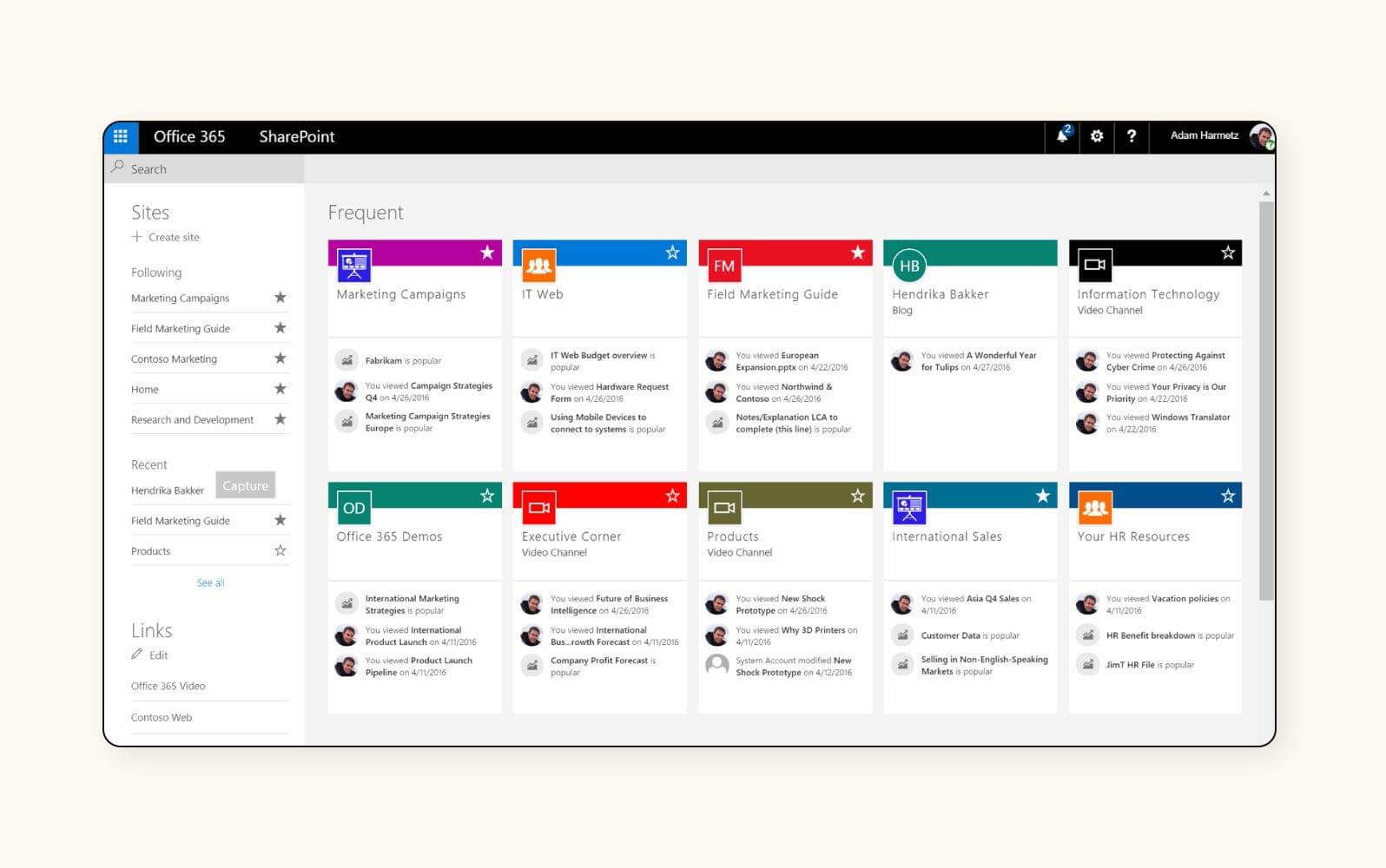
Knowledge Management System: 9 Key Features, Benefits, and Best Practices
A knowledge management system helps businesses capture, organize, store, and share the information employees need to do their work. Instead of keeping important knowledge across scattered files, emails, chats, and individual employees, a knowledge management system creates a more structured way to find and reuse valuable information.
This matters because teams often lose time searching for answers, repeating work, or asking the same questions. A well-designed system can make knowledge easier to access while also supporting collaboration, onboarding, problem-solving, and better decision-making. According to APQC’s knowledge management guidance, effective knowledge management focuses on helping the right knowledge reach the right people at the right time.
In this guide, we’ll explain what a knowledge management system is, how it works, the key features to look for, its main benefits, common use cases, implementation steps, and mistakes businesses should avoid.
What Is a Knowledge Management System?
A knowledge management system is a combination of technology, processes, content, and practices that helps an organization capture, organize, find, share, and use knowledge.
In practice, the system may include a knowledge base, document repository, internal search, employee resources, FAQs, tutorials, process guides, lessons learned, and collaboration tools. Therefore, a KMS does not always mean one standalone application. It can connect several tools into a more useful knowledge environment.
For example, a customer support team might use a knowledge management system to store troubleshooting guides, product information, common customer questions, and approved response procedures. When an agent receives a difficult request, the agent can search the knowledge base instead of asking another employee or starting the research from scratch.
Key takeaway
A knowledge management system turns scattered organizational knowledge into information that employees can find, understand, share, and reuse.
How Does a Knowledge Management System Work?
A typical system follows a simple knowledge flow. First, employees and business processes create useful information. Next, teams capture that information and organize it into a usable format. Then, users search for or discover the knowledge when they need it.
Finally, the organization reviews and updates important content so employees do not rely on outdated information.
- Capture: Collect documents, procedures, expertise, FAQs, lessons learned, and other useful information.
- Organize: Categorize content with folders, tags, topics, metadata, or other structures.
- Store: Keep approved knowledge in accessible repositories or connected systems.
- Find: Help users locate information through search, filters, navigation, or recommendations.
- Share: Make useful knowledge available to the teams and people who need it.
- Maintain: Review content, update outdated information, and remove material that no longer serves a purpose.
As a result, knowledge becomes part of everyday work instead of remaining trapped in individual inboxes, folders, or employees’ experience.
9 Key Features of Knowledge Management Software
1. Centralized Knowledge Base
A centralized knowledge base gives employees one place to access important information. It can contain policies, product documentation, FAQs, procedures, training materials, troubleshooting instructions, and internal guides.
More importantly, centralization reduces the need to search through multiple disconnected locations. Teams can also structure content by department, topic, product, customer type, or business process.
2. Powerful Search and Discovery
Search is one of the most important parts of knowledge management software. Employees should be able to enter a question or keyword and quickly find relevant information.
Advanced systems may support filters, metadata, tags, natural-language queries, recommendations, or AI-assisted search. However, better search cannot compensate for poor content organization. Therefore, businesses should improve both content quality and search capabilities.
3. Document and Content Management
Knowledge often exists in documents, spreadsheets, presentations, manuals, and other files. A KMS can help teams organize these resources and make them easier to retrieve.
For organizations that handle large volumes of business documents, document management software can provide useful capabilities for organizing, accessing, and collaborating around important information.
Content management also becomes more useful when the system tracks ownership, revisions, and review dates. This helps employees distinguish current information from older versions.
4. Collaboration and Knowledge Sharing
Not all knowledge exists in formal documents. Employees also learn through conversations, project discussions, problem-solving sessions, and shared experiences.
Knowledge management software can support communities, comments, discussions, shared workspaces, and other collaboration methods. In addition, businesses can connect these capabilities with existing collaboration platforms.
For teams that need broader collaboration capabilities, team collaboration software can complement a knowledge management strategy by helping employees communicate and exchange information during daily work.
5. Version Control
Knowledge changes over time. Policies get revised, products receive updates, and business processes evolve. Without version control, employees may use an outdated document without realizing it.
A good system can help teams identify current versions and maintain a record of important changes. Consequently, employees can work with greater confidence when procedures or reference materials change.
6. Access Control and Permissions
Some knowledge should remain available only to specific teams or roles. For example, HR policies, financial documents, customer records, and internal business procedures may require different access levels.
Knowledge management software should therefore support permissions that control who can view, edit, publish, or manage different types of content.
Access controls also support better governance because organizations can assign responsibility for sensitive or high-value information.
7. Analytics and Usage Insights
Knowledge management should improve over time. Analytics can show which articles employees view, which searches produce poor results, and which resources receive little engagement.
For example, if employees repeatedly search for a topic but do not find a useful answer, the organization has a clear opportunity to create or improve content.
As a result, analytics can help knowledge managers focus their efforts on actual information gaps rather than assumptions.
8. Integrations
A knowledge management system becomes more useful when employees can access relevant information within the tools they already use. Integrations can connect knowledge resources with CRM platforms, help desks, communication tools, learning systems, project management applications, and other business software.
For organizations with complex customer workflows, custom CRM development can also help connect customer-facing processes with internal knowledge resources when standard integrations do not meet specific business requirements.
9. AI-Assisted Knowledge Discovery
Modern knowledge management software can use AI to improve how users search, summarize, classify, and discover information. For example, an AI assistant may help an employee find relevant internal documents or summarize a lengthy policy.
However, AI should support a strong knowledge foundation rather than replace it. APQC notes that AI-enabled search and knowledge assistants can improve discovery, but outdated or poorly governed content can still produce unreliable results.
Important
AI does not automatically make organizational knowledge trustworthy. Businesses still need clear ownership, review processes, access controls, and regular content updates.
Benefits of a Knowledge Management System
A knowledge management system can support several areas of business performance. The exact benefits depend on how well the system fits the organization’s workflows and whether employees actually use it.
Faster access to information
Employees can search for relevant knowledge instead of spending excessive time looking through unrelated files, messages, or folders.
Better employee onboarding
New employees can access structured guides, policies, FAQs, and process documentation without relying entirely on individual colleagues.
Less repeated work
Teams can reuse proven procedures, solutions, templates, and lessons learned instead of solving the same problems repeatedly.
Improved knowledge retention
Organizations can document important expertise before employees change roles or leave the business.
More consistent processes
Employees can follow shared procedures and approved guidance, which can reduce variation across teams.
Stronger collaboration
Teams can share information, lessons, and solutions more easily across departments and locations.
Common Use Cases for Knowledge Management Software
Knowledge management software can support many business functions. However, the most useful applications usually involve information that employees need repeatedly.
Customer Support
Support teams can create searchable articles for common problems, product questions, policies, and troubleshooting steps. Agents can then use the same approved information when responding to customers.
Employee Onboarding
HR and operations teams can provide new employees with centralized information about company processes, tools, policies, roles, and procedures. This creates a more structured starting point for new hires.
IT and Technical Support
IT teams can document common fixes, configuration procedures, system information, and incident solutions. Over time, this creates a reusable library of technical knowledge.
Sales Enablement
Sales teams can use a KMS to organize product information, competitive notes, pricing guidance, proposal resources, FAQs, and approved messaging. Consequently, sales representatives can spend less time searching for internal resources.
Operations and Process Management
Operations teams can document standard operating procedures, checklists, process instructions, and lessons learned. This can make important workflows easier to repeat and improve.
Knowledge Management System vs. Knowledge Base
A knowledge base and a knowledge management system often overlap, but they do not always mean the same thing.
| Aspect | Knowledge Base | Knowledge Management System |
|---|---|---|
| Primary purpose | Store and provide access to information | Manage the broader flow of organizational knowledge |
| Typical content | FAQs, guides, articles, documentation | Documents, expertise, discussions, processes, lessons, and guides |
| Search | Usually central | Usually central, often across multiple knowledge sources |
| Collaboration | May be limited | Often includes sharing and collaboration capabilities |
| Governance | Content-focused | May cover content, people, processes, ownership, and workflows |
In other words, a knowledge base can form one important part of a broader knowledge management strategy. A KMS looks beyond storage and considers how people create, find, share, maintain, and apply knowledge.
How to Choose Knowledge Management Software
Choosing knowledge management software should start with the problem you want to solve, not with a long feature checklist. APQC recommends considering the organization’s knowledge needs, users, strategy, existing technology environment, and maintenance requirements when evaluating KM tools.
Before selecting a platform, consider these questions:
- What information do employees struggle to find?
- Which knowledge needs regular updates?
- Who owns and reviews important content?
- Do employees need internal search across multiple systems?
- Which existing business applications need integration?
- What access and security controls are required?
- How much customization will the organization need?
- How will employee adoption and content quality be measured?
For example, a small business with a limited amount of internal documentation may only need a simple searchable knowledge base. In contrast, a larger organization with multiple departments may need advanced search, governance, integrations, analytics, and expertise-location capabilities.
Pro tip
Start with a few high-value knowledge problems. A focused rollout usually makes it easier to prove value, improve content quality, and encourage adoption before expanding the system.
How to Implement a Knowledge Management System
Successful implementation involves more than installing software. The organization also needs a clear content structure, ownership model, and process for keeping information useful.
- Identify knowledge gaps: Ask employees where they lose time searching for information or repeatedly ask the same questions.
- Prioritize important knowledge: Focus first on information that directly supports customers, operations, compliance, onboarding, or critical workflows.
- Create an information structure: Define categories, tags, naming rules, and ownership before moving large amounts of content into the system.
- Assign content owners: Give teams responsibility for reviewing and updating specific areas of knowledge.
- Connect existing tools: Integrate the KMS with relevant business applications where practical.
- Train employees: Show users how to search, contribute, update, and reuse knowledge.
- Measure usage: Review search behavior, content usage, feedback, and unresolved information gaps.
- Improve continuously: Remove outdated content, improve weak articles, and adjust the structure as business needs change.
Most importantly, make knowledge management part of everyday work. If employees must leave their normal workflow to contribute information, adoption can become harder. Instead, make capturing and finding knowledge as simple as possible.
Common Knowledge Management Mistakes to Avoid
Even strong technology can fail to deliver value when businesses overlook the human and operational side of knowledge management.
Creating a Large Information Dump
Adding thousands of files to a repository does not automatically create useful knowledge. Without categories, ownership, search, and review processes, employees may still struggle to find reliable information.
Ignoring Content Governance
Outdated policies and duplicate documents can reduce trust in the system. Therefore, businesses should establish review schedules and clear ownership for important content.
Choosing Features Before Defining the Problem
A platform with many features may still fail if it does not address the organization’s actual knowledge gaps. Start with user needs, then evaluate technology.
Forgetting Employee Adoption
Employees need a clear reason to use the system. Training, simple workflows, useful search results, and visible support from leadership can help turn the KMS into part of daily work.
Trying to Replace Every Existing Tool
A KMS does not always need to replace document storage, collaboration, CRM, or other business platforms. In many cases, integrations can connect useful knowledge without forcing the organization to rebuild every workflow.
When Should a Business Use a Knowledge Management System?
A business should consider a KMS when employees frequently struggle to find information, repeat the same work, depend heavily on a few subject-matter experts, or maintain important knowledge across disconnected systems.
It can also make sense when the organization is growing quickly. As teams expand, informal knowledge sharing becomes harder to manage. A structured system can provide employees with a shared place to access important information while preserving knowledge across teams.
However, a KMS may not solve every information problem. If the organization lacks clear processes or has poor-quality source content, adding another platform may simply create another place to search. Therefore, businesses should improve their knowledge practices alongside the technology.
Frequently Asked Questions
Frequently Asked Questions
What is the main purpose of a knowledge management system?
The main purpose is to help an organization capture, organize, find, share, maintain, and reuse knowledge. It can reduce information silos and make useful knowledge easier to access.
What is the difference between knowledge management software and a knowledge base?
A knowledge base mainly provides organized information such as articles, FAQs, and guides. Knowledge management software can support a broader set of activities, including knowledge capture, collaboration, search, governance, expertise sharing, and integrations.
What features should knowledge management software include?
Important features can include centralized content, search, document management, collaboration, version control, permissions, analytics, integrations, and AI-assisted discovery.
How can a knowledge management system improve employee onboarding?
A KMS can give new employees structured access to policies, process guides, FAQs, training resources, and role-specific information. This gives new hires a reliable reference as they learn their responsibilities.
Can AI be used in a knowledge management system?
Yes. AI can support natural-language search, summaries, recommendations, classification, and knowledge assistants. However, organizations still need accurate, current, and well-governed content for reliable results.
Final Thoughts
A knowledge management system gives businesses a structured way to turn scattered information and employee expertise into reusable organizational knowledge. The strongest systems combine searchable content with clear ownership, collaboration, governance, integrations, and practical workflows.
Therefore, businesses should not choose knowledge management software based only on the number of features it offers. Start by identifying where employees lose time or struggle to access reliable information. Then select the capabilities, processes, and integrations that directly address those problems.
With the right approach, a KMS can become a practical part of everyday work, helping employees find answers faster, preserve valuable expertise, support new hires, and reuse knowledge across the organization.
Build software around how your business works
If your organization needs a connected business system with workflows and integrations tailored to its processes, explore custom CRM development for a solution designed around your specific requirements.Explore custom CRM development
