
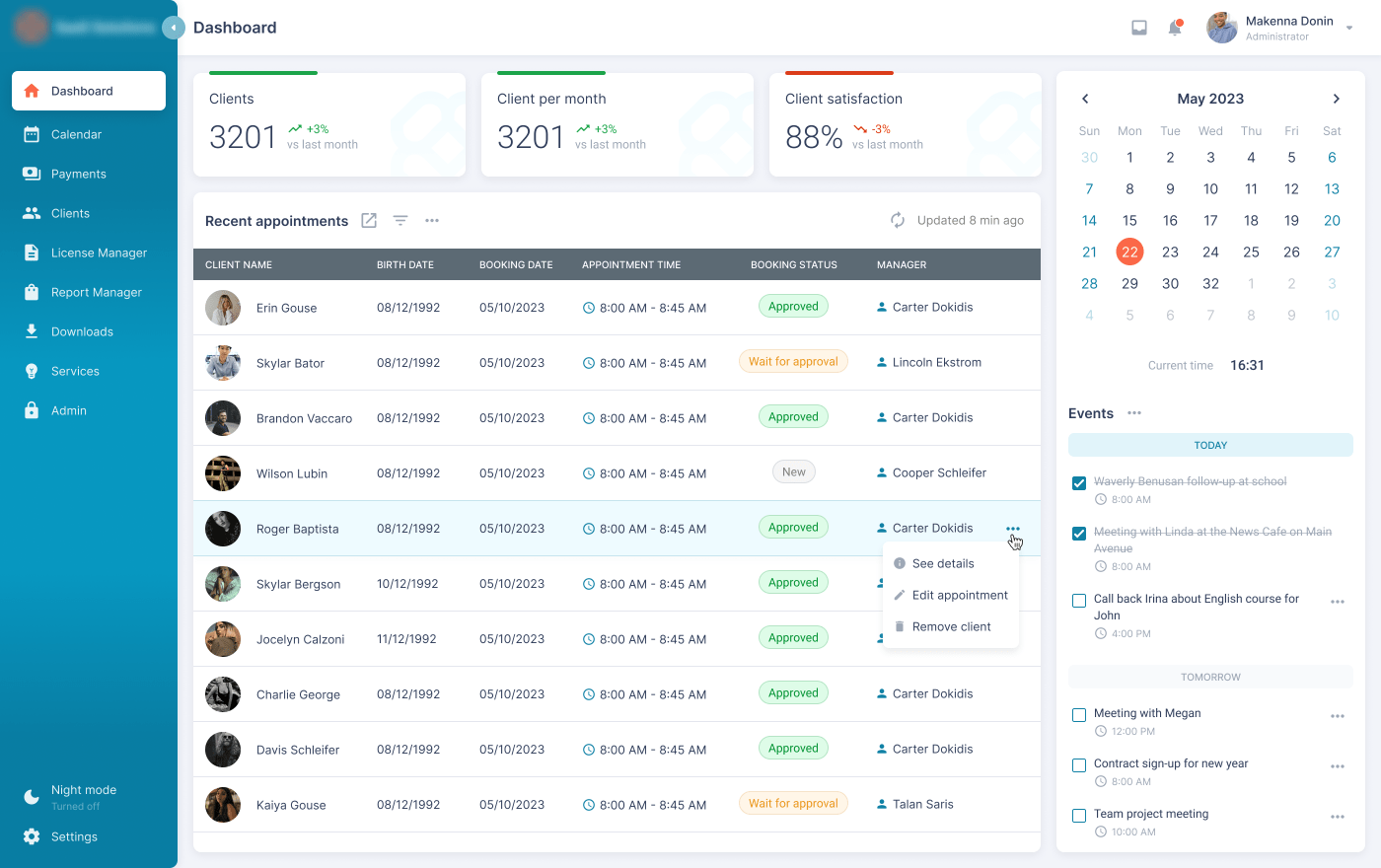
Appointment Scheduling Software: 10 Features That Make Booking Easier
Appointment scheduling software helps businesses manage bookings, availability, reminders, and customer appointments from one central system. Instead of relying on phone calls, emails, spreadsheets, or manual calendar updates, businesses can let customers choose available time slots online and receive automatic confirmations.
This matters because scheduling affects both daily operations and the customer experience. A clear booking process can reduce administrative work, prevent calendar conflicts, and make it easier for customers to take the next step. In this guide, we’ll explain how appointment scheduling software works, the features to look for, its main benefits, common use cases, implementation tips, and mistakes to avoid.
What Is Appointment Scheduling Software?
Appointment scheduling software is a business tool that lets customers book, change, or cancel appointments through an online booking interface. The system typically connects availability with a calendar, applies scheduling rules, and updates the appointment after a customer selects a time.
In practice, an online schedule system can replace much of the manual work involved in finding suitable appointment times. For example, a salon can show available slots for different services, while a consulting firm can allow prospects to book discovery calls without exchanging several emails.
Modern scheduling platforms can also support reminders, staff calendars, appointment types, intake questions, payments, video meetings, and integrations with other business tools. The exact capabilities vary by platform and plan.
Key takeaway
Good scheduling software does more than display a calendar. It turns availability into a structured booking process that customers and staff can use with less manual coordination.
How Does an Online Schedule System Work?
An online schedule system usually follows a simple process. First, the business defines its working hours, appointment types, staff availability, and scheduling rules. Next, the business publishes a booking page or embeds the scheduling interface on its website.
When a customer opens the booking page, the system checks the configured availability and shows suitable time slots. The customer then selects a service or meeting type, chooses a time, enters the requested information, and confirms the appointment.
Afterward, the software records the appointment and can update the connected calendar. Depending on the system, it may also send confirmation messages, reminders, cancellation notices, or follow-up communications.
For example, Google Calendar’s appointment schedules allow businesses to create a booking page, define available times, share the page, and automatically add booked appointments to the calendar. Its documentation also explains how availability can prevent conflicts with existing calendar events.
Google Calendar appointment schedule documentation provides a useful example of how online scheduling works in practice.
10 Important Features of Appointment Scheduling Software
1. Online Booking Pages
A booking page gives customers a direct way to schedule appointments without contacting staff first. Businesses can share the page through their website, email, social media, QR codes, or other customer touchpoints.
A good booking page should clearly show the service, duration, available times, location, and information the customer needs before confirming the appointment. Fewer unnecessary steps can make the booking experience easier to complete.
2. Calendar Synchronization
Calendar synchronization helps keep availability aligned with existing schedules. The software can check connected calendars and prevent customers from selecting times that conflict with blocked periods.
This feature becomes especially important when several employees manage appointments. Without reliable synchronization, staff may accidentally accept overlapping bookings or forget to block unavailable times.
For example, scheduling platforms can connect calendars, check busy periods, and add newly booked appointments to the appropriate calendar. Calendly explains this workflow in its availability and calendar synchronization documentation.
3. Flexible Availability Rules
Businesses rarely operate on one fixed schedule every day. Therefore, scheduling software should support different working hours, breaks, holidays, buffers, and appointment limits.
A service provider might accept appointments from 9 a.m. to 5 p.m. on weekdays but use shorter hours on Friday. Another business might reserve 15 minutes between appointments for preparation or travel.
Flexible rules allow the system to reflect how the business actually works instead of forcing staff to manage exceptions manually.
4. Appointment Types and Service Duration
Different appointments often require different amounts of time. A 15-minute consultation should not occupy the same scheduling slot as a two-hour service.
Appointment scheduling software can let businesses create separate appointment types with their own duration, availability, location, staff member, and booking rules. This makes the booking experience more precise and helps employees plan their day.
5. Automated Confirmations and Reminders
Confirmation messages reassure customers that their appointment has been recorded. Reminders can then provide useful details as the appointment approaches.
Depending on the software, businesses may send reminders through email or text messaging. These messages can include the appointment time, location, rescheduling instructions, and other relevant information.
However, businesses should configure reminders carefully. Too many messages can annoy customers, while poorly timed messages may provide little value.
6. Rescheduling and Cancellation
Customers sometimes need to change their appointment. A scheduling system should make this process simple while giving the business control over its cancellation and rescheduling rules.
For example, a business might allow customers to reschedule until a certain point before the appointment. It can then use its policy to manage late changes while reducing the amount of manual communication staff must handle.
7. Staff and Team Scheduling
Businesses with multiple employees need more than a single calendar. Team scheduling features can assign appointments to specific staff members based on their availability, role, service, or workload.
This approach works well for salons, clinics, consulting teams, repair services, training providers, and other organizations where customers need to meet a particular person.
For instance, a customer booking a consultation may need to choose a specialist rather than simply selecting an open company-wide time slot.
8. Customer Information and Intake Forms
Scheduling software can collect useful information before an appointment begins. Businesses may ask for a name, email address, phone number, service preference, project details, or other information relevant to the appointment.
This can reduce repetitive questions and help employees prepare before the customer arrives. However, businesses should only request information they genuinely need.
Important
Appointment data can include personal information. Businesses should review what their scheduling provider collects, where it stores information, who can access it, and how the provider handles security and privacy. The U.S. Federal Trade Commission recommends that businesses collect only the information they need and protect it appropriately.
9. Integrations and Workflow Automation
Scheduling becomes more useful when it connects with the rest of a business’s workflow. Integrations can connect appointment data with calendars, video conferencing, payments, CRM systems, email tools, or other applications.
For example, a new appointment could create or update a customer record, trigger a confirmation message, generate a video meeting, and notify the assigned employee.
Businesses should focus on practical integrations rather than collecting as many connections as possible. The right integrations should remove repetitive work or improve the customer journey.
10. Reporting and Appointment Management
As appointment volume increases, businesses need visibility into their schedules. Reporting features can help teams review upcoming bookings, appointment types, cancellations, staff schedules, and other operational information.
These insights can help managers identify scheduling bottlenecks and understand how employees spend available appointment time. However, reporting requirements differ by business, so companies should choose metrics that support actual decisions.
Key Benefits of Appointment Scheduling Software
The main benefit of appointment scheduling software is that it creates a structured process for managing availability and bookings. Instead of handling every appointment manually, businesses can automate routine scheduling tasks.
Less back-and-forth communication
Customers can view available times and select an appointment without repeatedly asking staff which slots are open.
Better schedule visibility
Employees can manage appointments from centralized calendars instead of relying on disconnected spreadsheets or messages.
More convenient customer booking
Customers can book when it suits them rather than waiting for business hours or a staff response.
Fewer manual updates
Automatic calendar updates and notifications can reduce repetitive administrative tasks.
More consistent processes
Standard appointment types, rules, and reminders help employees follow the same scheduling process.
For businesses that already use other operational software, scheduling can also become part of a larger workflow. For example, a service business might connect booking information with customer records and internal task management.
If your team needs to coordinate the work that follows an appointment, a task management system can help organize the resulting activities.
Who Should Use Appointment Scheduling Software?
Appointment scheduling software can support many appointment-based businesses. The right setup depends on how the organization delivers its services and manages staff availability.
- Salons and beauty businesses: Manage services, staff schedules, and customer bookings.
- Healthcare and wellness providers: Coordinate appointments and collect relevant information before visits.
- Consultants: Let prospects book consultations without extended email exchanges.
- Professional services firms: Schedule meetings with specific employees or teams.
- Training providers: Manage individual sessions, classes, or consultations.
- Repair and service businesses: Schedule customer visits around staff availability.
- Event-related businesses: Coordinate consultations, planning sessions, and customer meetings.
For salon owners specifically, appointment workflows can include service selection, staff availability, customer booking, and reminders. Businesses interested in that use case can also review these booking software features for salons.
Appointment Scheduling Software vs. Manual Scheduling
| Area | Manual scheduling | Scheduling software |
|---|---|---|
| Booking | Staff often coordinate times manually | Customers can select available slots online |
| Calendar updates | Employees may update calendars themselves | Bookings can update connected calendars automatically |
| Reminders | Staff may send them manually | Automated reminders can handle routine communication |
| Availability | Often managed through messages or spreadsheets | Rules can control when customers can book |
| Team scheduling | Requires more coordination | Can assign bookings according to defined rules |
Manual scheduling can still work for a small business with very few appointments. However, as appointment volume, staff count, or customer demand increases, automation can make the process easier to manage.
How to Choose the Right Scheduling System
Not every business needs the same scheduling features. Therefore, start with your actual workflow rather than choosing software based on the longest feature list.
- Map your current process: Identify how customers book, how staff confirm appointments, and how changes are handled.
- Define appointment types: List the services or meeting types you need to schedule and their typical durations.
- Review staff availability: Determine whether different employees need separate calendars or booking rules.
- Check integrations: Confirm that the system works with the calendars and business applications your team already uses.
- Consider customer experience: Test the booking process from a customer’s perspective before committing.
- Review privacy and security: Understand what customer information the platform stores and how your business can control access.
- Compare total cost: Consider subscription fees, payment processing, add-ons, integrations, and setup costs.
Most importantly, avoid paying for features that your team will never use. A simpler system that fits your workflow can be more practical than a complex platform that requires constant administration.
Common Mistakes to Avoid
Making the Booking Process Too Long
Customers should not have to complete a long form before they can choose an appointment. Ask only for information that helps you deliver the service or manage the booking.
Ignoring Staff Availability
A booking page is only useful when it reflects real availability. Therefore, keep employee calendars and working hours updated and review scheduling rules regularly.
Using Too Many Notifications
Reminders can help customers remember appointments, but excessive messages may create a poor experience. Instead, create a clear communication sequence that provides useful information at the right time.
Skipping Privacy and Access Controls
Appointment systems may contain names, contact details, notes, and other customer information. Businesses should therefore limit access to people who need it and review the provider’s security practices.
The Federal Trade Commission provides business guidance on protecting sensitive information, including recommendations around collecting only necessary data and keeping that information secure. You can review its data security guidance for businesses when evaluating your scheduling setup.
Forcing a Generic Tool Into a Complex Workflow
Standard scheduling software works well for many businesses. However, some organizations need custom rules, specialized appointment types, customer records, staff assignment logic, or integrations that off-the-shelf tools cannot handle efficiently.
In those situations, custom software can connect scheduling with the wider business workflow instead of treating appointments as a separate system.
When Should You Consider Custom Scheduling Software?
A standard appointment scheduling platform may be enough when your business has straightforward booking requirements. However, custom development can make sense when scheduling forms a critical part of a larger operational process.
For example, a business may need appointment booking to trigger CRM updates, assign employees based on skills, calculate service prices, check inventory, collect deposits, or create internal work items. In that case, a custom solution can bring those processes into one connected workflow.
The goal should not be customization for its own sake. Instead, consider it when existing tools create repeated manual work, limit important workflows, or cannot integrate with the systems your business already depends on.
Pro tip
Before investing in custom development, document the booking workflow from the customer’s first interaction through appointment completion. This makes it easier to identify which steps genuinely need automation.
How to Implement an Online Schedule System
A successful implementation starts with a clear process. First, define your appointment types, working hours, staff availability, cancellation rules, and customer information requirements.
Next, connect the calendars and tools your team already uses. Then create the booking page and test it from the customer’s perspective. Check different appointment types, unavailable periods, rescheduling, cancellation, notifications, and time zones.
After launch, monitor how customers use the system. If customers repeatedly ask the same questions or abandon the booking process at the same step, adjust the workflow rather than simply adding more features.
Finally, review the system periodically. Staff schedules change, services evolve, and customer expectations can shift. A scheduling process should evolve with the business.
Final Thoughts
Appointment scheduling software gives businesses a structured way to manage availability, bookings, reminders, staff calendars, and customer information. More importantly, it can turn scheduling from a repetitive administrative task into a smoother self-service process.
The right solution depends on your business model. Start with the booking experience and operational workflow, then choose features that solve real problems. For straightforward needs, an established scheduling platform may be enough. For complex workflows that connect scheduling with CRM, ERP, payments, or internal operations, custom software may provide greater flexibility.
Build software around how your business works
If your scheduling process needs to connect with customer management, internal workflows, or other business operations, custom software can bring those processes together in one system.Talk to our team
Frequently Asked Questions
What is appointment scheduling software?
Appointment scheduling software helps businesses manage availability and lets customers book, reschedule, or cancel appointments online. It can also handle calendars, reminders, staff scheduling, and customer information.
What is an online schedule system used for?
An online schedule system is used to publish available time slots, accept customer bookings, update calendars, and automate scheduling communications. Businesses can use it for consultations, services, meetings, classes, and other appointments.
Can appointment scheduling software prevent double bookings?
Yes, many scheduling systems can connect with calendars and use existing busy periods when determining available booking times. However, businesses should configure calendar connections and availability rules correctly.
Can customers reschedule appointments online?
Many appointment scheduling platforms provide online rescheduling and cancellation options. Businesses can usually define rules around when customers can make changes.
Is appointment scheduling software useful for small businesses?
Yes. Small businesses can use scheduling software to reduce manual booking work, provide customers with self-service booking, and keep appointment information organized in one place.
