
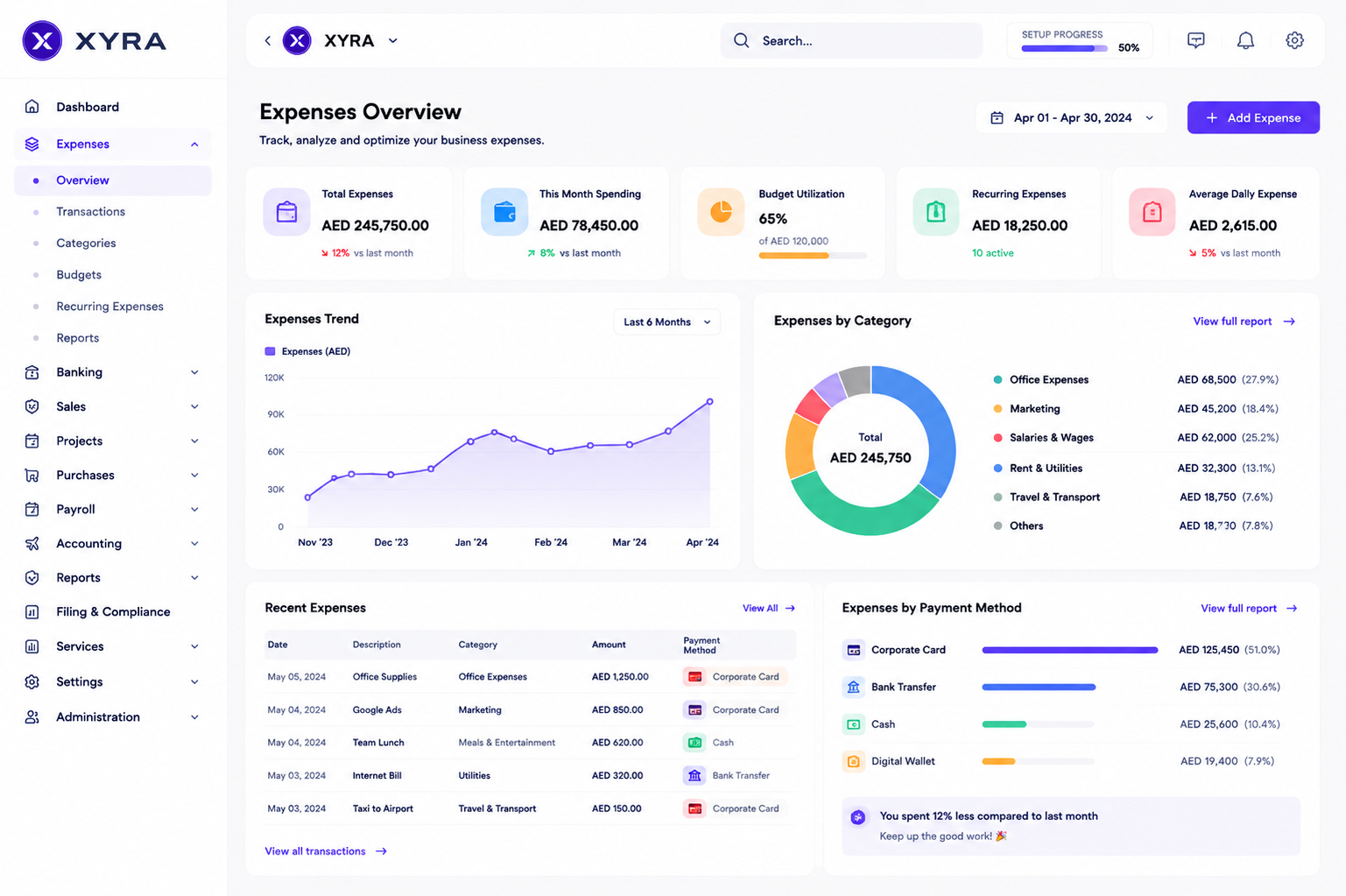
Automate Expense Tracking Employee Workflows: 9 Ways to Simplify Expense Management
To automate expense tracking employee workflows means using software to capture, organize, review, approve, and record employee expenses with less manual work. Instead of relying on spreadsheets, emails, paper receipts, and repeated data entry, businesses can create a more consistent process for handling travel costs, meals, supplies, mileage, and other work-related expenses. This matters because accurate expense records help businesses control spending, process reimbursements, and maintain reliable financial records.
In this guide, we will explain how automated employee expense tracking works, the main features to look for in expense management software, the benefits and limitations of automation, practical implementation steps, and common mistakes to avoid.
What Does It Mean to Automate Expense Tracking for Employees?
Automating employee expense tracking means using software to handle repetitive parts of the expense process. Employees can submit expenses digitally, attach receipts, select expense categories, and provide business details. The system can then route submissions for approval, record the relevant information, and help finance teams monitor spending.
For example, imagine an employee spends $85 on a client lunch. With a manual process, the employee may keep the receipt, enter the details into a spreadsheet, email the manager, and wait for finance staff to verify the claim. With an automated workflow, the employee can submit the expense through a centralized system, attach the receipt, and send it through a predefined approval process.
Key takeaway
Expense automation does not remove the need for financial oversight. Instead, it reduces repetitive administrative work and gives employees and finance teams a clearer process to follow.
How Automated Employee Expense Tracking Works
An automated process usually connects several steps that businesses often handle separately. As a result, employees and finance teams can work from the same information instead of maintaining multiple records.
- Employee records an expense: The employee enters the amount, date, category, business purpose, and other required details.
- Receipt information is captured: The employee attaches a digital receipt or supporting document.
- The system checks the submission: Rules can flag missing information, unusual amounts, duplicate submissions, or expenses outside company policy.
- The expense moves through approval: The system routes the claim to the appropriate manager or finance reviewer.
- Finance reviews approved expenses: Approved records can support reimbursement and financial reporting.
- Expense data stays organized: Teams can search, filter, categorize, and review employee spending from one place.
Therefore, automation creates a connected workflow rather than treating expense submission, approval, and recordkeeping as separate tasks.
9 Ways to Automate Employee Expense Tracking
1. Capture Expenses Digitally
The first step is to move expense reporting away from paper forms and scattered spreadsheets. Employees should have a simple way to enter an expense as soon as they incur it.
A digital expense form can capture details such as amount, date, category, vendor, payment method, and business purpose. Employees can also attach supporting receipts where required.
This approach reduces the chance that employees forget expenses or submit incomplete information later. It also gives finance teams a consistent structure for reviewing expense data.
2. Automate Receipt Collection
Receipts provide important evidence for many business expenses. However, employees can easily lose paper receipts or forget to attach supporting documentation.
Expense management software can provide a central place for employees to upload receipts. Depending on the system, receipt data can also be extracted and used to reduce manual entry.
For example, an employee could upload a restaurant receipt instead of manually typing every piece of information into a spreadsheet. The employee can then review the captured details before submitting the expense.
Businesses should still define their own documentation requirements. The IRS, for example, explains that adequate records and supporting documents can be important for substantiating business expenses. See the IRS guidance on travel, gift, and car expense recordkeeping for more information. :contentReference[oaicite:0]{index=0}
3. Create Automated Approval Workflows
Expense approval can become a bottleneck when every claim moves through the same manual process. Automation allows businesses to define approval rules based on factors such as department, employee, expense category, or amount.
For instance, a small employee expense might go directly to a department manager, while a larger expense could require an additional finance review.
As a result, employees know where their submissions go, while managers can focus on claims that actually require their attention.
4. Apply Expense Policy Rules
Expense policies tell employees which costs the company will reimburse and what information they must provide. However, a policy document alone does not prevent every mistake.
Automated expense tracking can apply policy rules during submission or review. The system might flag an expense that exceeds a defined limit, uses an incorrect category, or lacks required information.
For example, if a company requires a business purpose for client entertainment expenses, the expense form can require that field before submission.
Pro tip
Keep expense rules simple enough for employees to understand. Too many complicated rules can make the submission process harder rather than easier.
5. Reduce Duplicate Expense Entries
Duplicate submissions can create unnecessary costs and extra review work. An employee might accidentally submit the same receipt twice or enter the same transaction through different processes.
An automated system can compare expense information and flag potential duplicates for review. Useful comparison points may include the employee, amount, date, vendor, and receipt details.
This does not mean every matching expense represents an error. Two legitimate expenses can have similar values. Therefore, the system should flag potential duplicates rather than automatically rejecting every match.
6. Track Spending by Category and Department
Employee expense data becomes more useful when businesses can analyze it by category, department, project, employee, vendor, or time period.
For example, a finance team may want to compare travel expenses with software purchases or review spending across different departments. Instead of combining spreadsheets manually, centralized expense data makes these comparisons easier.
This visibility can also help managers identify recurring spending patterns and review areas that need attention.
7. Connect Expenses With Financial Workflows
Expense tracking should not exist in isolation. Businesses often need to connect employee expenses with reimbursement, accounting, budgeting, purchasing, or other financial workflows.
For example, once an expense receives approval, the relevant information may need to move into another financial process. Integration can reduce duplicate data entry and help maintain consistent records.
However, businesses should define exactly what information moves between systems before setting up an integration. Poorly planned integrations can create duplicate records or incorrect data.
8. Monitor Pending and Approved Expenses
Automation becomes more valuable when managers can see what happens after an employee submits an expense. A useful dashboard can show pending submissions, approved expenses, rejected claims, reimbursements, and other workflow stages.
This visibility helps teams identify delays. For example, if several expense reports remain pending with the same approver, the finance team can investigate the bottleneck instead of waiting for employees to follow up individually.
9. Keep a Clear Audit Trail
Expense records may pass through several stages before completion. An audit trail helps businesses understand who submitted an expense, who reviewed it, what changed, and when the workflow progressed.
This becomes especially useful when a finance team needs to investigate an unusual transaction or understand why a claim was rejected.
The exact recordkeeping requirements vary by jurisdiction and business situation. For businesses operating in the United States, the IRS Employer’s Tax Guide explains requirements related to employee business expense reimbursements and accountable plans. :contentReference[oaicite:1]{index=1}
Key Features to Look for in Expense Management Software
Not every expense management platform provides the same workflow capabilities. Before choosing a system, businesses should consider how well its features match their existing expense process.
| Feature | Why It Matters |
|---|---|
| Digital expense submission | Gives employees a consistent way to report expenses. |
| Receipt management | Keeps supporting documents connected to expense records. |
| Approval workflows | Routes expenses to the right reviewers. |
| Policy controls | Helps identify expenses that require additional review. |
| Expense categories | Organizes spending for reporting and analysis. |
| Search and filters | Makes it easier to find specific expense records. |
| Audit history | Shows changes and workflow activity over time. |
| Reporting | Helps managers understand employee and departmental spending. |
| Integrations | Reduces duplicate entry between expense and financial systems. |
For a deeper look at expense-focused functionality, see expense management system features that improve financial control.
Benefits of Automating Employee Expense Tracking
When businesses automate expense tracking employee workflows, they can improve the process for both employees and finance teams.
Less manual data entry
Employees and finance staff spend less time copying information between forms, spreadsheets, emails, and financial records.
Faster approvals
Automated routing can move expense submissions to the right reviewer without requiring employees to manually forward every claim.
Better visibility
Managers can see spending information in a centralized system instead of collecting updates from different employees or departments.
More consistent records
Standardized forms and categories make expense information easier to search, compare, and report.
Fewer process delays
Notifications, approval rules, and workflow status can make it easier to identify pending expenses and follow up on delays.
Manual Expense Tracking vs. Automated Expense Tracking
The difference between manual and automated tracking becomes clearer when you compare how each approach handles common tasks.
| Process | Manual Tracking | Automated Tracking |
|---|---|---|
| Expense submission | Forms, spreadsheets, or email | Centralized digital submission |
| Receipt storage | Paper files or separate attachments | Digital records linked to expenses |
| Approval | Manual email follow-up | Rule-based workflow |
| Policy review | Manual checking | Automated flags and validation |
| Reporting | Spreadsheet preparation | Centralized reporting and filtering |
| Audit history | Scattered records | Centralized workflow history |
However, automation does not automatically make a weak expense process effective. Businesses still need clear policies, appropriate approval rules, accurate categories, and responsible financial oversight.
How to Implement Automated Employee Expense Tracking
A phased approach can make implementation easier. Instead of automating every financial workflow at once, start with the parts that create the most repetitive work.
- Map the current process: Document how employees submit expenses, who approves them, and how finance records them.
- Identify repetitive tasks: Look for manual data entry, repeated email follow-ups, receipt collection, and spreadsheet consolidation.
- Define expense categories: Create categories that match the way your business reviews spending.
- Set approval rules: Decide which employees or departments should approve different expense types and amounts.
- Define documentation requirements: Specify when employees need receipts, business purposes, project details, or other supporting information.
- Configure the software: Build forms, workflows, notifications, categories, permissions, and reports.
- Test with a small group: Run real examples through the workflow and identify problems before a wider rollout.
- Train employees: Show employees how to submit expenses correctly and explain the policy behind each requirement.
- Review the workflow: Monitor rejected claims, incomplete submissions, approval delays, and other recurring issues.
Common Mistakes to Avoid
Automating a Poor Process
Software cannot fix every process problem automatically. If approval responsibilities are unclear or expense categories overlap, automation may simply make a confusing process move faster.
Creating Too Many Approval Steps
More approvals do not always create better control. Excessive approval layers can slow reimbursements and create unnecessary administrative work. Instead, use approval rules that match the financial risk of the expense.
Ignoring Employee Experience
If employees find the expense form difficult to use, they may delay submissions or enter incomplete information. Therefore, keep forms simple and request only information that the business genuinely needs.
Using Too Many Expense Categories
A long list of categories can make classification confusing. Instead, use a manageable structure that supports reporting without forcing employees to guess which category applies.
Skipping Workflow Testing
A workflow can look correct during setup but behave differently with real expenses. Test different amounts, departments, expense types, missing receipts, rejected claims, and approval scenarios before full deployment.
Important
Expense automation should support your company’s financial policies and applicable legal or tax requirements. Software rules should not replace professional accounting or tax advice.
When Should a Business Use Expense Management Software?
Expense management software can make sense when employee spending has become difficult to track through spreadsheets, email, paper receipts, or disconnected financial tools.
It can also help businesses with multiple departments, frequent employee reimbursements, distributed teams, recurring travel expenses, or detailed approval requirements.
On the other hand, a very small business with only a few simple expenses may not need a complex platform. In that situation, a straightforward digital process may provide enough control without adding unnecessary software overhead.
The right choice depends on expense volume, approval complexity, reporting needs, existing systems, and the level of control the business requires.
When Custom Expense Tracking Makes Sense
Off-the-shelf expense management software can cover common requirements. However, some businesses have workflows that do not fit standard expense forms or approval models.
For example, a company may need expense tracking to work with project budgets, employee records, purchase workflows, department-specific approvals, or an existing ERP system. In those cases, custom software can connect expense tracking with the processes the business already uses.
Custom development can also help when a company needs specialized roles, unique approval rules, custom reports, or integrations that standard software does not support well.
Frequently Asked Questions
Frequently Asked Questions
What is automated employee expense tracking?
Automated employee expense tracking uses software to collect expense information, manage receipts, apply rules, route approvals, organize records, and support reporting with less manual work.
How does expense management software help employees?
It gives employees a centralized way to submit expenses, attach receipts, check submission status, and provide the information required for reimbursement.
Can expense software automate approval workflows?
Yes. Many expense systems can route submissions based on rules such as department, expense type, employee, or amount. Businesses can configure the workflow according to their internal approval process.
What should employees include when submitting an expense?
Requirements vary by company and expense type, but businesses commonly request the amount, date, category, business purpose, vendor, and supporting documentation when applicable.
Is automated expense tracking suitable for small businesses?
It can be useful when a small business has recurring employee expenses, multiple approvers, frequent reimbursements, or growing reporting needs. However, businesses should choose a system that matches their actual process instead of adopting unnecessary complexity.
Conclusion
To automate expense tracking employee workflows, businesses need more than a digital expense form. The most useful approach connects expense submission, receipt management, policy checks, approval workflows, reporting, and recordkeeping into one clear process.
Expense management software can reduce repetitive administrative work while giving employees, managers, and finance teams better visibility into business spending. However, successful automation depends on clear policies, sensible approval rules, accurate categories, and a process that employees can follow easily.
Businesses should start by mapping their existing expense workflow, identifying repetitive tasks, and then choosing the level of automation that fits their needs. As expense volume and workflow complexity grow, a customized solution can also connect expense tracking with broader business systems.
