
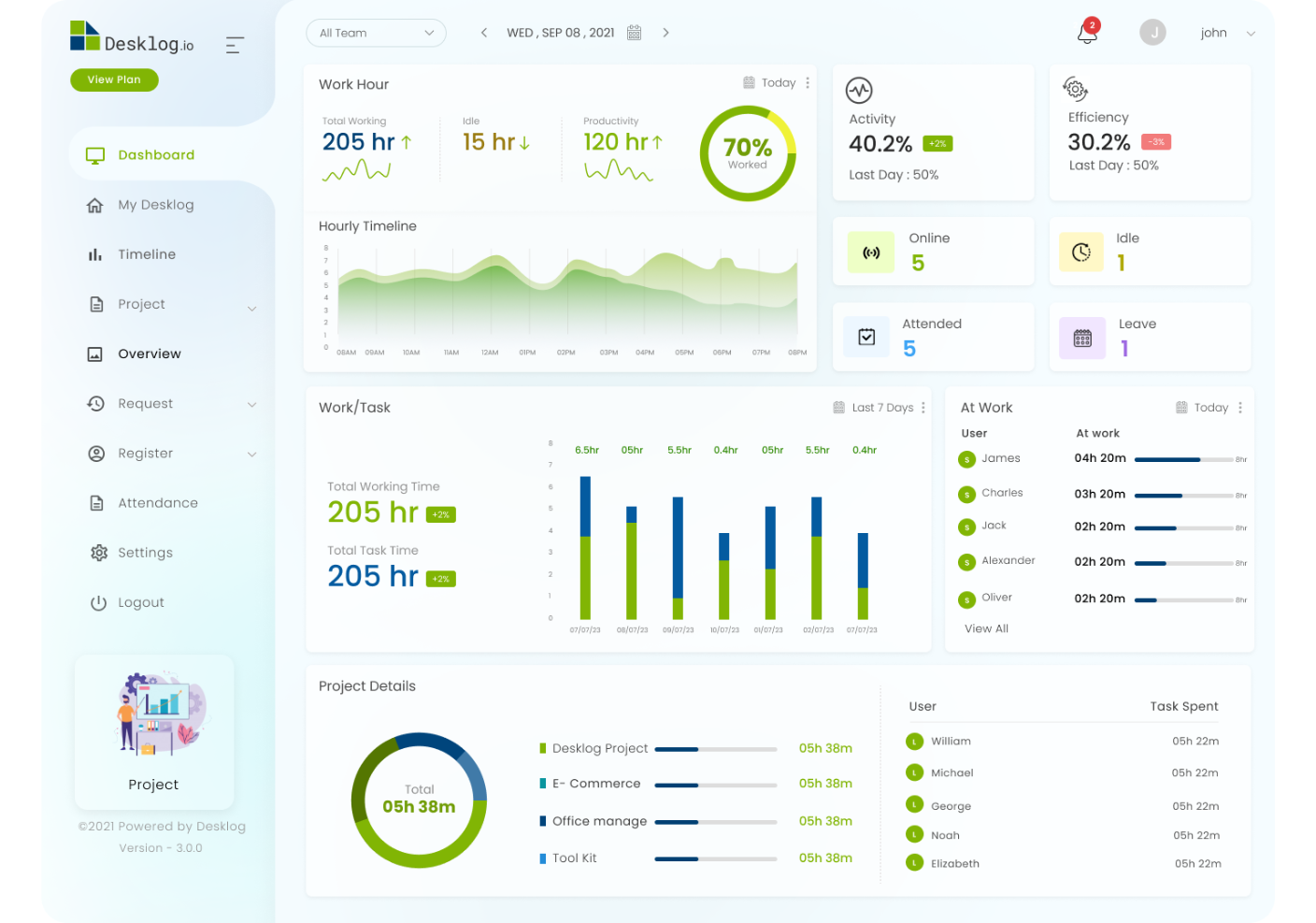
Employee Time Tracking Software: 9 Features That Simplify Timesheets and Payroll
Employee time tracking software helps businesses record work hours, manage timesheets, monitor overtime, and prepare accurate payroll data. Instead of relying on spreadsheets, paper records, or manual updates, teams can capture time in one system and give managers a clearer view of labor hours.
That matters because accurate time records affect more than attendance. They can support payroll processing, project costing, overtime review, employee scheduling, and compliance. In the United States, for example, the U.S. Department of Labor requires covered employers to maintain accurate records of hours worked and wages for covered nonexempt employees.
In this guide, we will explain how employee time tracking software works, the key features to look for, how it connects with timesheet payroll software, common mistakes to avoid, and how to choose a system that fits your business.
What Is Employee Time Tracking Software?
Employee time tracking software is a digital system that records how much time employees spend working. Depending on the platform, employees may clock in and out, enter hours manually, track time against projects, or use a mobile app to submit timesheets.
Managers can then review, edit, approve, and report on those records from a central dashboard. As a result, businesses get a more consistent way to manage working hours than disconnected spreadsheets or paper timesheets.
Modern systems can also connect time data with payroll, project management, invoicing, scheduling, attendance, and other business processes. For example, a consulting company may track an employee’s hours against a client project, while a field service company may record time against a specific job.
Key takeaway
Time tracking software does more than record clock-in and clock-out times. A well-designed system turns work-hour data into information that payroll, managers, finance teams, and project leaders can use.
How Does Employee Time Tracking Software Work?
Although features vary between platforms, most employee time tracking systems follow a simple workflow.
- Employees record their time. They can clock in and out, enter hours, or track time against a project or task.
- The system stores the records. Each entry can include the employee, date, start time, end time, break time, project, task, or other relevant information.
- Managers review timesheets. Supervisors can check unusual entries, missing hours, overtime, or other issues before approval.
- Approved time moves to the next process. Depending on the system, approved hours can support payroll, billing, project costing, or reporting.
- Managers analyze the data. Reports can show total hours, overtime, project time, attendance patterns, and other useful information.
For example, imagine a software agency with 15 employees. A designer spends 12 hours on Client A, 18 hours on Client B, and 6 hours on internal work during a week. Instead of reconstructing those hours from messages and spreadsheets, the company can review the time directly in its tracking system.
9 Key Features to Look For
1. Clock-In and Clock-Out Tracking
Basic time capture should be simple for employees. A system may provide web-based clock-in and clock-out, a desktop interface, or a mobile app.
The goal is not to make time tracking complicated. Instead, employees should be able to record their working hours quickly and managers should be able to see the results without manual calculations.
2. Digital Timesheets
Digital timesheets give employees a structured place to record their working hours. They can often add time by day, project, task, or activity.
This feature becomes especially useful for teams that bill clients by the hour or need detailed project cost information. It also gives managers a consistent format for reviewing weekly or monthly work records.
When evaluating employee time tracking software, check whether employees can edit their entries before submission and whether managers can control or approve those changes.
3. Overtime Tracking
Overtime can become difficult to manage when employees submit hours manually. A tracking system can flag hours that exceed a defined threshold, helping managers review them before payroll processing.
However, overtime rules can differ by jurisdiction, employee classification, and employment arrangement. Therefore, software should support your business rules rather than replace professional payroll or legal guidance.
For U.S. employers covered by the Fair Labor Standards Act, the Department of Labor states that records should include hours worked each day and total hours worked each workweek. Businesses can review the U.S. Department of Labor recordkeeping requirements for the applicable rules.
4. Timesheet Approval Workflows
A good approval workflow helps prevent payroll teams from processing incorrect or incomplete time entries.
For example, an employee might submit a weekly timesheet to a team leader. The manager reviews the hours, checks overtime, requests corrections if needed, and approves the final record.
As a result, payroll receives a cleaner data set and employees have a clear process for resolving time-entry problems.
5. Project and Task Tracking
Not every business needs project-level tracking. However, it can be valuable for agencies, consultants, software companies, construction teams, professional services firms, and other organizations that need to understand where employees spend their time.
Instead of seeing only eight hours worked, managers can see how those hours were distributed across projects or tasks.
That information can help businesses compare planned work with actual effort, review project costs, and identify activities that consume more time than expected.
6. Payroll Integration
Payroll integration is one of the most important features for businesses that want to reduce manual work.
With a connected workflow, approved employee hours can move from time tracking into payroll without requiring staff to re-enter the same information. For example, QuickBooks documents how its time tracking data can flow into payroll and other processes.
This is where timesheet payroll software becomes useful. Instead of treating time records and payroll as separate processes, businesses can connect the two so approved hours become part of the payroll workflow.
However, integration details matter. Before selecting a system, check how it handles pay periods, overtime, employee records, pay rates, approvals, deductions, and payroll exports.
7. Mobile Time Tracking
Mobile access matters when employees work outside a traditional office. Field workers, sales teams, technicians, consultants, and distributed teams may need to record time from different locations.
A mobile app can allow employees to start and stop timers, submit timesheets, review entries, or record time against a job.
For example, a field technician could record time against a customer job from a phone instead of waiting until the end of the day to reconstruct the work performed.
8. Reports and Dashboards
Time data becomes more useful when managers can turn it into reports. Common reports include total hours, overtime, employee time, project hours, approved hours, and missing timesheets.
Managers can use these reports to spot unusual patterns and investigate them. Meanwhile, finance teams can use approved time records to support payroll or project costing.
Keep reporting practical. A system with dozens of complicated reports may create more work if managers only need a few clear views.
9. Leave and Attendance Connections
Time tracking works better when it fits into the wider employee management process. For instance, a manager reviewing a weekly timesheet may also need to understand approved leave or absences.
Businesses that already manage employee leave digitally can connect time tracking with their broader HR workflow. An internal resource such as leave management system features can help explain how leave records fit into employee administration.
Employee Time Tracking Software vs. Manual Timesheets
Manual timesheets can work for very small teams with simple schedules. However, they often require employees and managers to enter, check, calculate, and transfer information manually.
| Area | Manual Timesheets | Time Tracking Software |
|---|---|---|
| Time entry | Usually manual | Digital clock-in, timers, or entries |
| Calculations | Often require manual work | Can calculate hours automatically |
| Approval | Email, paper, or spreadsheets | Built-in approval workflows |
| Payroll workflow | Often requires re-entry | Can integrate or export approved time |
| Reporting | Usually requires spreadsheet work | Centralized reports and dashboards |
| Project tracking | May require separate records | Can connect time to projects and tasks |
The right choice depends on the size and complexity of the business. A small team with fixed schedules may not need advanced functionality. On the other hand, growing organizations often benefit from automation once manual processes become difficult to manage.
How Time Tracking Connects With Payroll
The connection between time tracking and payroll is straightforward in principle. Employees record their hours, managers approve the timesheets, and the payroll process uses the approved data.
However, the details matter. A useful system should distinguish regular hours, overtime, breaks, holidays, leave, and other categories that affect payroll calculations.
For example, QuickBooks explains that its time tracking tools can support employee hour tracking and payroll workflows. Its documentation also shows how approved timesheets can be used when preparing payroll.
Businesses should also consider record retention and payroll documentation requirements. The IRS states that employers must retain employment tax records for at least four years, while other employment record requirements can vary. Review the IRS Publication 15 employer tax guide for current federal tax recordkeeping guidance.
Important
Payroll laws and recordkeeping requirements vary by location and employee classification. Treat software as a tool for organizing records, not as a substitute for payroll professionals or legal advice.
Benefits of Using Employee Time Tracking Software
The main benefit is a more structured process for recording working hours. However, businesses can gain several other operational benefits when employees use the system consistently.
More accurate time records
Digital entries can reduce calculation errors and give managers a clearer record of working hours.
Less administrative work
Automation can reduce repetitive data entry, especially when approved time connects directly with payroll or other systems.
Better project visibility
Project-based tracking helps managers understand how much time teams spend on different clients, tasks, or activities.
Faster payroll preparation
Approved digital timesheets can give payroll teams organized information instead of requiring them to collect records from multiple sources.
Clearer employee records
Employees and managers can work from the same time records, which makes corrections and approvals easier to manage.
Common Mistakes to Avoid
Buying software does not automatically create a good time tracking process. Businesses still need clear rules and consistent use.
Tracking too much information
Do not force employees to enter unnecessary details for every time entry. Extra fields can slow down adoption and increase incomplete records.
Skipping approval rules
If anyone can change a timesheet without review, the business may lose control over its payroll data. Instead, define who can submit, review, edit, and approve time.
Ignoring employee experience
A complicated system can encourage employees to delay time entry. Therefore, test the workflow from the employee’s perspective before rolling it out across the organization.
Choosing integrations without checking the details
A product may advertise payroll integration while supporting only certain payroll platforms, plans, or data fields. Check the actual integration workflow before making a purchase.
Using time tracking as a surveillance tool
Employees should understand what the company tracks and why. Clear policies can help establish expectations around clock-ins, project tracking, edits, location data, and reporting.
Pro tip
Before launch, document a simple time tracking policy. Explain when employees should clock in, how they should record breaks, when timesheets are due, who approves them, and how corrections work.
How to Choose the Right Time Tracking System
Start with the workflow rather than the feature list. First, identify how your employees work and what information payroll and managers actually need.
- Define your tracking needs. Decide whether you need basic attendance, project tracking, billable hours, mobile tracking, or a combination.
- Review payroll requirements. Check your payroll platform, pay periods, overtime rules, employee categories, and export or integration needs.
- Test the employee workflow. Ask employees to record time, edit an entry, submit a timesheet, and correct a mistake.
- Test the manager workflow. Review how managers approve timesheets, identify missing entries, and handle corrections.
- Check reporting. Make sure the system provides the reports your managers and finance team actually use.
- Review security and access. Time and payroll information can be sensitive, so use appropriate permissions and access controls.
- Evaluate integration options. Confirm that the system works with your payroll, HR, accounting, project management, or ERP tools.
If your business has a unique workflow, off-the-shelf software may not cover every requirement. In that situation, custom ERP development can connect time tracking with other business processes instead of forcing every team to work around the limitations of a standard product.
For organizations that need a broader system, custom ERP development can provide a way to connect employee time, payroll workflows, projects, finance, and other operational data within one business platform.
When Should a Business Use Time Tracking Software?
Time tracking software becomes especially useful when manual processes start creating problems. For example, a business may benefit when managers spend too much time checking spreadsheets, payroll staff repeatedly re-enter hours, or project leaders cannot easily see where employee time goes.
It can also help businesses with remote teams, hourly employees, project-based billing, multiple locations, field workers, or complex approval workflows.
On the other hand, a very small business with a few employees and fixed working hours may find a simple timesheet sufficient. The goal should be to match the system to the business process rather than buying features that the team will never use.
Frequently Asked Questions
What is employee time tracking software used for?
It records employee working hours and can support timesheets, overtime tracking, project costing, attendance workflows, reporting, and payroll preparation.
Can employee time tracking software integrate with payroll?
Yes. Many systems can connect approved timesheets with payroll platforms or export time data for payroll processing. Check the specific integration and supported payroll features before choosing a product.
What is timesheet payroll software?
Timesheet payroll software connects employee time records with payroll workflows. It can help businesses move approved hours into payroll instead of entering the same information manually.
Is time tracking software useful for remote employees?
Yes. Remote teams can use web or mobile tools to record working hours, submit timesheets, track projects, and follow approval workflows without being in the same physical location.
Should small businesses use employee time tracking software?
It depends on the business. Small teams with simple schedules may need only basic tracking, while businesses with hourly staff, project billing, remote workers, or growing payroll processes may benefit from more automation.
Final Thoughts
Employee time tracking software gives businesses a structured way to capture working hours, manage timesheets, review overtime, and support payroll. More importantly, it can connect time records with projects, finance, attendance, and other business processes.
The right solution should fit the way your employees actually work. Therefore, focus on simple time entry, clear approvals, useful reports, payroll compatibility, security, and integrations before choosing a platform.
For businesses with more complex workflows, a customized system can connect time tracking with broader ERP processes and reduce the need for duplicate data entry. Start by mapping your current process, identify the biggest manual tasks, and then choose the level of automation that solves those specific problems.
Build software around how your business works
Connect employee time tracking, payroll workflows, projects, and other business processes in a system designed around your operational needs.Talk to our team
