
Purchase Management System: 9 Features That Make Business Buying Easier
A purchase management system gives businesses a structured way to manage buying activities from the first request to the final payment. Instead of relying on spreadsheets, emails, and disconnected documents, teams can manage purchase requests, approvals, suppliers, purchase orders, receipts, and related records in one place. This matters because purchasing affects budgets, inventory, supplier relationships, and day-to-day operations.
In practice, a purchase management system helps teams create a consistent purchasing workflow while giving managers better visibility into what the business wants to buy, who approved it, which supplier received the order, and whether the goods or services arrived as expected. In addition, purchase order software can automate repetitive steps and reduce manual data entry.
This guide explains what a purchase management system is, how the purchasing process works, the key features to look for, the benefits it can provide, common mistakes to avoid, and how to choose a solution that fits your business.
Key takeaway
A good purchase management system connects purchasing requests, approvals, suppliers, purchase orders, receiving, and financial records into one controlled workflow.
What Is a Purchase Management System?
A purchase management system is software that helps a business plan, request, approve, order, receive, and track goods or services. It creates a central workflow for purchasing instead of leaving each department to manage orders independently.
For example, an employee may need office equipment. They submit a purchase request, the request goes to the appropriate manager, and the purchasing team selects a supplier. After approval, the system can create a purchase order and track its status through delivery.
That process creates a clear record of each transaction. Therefore, purchasing teams can spend less time searching through emails and more time managing suppliers, costs, and purchasing decisions.
The system can also connect purchasing with inventory, accounting, enterprise resource planning, or other business applications. This connection becomes particularly useful when a company handles a large number of purchase requests or works with many suppliers.
How Does a Purchase Management System Work?
Although workflows differ between organizations, most purchasing processes follow a similar sequence. A typical workflow looks like this:
- Purchase request: An employee or department identifies a need and submits a request.
- Approval: The request moves to the appropriate manager or purchasing authority.
- Supplier selection: The purchasing team chooses an existing supplier or evaluates available options.
- Purchase order: The business creates a formal order containing items, quantities, prices, delivery information, and terms.
- Supplier fulfillment: The supplier accepts the order and provides the requested goods or services.
- Receiving: The business records what it received and checks it against the order.
- Invoice processing: The accounts team reviews the supplier invoice and related purchasing records.
- Payment: The approved invoice moves through the company’s payment process.
For example, SAP describes a procurement workflow in which an approved purchase requisition generates a purchase order that goes to the supplier, followed by receiving and invoice processing. This illustrates why connected purchasing records matter across the entire process.
SAP’s procurement overview provides additional detail about requisitions, purchase orders, receiving, and invoices.
9 Key Features to Look For
1. Purchase Request Management
A strong system should make it easy for employees to request products or services. Users can enter information such as item descriptions, quantities, required dates, departments, cost centers, and supporting notes.
Instead of sending a request through email, the business can capture it in a structured format. As a result, purchasing teams receive the information they need before processing the request.
2. Automated Approval Workflows
Approval rules help businesses control purchasing without creating unnecessary delays. A system can route requests according to factors such as purchase amount, department, category, project, or manager.
For instance, a small office purchase might require one approval, while a high-value equipment purchase could require approval from a department head and finance manager.
Automation also creates a record of approval activity. Therefore, managers can see who reviewed a request and what action they took.
3. Purchase Order Creation
Purchase order creation is one of the core functions of purchase order software. Once a request receives approval, the system can turn the approved information into a purchase order.
A purchase order typically identifies the supplier, items or services, quantities, prices, delivery requirements, and applicable terms. SAP defines a purchase order as a formal request from a purchasing organization to a vendor for specific goods or services.
SAP’s purchase order documentation explains the basic structure and purpose of a purchase order.
4. Supplier Management
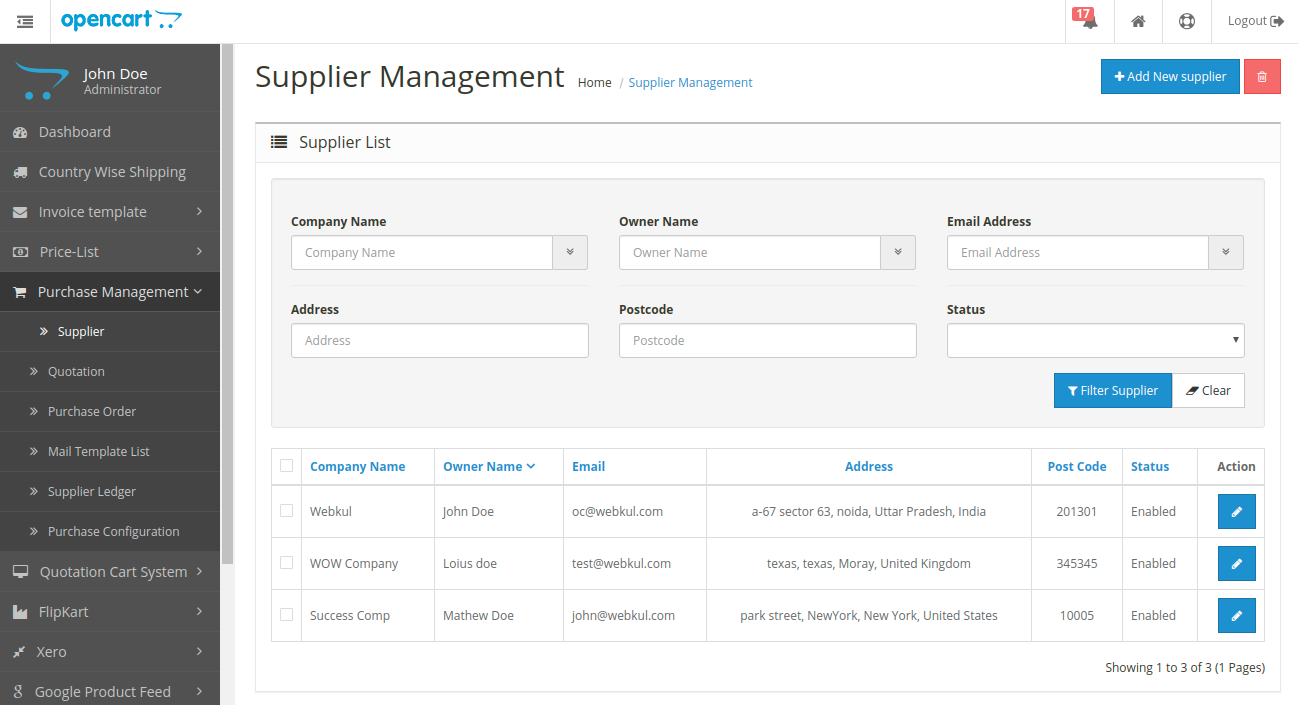
Supplier information should remain organized and easy to access. A purchase management system can maintain supplier profiles containing contact details, purchasing history, payment information, documents, and other relevant records.
Consequently, procurement teams can work from consistent supplier information rather than maintaining separate spreadsheets for every vendor.
5. Purchase Order Tracking
Creating a purchase order is only one part of purchasing. Teams also need to know whether the supplier accepted the order, whether items have shipped, whether delivery is late, and whether the order remains open.
Purchase order software can provide status information throughout the order lifecycle. This helps purchasing teams identify delayed or incomplete orders before they create operational problems.
6. Receiving and Order Matching
Receiving tools help businesses compare what arrived with what they originally ordered. Staff can record quantities received, partial deliveries, damaged items, or missing products.
This information becomes useful when the finance team reviews an invoice. Instead of checking several disconnected documents manually, employees can compare the purchase order, receipt, and invoice records.
Pro tip
Configure your purchasing workflow so employees record partial deliveries and discrepancies instead of closing an order as soon as the first shipment arrives.
7. Budget and Spend Visibility
Purchasing decisions directly affect business spending. A purchase management system can help managers see committed purchases, approved requests, open orders, and historical spending.
For example, a department manager may discover that several teams are independently purchasing similar supplies. With centralized purchasing data, the business can identify these patterns and review whether consolidation makes sense.
However, software does not replace purchasing policies. Businesses still need clear spending limits, approval rules, supplier policies, and responsibility assignments.
8. Reporting and Analytics
Reports can turn purchasing records into useful business information. Common reports may cover supplier spending, purchase order status, purchasing categories, department spending, outstanding orders, and delivery performance.
More importantly, reporting can help managers identify unusual spending patterns or recurring purchasing issues. The value comes from using the information to improve decisions rather than simply generating more reports.
9. Integrations
Purchasing rarely operates alone. Businesses often need purchasing data to move between accounting, inventory, ERP, warehouse, or other systems.
For example, an approved purchase can affect expected inventory levels, while an invoice can affect accounts payable. Integrations reduce duplicate data entry and help different departments work from consistent information.
If your purchasing process depends heavily on customer records or broader business workflows, custom CRM development can also support integrations and workflows tailored to your organization’s processes.
Purchase Management System vs. Purchase Order Software
The terms often overlap, but they do not always describe the same scope.
| Area | Purchase Management System | Purchase Order Software |
|---|---|---|
| Purchase requests | Usually included | May be included |
| Approval workflows | Commonly included | Often included |
| Supplier management | Usually included | May be limited |
| Purchase order creation | Core function | Core function |
| Receiving | Often included | Depends on the system |
| Spend reporting | Commonly included | Varies by product |
| Broader procurement workflow | Usually broader | Often more focused on orders |
In simple terms, purchase order software focuses strongly on creating and managing purchase orders. A purchase management system can cover a wider portion of the purchasing lifecycle, from the initial request through receiving and financial processing.
Therefore, businesses should evaluate the complete workflow they need rather than choosing software based only on the product name.
Benefits of Using a Purchase Management System
Better purchasing visibility
Managers can see requests, approvals, open orders, suppliers, and purchasing activity from a central system.
Fewer manual tasks
Automated workflows can reduce repetitive data entry, email follow-ups, and manual document creation.
Stronger purchasing controls
Approval rules and spending limits help businesses maintain consistent purchasing procedures.
Improved supplier coordination
Centralized supplier records and order tracking make it easier to manage vendor communication and fulfillment.
More reliable records
A centralized system gives teams a clear history of purchasing activity instead of relying on scattered files and messages.
How to Choose the Right Purchase Management System
Choosing software should start with your current purchasing process. First, document how employees request purchases, who approves them, how suppliers receive orders, how teams record deliveries, and how finance handles invoices.
Next, identify the steps that create the most delays or manual work. This approach helps you choose features that solve real problems rather than paying for functionality your business will rarely use.
Consider these factors during evaluation:
- Workflow flexibility: Can you create approval rules that match your organization?
- Ease of use: Can employees submit requests without extensive training?
- Supplier management: Can your team maintain accurate supplier records?
- Purchase order controls: Can users create, edit, approve, send, and track orders?
- Reporting: Can managers review purchasing activity and spending?
- Integrations: Can the system connect with accounting, inventory, ERP, or other tools?
- Security: Does the platform provide appropriate user permissions and access controls?
- Scalability: Can the system support additional users, departments, suppliers, and purchasing volume?
Also, test the system with real purchasing scenarios before making a final decision. For example, create a normal request, a high-value request, a rejected request, a partial delivery, and a changed purchase order. This practical test can reveal workflow limitations that a product demonstration may not show.
Common Purchase Management Mistakes to Avoid
Managing purchases through email alone
Email can support purchasing communication, but it should not serve as the primary system of record. Important requests can become difficult to track when they remain inside individual inboxes.
Skipping approval rules
Without defined approval rules, employees may follow inconsistent purchasing practices. Instead, establish clear thresholds and responsibilities before automating the workflow.
Ignoring supplier data quality
Duplicate or outdated supplier records can create confusion. Therefore, establish a process for reviewing supplier information and maintaining accurate records.
Focusing only on purchase order creation
A purchase order represents only one stage of the purchasing process. Businesses should also consider requests, approvals, receiving, invoice matching, reporting, and integrations.
Adding too much automation too quickly
Automation works best when the underlying process makes sense. If approval rules or purchasing responsibilities remain unclear, automating them can simply make a confusing process move faster.
When Should a Business Use Purchase Management Software?
A purchase management system can become especially useful when a business handles growing purchasing volume, multiple departments, many suppliers, or frequent purchase requests.
It can also help when managers struggle to answer basic questions such as: What has been ordered? Who approved it? Which supplier is handling it? Has it arrived? Has the invoice been processed?
For smaller organizations with very few purchases, a simple workflow may still work. However, as purchasing activity grows, centralized software can provide greater consistency and visibility.
Frequently Asked Questions
Frequently Asked Questions
What is a purchase management system?
A purchase management system is software that manages purchasing activities such as requests, approvals, supplier management, purchase orders, receiving, reporting, and related records.
What does purchase order software do?
Purchase order software helps businesses create, approve, send, track, update, and close purchase orders while keeping related purchasing information organized.
What is the difference between a purchase requisition and a purchase order?
A purchase requisition is an internal request to buy goods or services. After the appropriate approval, the business can create a purchase order and send it to the supplier.
Can purchase management software integrate with accounting systems?
Yes. Many purchasing platforms support integrations with accounting, ERP, inventory, and other business systems. The available integrations depend on the software.
Is a purchase management system useful for small businesses?
It can be useful when a small business handles multiple suppliers, departments, approvals, or recurring purchases. Businesses with very simple purchasing needs may not require a full platform.
Final Thoughts
A purchase management system gives businesses a structured way to control purchasing from the initial request through supplier fulfillment and financial processing. More importantly, it connects the people, approvals, suppliers, orders, and records involved in each purchase.
Purchase order software can form an important part of that workflow, but businesses should look beyond order creation when evaluating solutions. Consider approval automation, supplier management, receiving, reporting, integrations, security, and scalability as well.
Ultimately, the right system should fit the way your business already works while making the process easier to control and improve. Start by mapping your current purchasing workflow, identify the biggest gaps, and then evaluate software against those specific requirements.
