
Cash Flow Software: 10 Features for Better Financial Control
Cash flow software helps businesses track money coming in, money going out, and the cash they expect to have available over time. Instead of relying on spreadsheets and disconnected records, a cash flow system brings financial activity into one place. This makes it easier to monitor liquidity, plan expenses, and spot potential cash shortages before they disrupt operations.
Cash flow matters because sales and available cash do not always move together. A business may have strong revenue but still face pressure when customers delay payments, supplier bills come due, or large expenses arrive at the same time. In this guide, we will explore how cash flow software works, the key features to look for, its benefits, common mistakes, and practical considerations for choosing a suitable solution.
What Is Cash Flow Software?
Cash flow software is a financial management tool that helps businesses monitor, organize, and forecast cash inflows and outflows. It can bring information from customer payments, invoices, supplier bills, operating expenses, payroll, loans, and other financial activities into a central system.
The main goal is simple: give decision-makers a clearer view of current and future cash availability. Instead of looking only at revenue or profit, managers can see when money should arrive and when the business expects to spend it.
A typical cash flow system focuses on three core activities:
- Cash tracking: Monitor actual receipts and payments.
- Cash forecasting: Estimate future balances using expected income and expenses.
- Cash planning: Identify upcoming financial pressure and plan spending accordingly.
Cash flow management also differs from accounting. Accounting records income and expenses according to an accounting method, while cash flow management focuses on the movement and timing of cash. The IRS guide to business accounting methods explains the differences between cash and accrual accounting and how businesses recognize income and expenses.
How Does a Cash Flow System Work?
A cash flow system starts by collecting financial information from the sources a business already uses. Depending on the software, those sources may include accounting platforms, bank accounts, invoices, payment systems, payroll records, and expense management tools.
The system then organizes transactions into cash inflows and outflows. Customer payments represent incoming cash, while supplier bills, salaries, rent, loan payments, taxes, and operating expenses represent outgoing cash.
Next, the system can combine actual transactions with expected income and expenses to create a forecast. For example, a company may expect several customer payments next month while also facing large supplier bills. The forecast helps managers see how those transactions could affect the available balance.
Therefore, a cash flow system does more than record what already happened. It can help businesses plan for what comes next.
Key takeaway
Cash flow software is most useful when it shows not only how much cash a business has, but also when cash will enter and leave the business.
10 Key Features of Cash Flow Software
1. Cash Inflow and Outflow Tracking
Accurate transaction tracking forms the foundation of any cash flow system. The software should help businesses monitor incoming and outgoing cash across relevant accounts and categories.
For example, a company may track customer receipts, supplier payments, rent, payroll, taxes, subscriptions, equipment purchases, and loan payments. With this information in one place, managers can understand daily, weekly, and monthly cash movement more easily.
In addition, centralized tracking reduces the need to combine information manually from multiple spreadsheets and records.
2. Cash Flow Forecasting
Forecasting helps businesses look beyond their current bank balance. A good system can use expected receipts and planned expenses to estimate future cash positions.
For instance, imagine a contractor expects $50,000 in customer payments over the next month but has $42,000 in supplier, payroll, and operating expenses due during that period. The total figures may look manageable, but payment timing still matters.
A forecast can highlight that timing issue and give managers time to review upcoming obligations. SCORE also provides a 12-month cash flow projection template that businesses can use to plan receipts, expenses, and ending cash balances.
3. Accounts Receivable Visibility
Unpaid invoices can create cash pressure even when sales remain strong. Therefore, cash flow software should provide visibility into outstanding receivables and expected payment dates.
For example, a business may have $100,000 in approved invoices but only $30,000 expected to arrive this week. Seeing that difference helps managers avoid treating all outstanding revenue as immediately available cash.
Receivables visibility can also support better collection workflows. Teams can identify overdue accounts, review payment patterns, and follow up based on actual financial needs.
4. Accounts Payable Tracking
Cash planning also requires a clear view of outgoing payments. Accounts payable tracking helps businesses monitor supplier bills, recurring expenses, and other financial obligations.
As a result, managers can identify periods when several large payments will leave the business at once. They can then compare those commitments with expected receipts before approving additional spending.
This becomes particularly useful for businesses that work with many vendors. A centralized purchasing workflow can make it easier to connect purchase commitments with future cash requirements.
5. Recurring Transaction Management
Many businesses have predictable financial activity. Rent, software subscriptions, insurance, loan installments, service contracts, and recurring customer payments can all affect future cash availability.
A cash flow system can record these recurring transactions and include them in future forecasts. Therefore, predictable expenses remain visible instead of disappearing from the planning process.
This feature also helps businesses distinguish regular operating costs from unusual or one-time payments.
6. Budget Comparison
Cash flow planning becomes more useful when businesses compare planned spending with actual financial activity. A budget comparison feature can show where real expenses differ from expectations.
For example, a business may plan $10,000 for monthly operating expenses but spend $13,000. That $3,000 difference can affect future cash availability, especially when the business operates with limited reserves.
Businesses can connect cash flow planning with budget software for smarter budget management to create a clearer relationship between spending plans and actual cash movement.
7. Expense Categorization
Businesses need to know where their cash goes. Expense categorization groups transactions into useful areas such as payroll, rent, utilities, travel, marketing, inventory, equipment, and supplier payments.
Clear categories make reports easier to understand. More importantly, they help managers identify spending patterns and investigate areas where costs may have changed.
For businesses with many employee or operating expenses, a dedicated expense management system can also support better financial control alongside cash flow planning.
8. Dashboards and Financial Reports
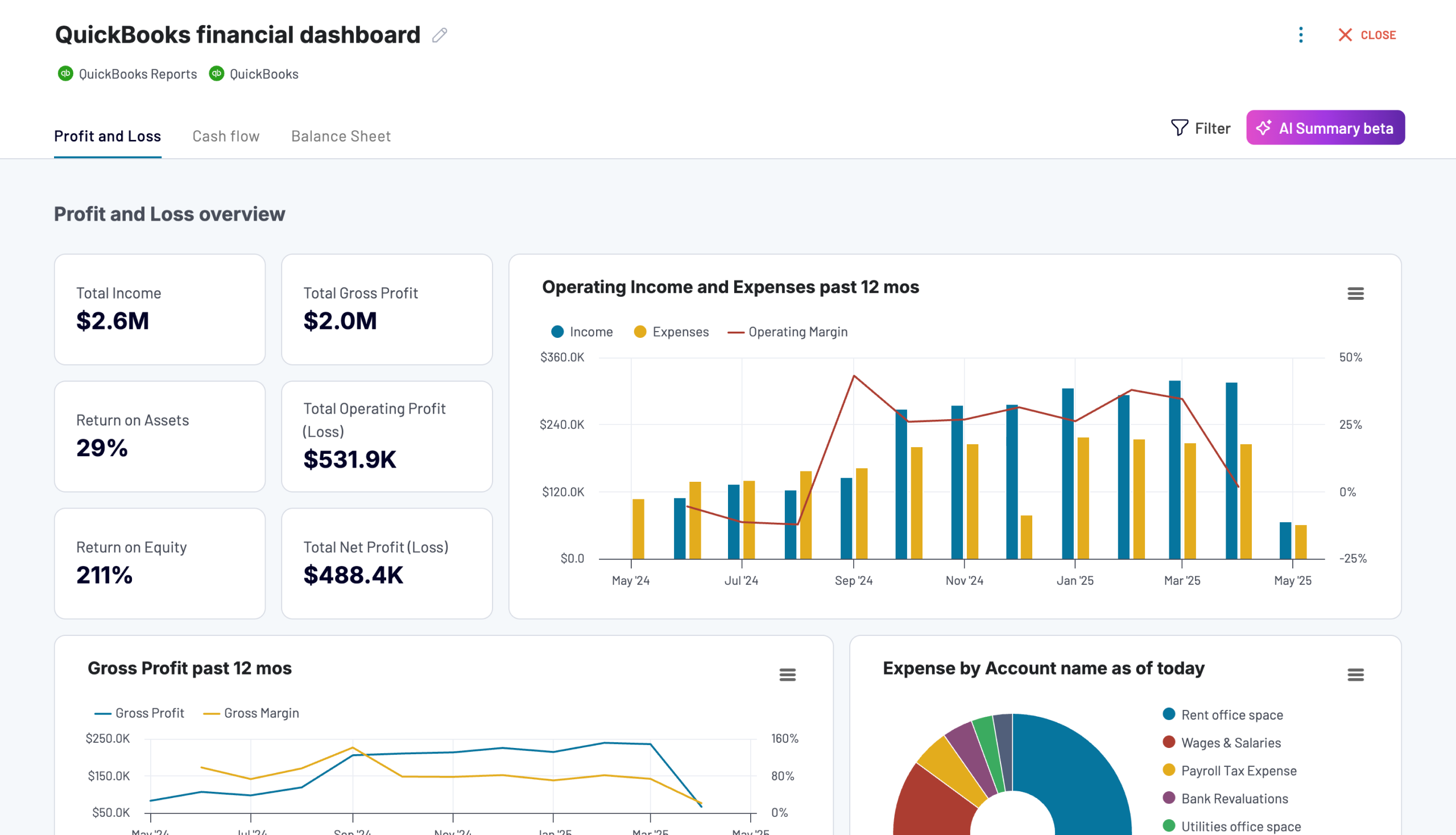
A dashboard can turn large amounts of financial data into a simpler overview. Depending on the system, managers may see current cash balances, expected inflows, upcoming expenses, projected balances, and cash trends.
Reports can also help finance teams investigate changes over time. Instead of reviewing every transaction individually, they can start with a summary and then examine the underlying records when needed.
For example, a manager might notice that projected cash falls sharply in a particular month. The report can then help identify whether the change comes from lower expected receipts, higher expenses, or a large one-time payment.
9. Alerts and Notifications
Cash flow problems become harder to manage when businesses discover them too late. Alerts can help bring attention to low projected balances, overdue receivables, upcoming payments, or other conditions that need review.
For example, if projected cash falls below an internal threshold, the system can notify the responsible manager. The team can then review expected receipts and expenses before the situation becomes urgent.
However, alerts should support decision-making rather than create unnecessary noise. Businesses should configure notifications around conditions that actually require action.
10. Integration With Other Business Systems
Cash flow information becomes more useful when it connects with the systems that generate financial data. Depending on business needs, integrations may include accounting software, invoicing tools, payment platforms, banking systems, payroll tools, CRM platforms, or ERP software.
Integration can reduce duplicate data entry and create a more consistent workflow. For example, when an invoice moves through the sales process, the related expected payment can become part of the cash forecast.
Similarly, purchasing activity can help finance teams understand future payment commitments. This creates a stronger connection between daily operations and financial planning.
Benefits of Using Cash Flow Software
The biggest benefit of cash flow software is improved financial visibility. However, that visibility can support several practical improvements across the business.
Spot potential cash shortages earlier
Forecasts can highlight periods when expected outflows may exceed available cash, giving managers more time to review the situation.
Make better spending decisions
Managers can review upcoming financial commitments before approving large purchases, hiring decisions, or new investments.
Improve payment planning
Clear receivables and payables data helps businesses understand when cash should arrive and when obligations need payment.
Reduce manual financial work
Automated data collection, categorization, and reporting can reduce repetitive spreadsheet updates and calculations.
Support growth planning
Businesses can review projected cash availability before expanding operations, purchasing equipment, hiring staff, or taking on new commitments.
Cash Flow Software vs. Spreadsheets
Spreadsheets can work well for simple cash flow tracking. They offer flexibility and require little setup. However, they can become harder to maintain as transaction volume, users, and financial complexity increase.
| Area | Spreadsheet | Cash Flow Software |
|---|---|---|
| Data entry | Often manual | Can support automated integrations |
| Forecasting | Usually requires formulas | Often built into the system |
| Collaboration | Depends on spreadsheet setup | Centralized access may be available |
| Alerts | Usually limited | Can support automated notifications |
| Scalability | Can become harder to manage | Designed for structured workflows |
Therefore, a spreadsheet may remain practical for a small business with simple finances. On the other hand, dedicated cash flow software can provide more automation and structured visibility as financial activity grows.
How to Choose the Right Cash Flow Software
The right cash flow system should fit the way your business handles money. Instead of choosing a platform based only on its feature count, start by identifying the financial problems you need to solve.
First, review where your financial information currently comes from. Then, consider how often your team updates it, who needs access, and how far ahead you need to forecast.
Ask these questions before choosing a solution:
- Can the software connect with the accounting and payment tools you already use?
- Can it track both actual and expected cash movements?
- Does it support short-term and longer-term forecasting?
- Can you monitor receivables and payables in one place?
- Can managers customize categories and reports?
- Does it provide useful alerts for financial risks?
- Can multiple users access the system securely?
- Can it scale as transaction volume grows?
- Does it maintain useful transaction history?
- Can it integrate with other business systems?
Pro tip
Do not choose software based only on the number of features. Focus on whether the system accurately reflects how your business receives, spends, and plans cash.
Cash Flow Software for Different Business Needs
Not every business needs the same level of cash flow management. The right setup depends on transaction volume, payment cycles, operating complexity, and planning requirements.
Small Businesses
A small business may mainly need basic transaction tracking, expense categorization, receivables visibility, and short-term forecasting. A simple system can provide enough visibility without adding unnecessary complexity.
Service Businesses
Service companies often depend on customer invoices and payment schedules. Therefore, connecting invoicing activity with cash forecasting can help managers understand when completed work will turn into available cash.
Businesses With Inventory
Inventory-based businesses must consider purchasing and stock commitments alongside customer receipts. Large inventory purchases can reduce available cash even when sales remain steady.
In such cases, cash flow planning can work alongside inventory and purchasing processes. This gives managers a better view of how operational decisions may affect liquidity.
Growing Businesses
Growth can increase both incoming revenue and outgoing costs. New employees, equipment, locations, inventory, marketing campaigns, and supplier commitments can all change the timing of cash movement.
As a result, growing businesses may benefit from forecasting tools that support different scenarios. A manager can compare expected cash positions under different sales or spending assumptions before making a major commitment.
Common Cash Flow Management Mistakes
Focusing Only on Revenue
Revenue does not always mean cash is available today. A business may record a sale while the customer plans to pay weeks later.
Therefore, cash planning should consider actual payment timing rather than treating all sales as immediately available funds.
Ignoring Payment Timing
Monthly totals can hide short-term pressure. For example, a business may expect enough cash during the month but still face a shortage during the first week because several bills arrive before customer payments.
A good forecast should therefore consider when transactions occur, not just their total value.
Forgetting Irregular Expenses
Businesses sometimes focus on recurring expenses and overlook annual or occasional costs. Equipment purchases, insurance payments, taxes, loan obligations, and major repairs can affect cash significantly.
Including known future commitments makes forecasts more realistic.
Using Outdated Data
A forecast cannot provide useful guidance if its underlying data is outdated. Missed customer payments, unexpected expenses, and changes in payment dates can quickly affect projections.
Regular updates help keep the forecast aligned with current business conditions.
Overcomplicating the Process
More data does not automatically produce better decisions. Businesses should focus on information that answers practical questions: How much cash is available? What payments are due? Which customers owe money? What cash should arrive next? What will the projected balance look like?
How to Get More Value From a Cash Flow System
Software alone does not create effective cash flow management. Businesses also need consistent processes and accurate data.
- Keep financial data current. Update actual transactions and expected receipts regularly.
- Review forecasts on a schedule. Weekly or monthly reviews can help teams respond to changes sooner.
- Separate actuals from projections. This makes it easier to distinguish what already happened from what the business expects next.
- Monitor receivables. Pay attention to overdue invoices and changing customer payment patterns.
- Track upcoming obligations. Include supplier bills, payroll, taxes, subscriptions, loans, and planned purchases.
- Use scenarios for major decisions. Compare expected cash movement under different sales, expense, or investment assumptions.
For businesses that need more detailed planning, SCORE’s 24-month cash flow projection resource provides another example of how businesses can organize longer-term cash receipts, expenses, and projected balances.
When Should a Business Use Cash Flow Software?
Cash flow software can become valuable when financial activity becomes difficult to manage manually. This may happen when a company has multiple accounts, many invoices, recurring expenses, delayed customer payments, seasonal revenue, or a growing number of transactions.
It can also help businesses that need regular forecasts instead of occasional financial reviews. For example, a company preparing to expand may want to understand how new employees, equipment purchases, or higher operating costs could affect future cash availability.
However, not every business needs a complex platform. A small operation with few transactions may find a spreadsheet sufficient. The right choice depends on financial complexity, transaction volume, reporting requirements, budget, and the level of automation the business needs.
Frequently Asked Questions
Frequently Asked Questions
What is cash flow software used for?
Cash flow software helps businesses track cash inflows and outflows, forecast future balances, monitor receivables and payables, and plan upcoming financial commitments.
What is the difference between cash flow software and accounting software?
Accounting software manages broader financial records and accounting processes, while cash flow software focuses more specifically on cash movement, timing, and forecasting.
Can cash flow software predict future cash shortages?
It can highlight potential shortages by comparing expected cash inflows with planned outflows. However, forecast quality depends on the accuracy and timing of the underlying data.
Can a cash flow system replace a spreadsheet?
For many businesses, dedicated software can replace spreadsheets for regular cash flow tracking and forecasting. However, businesses with simple finances may still find spreadsheets practical.
What should I look for in cash flow software?
Look for transaction tracking, forecasting, receivables and payables visibility, reporting, alerts, integrations, security, usability, and scalability.
Conclusion
Cash flow software gives businesses a clearer way to understand where cash comes from, where it goes, and what future cash availability may look like. Features such as forecasting, receivables tracking, payable management, recurring transactions, alerts, reporting, and integrations can turn scattered financial information into a more useful planning system.
However, technology works best when businesses keep financial data accurate and review forecasts consistently. Start by identifying the cash flow problems that create the most uncertainty, then choose a cash flow system that addresses those needs without adding unnecessary complexity.
As financial workflows become more complex, businesses may also benefit from connecting cash flow processes with broader operational systems. The goal is not simply to record transactions, but to give decision-makers timely information they can use to plan spending, manage obligations, and support sustainable growth.
Build software around how your business works
If your business needs a connected financial workflow that brings cash flow, operations, purchasing, sales, and reporting together, custom software can provide a more tailored approach.Talk to our team
