
CRM Explanation: 10 Key Concepts, Features, Benefits, and Cloud CRM Basics
A clear CRM explanation starts with one simple idea: customer relationship management helps businesses organize customer information, track interactions, manage sales activity, and build stronger relationships. Instead of keeping customer details across spreadsheets, emails, and separate tools, a CRM brings important information into one connected system.
CRM matters because customer data often grows quickly as a business gains leads, customers, conversations, deals, service requests, and follow-ups. Therefore, a well-designed CRM gives teams a structured way to manage that information and act on it. In this guide, we will describe CRM in simple terms, explain how CRM software works, explore its key features and benefits, compare common CRM types, and explain what businesses should know about CRM software cloud solutions.
What Is CRM?
CRM stands for Customer Relationship Management. It describes both a business approach and the software businesses use to manage relationships with current and potential customers.
In practical terms, CRM software stores customer and prospect information, records interactions, tracks sales opportunities, and helps teams manage customer-related activities from one place. IBM describes CRM as integrated technology used to document, track, and manage relationships and interactions with existing and potential customers. IBM’s CRM overview provides additional context on how CRM supports sales, service, and customer data management.
For example, imagine a company receives a new inquiry through its website. A CRM can store the person’s name, company, contact information, inquiry details, assigned salesperson, follow-up tasks, and later communication. As the relationship develops, the team can keep adding relevant information to the same customer record.
Key takeaway
A CRM is more than a digital contact list. It connects customer data, interactions, processes, and follow-up activities so teams can manage relationships more consistently.
CRM Explanation: How Does CRM Software Work?
To describe CRM clearly, think of it as a central workspace for customer-related information and activities. The exact features vary between platforms, but most CRM systems follow a similar process.
- Collect customer data: The system stores information such as names, contact details, companies, inquiries, and account information.
- Record interactions: Teams can keep track of calls, emails, meetings, notes, service conversations, and other customer touchpoints.
- Organize opportunities: Sales teams can track prospects and deals through different stages of the sales process.
- Assign activities: Users can create tasks, reminders, follow-ups, and appointments so important actions do not get lost.
- Analyze information: Reports and dashboards can help managers understand sales activity, customer trends, and team performance.
- Automate repetitive work: Depending on the platform, CRM automation can handle tasks such as notifications, follow-up reminders, workflows, and data updates.
As a result, CRM software gives employees a shared view of customer information. Salesforce similarly explains that CRM technology helps businesses manage customer and prospect relationships while tracking interaction data across channels. Salesforce’s CRM basics guide explains the concept in more detail.
10 Key CRM Concepts You Should Understand
1. Contacts and Accounts
Contacts represent individual people, while accounts commonly represent the companies or organizations associated with those people. This structure helps businesses understand who they are communicating with and which organization each contact belongs to.
For example, a B2B company may have several contacts working at the same customer account. A CRM can connect those contacts to the same organization while keeping individual communication details available to the team.
2. Customer Database
A CRM creates a centralized place for customer information. Instead of relying on scattered spreadsheets, employees can access relevant information from structured customer records.
This centralization becomes especially useful when several employees interact with the same customer. Everyone can work from the same information rather than creating separate versions of the customer history.
3. Lead Management
Leads are potential customers who may have shown interest in a company’s products or services. CRM software helps businesses capture leads, assign them to team members, track their status, and plan follow-ups.
For instance, a website inquiry can enter the CRM as a new lead. A salesperson can then qualify the lead, schedule a call, record the outcome, and move the opportunity forward.
4. Sales Pipeline
The sales pipeline shows where prospects stand in the buying process. Common stages may include new lead, qualified opportunity, proposal, negotiation, and closed deal.
Therefore, sales managers can use pipeline information to understand which opportunities need attention and which deals have progressed.
Businesses that want a deeper look at pipeline functionality can also explore sales pipeline software features.
5. Interaction History
A useful CRM records important customer interactions over time. Depending on the platform and integrations, this information may include calls, emails, meetings, notes, purchases, support requests, and other activities.
This history helps employees understand previous conversations before they contact a customer again. Consequently, customers do not need to repeat the same information every time they speak with a different team member.
6. Task and Follow-Up Management
CRM systems can help teams manage the actions that follow customer interactions. A salesperson might create a reminder to call a prospect next week, while a service representative might create a task to check whether an issue has been resolved.
These small actions matter because consistent follow-up often depends on organized processes rather than memory alone.
7. Reporting and Dashboards
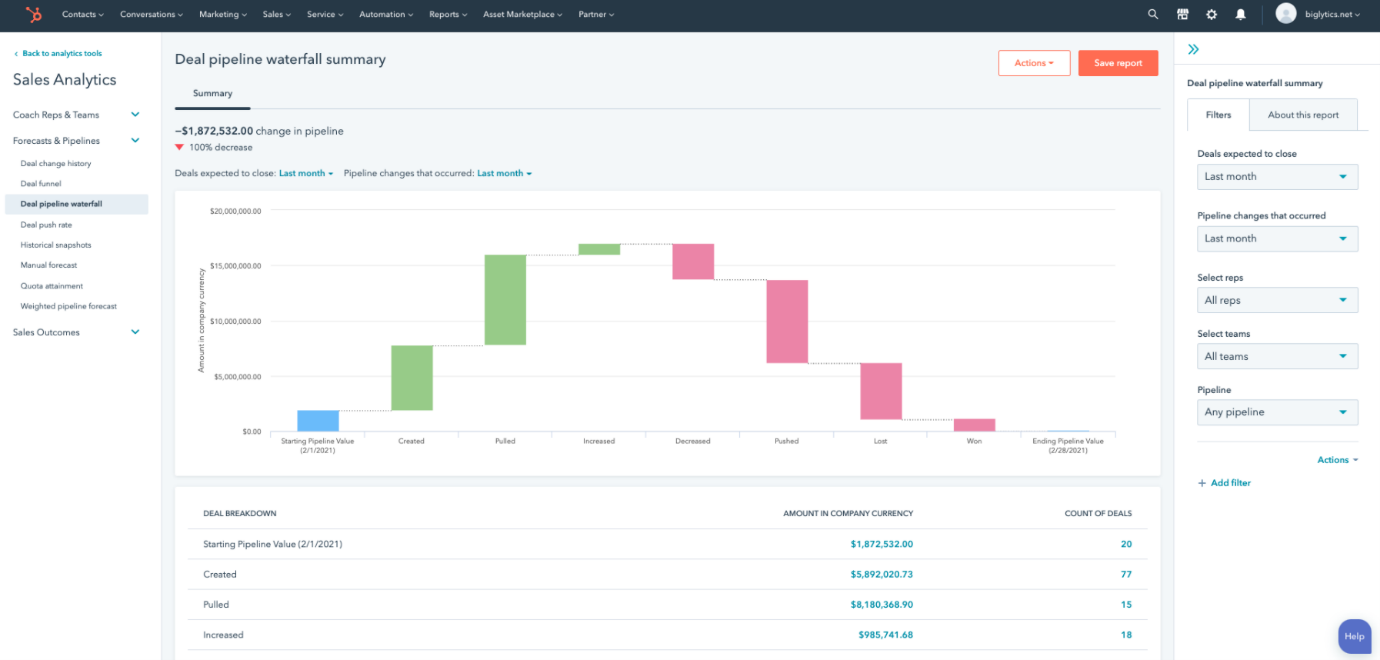
CRM reporting turns customer and sales data into useful business information. Managers can review metrics such as lead activity, opportunities, sales stages, customer activity, or service workloads, depending on the CRM.
Moreover, dashboards can make this information easier to review. Instead of manually combining data from several spreadsheets, users can work with information already stored in the CRM.
8. Workflow Automation
Automation allows a CRM to handle certain repetitive actions based on defined rules. For example, a CRM might assign a new lead to a sales representative, create a follow-up task, or send an internal notification when an opportunity changes stage.
However, automation works best when the underlying process is clear. Automating a poorly designed workflow can simply make a confusing process happen faster.
9. Integrations
Businesses often use CRM alongside email platforms, calendars, accounting systems, marketing tools, customer support software, websites, and other business applications.
CRM integrations can reduce duplicate data entry and help information move between systems. The exact integration options depend on the CRM platform and the other applications involved.
10. Customer Analytics
CRM data can help businesses understand customer activity and relationship trends. Teams can use this information to identify opportunities, monitor engagement, review sales performance, and improve customer processes.
In addition, modern CRM platforms may include artificial intelligence features that analyze customer information and assist with tasks. Microsoft, for example, describes CRM solutions that connect data across sales, marketing, and service while providing AI-powered insights and automation. Microsoft’s CRM solutions overview explains these capabilities in more detail.
What Are the Main Benefits of CRM?
Understanding the benefits is an important part of any CRM explanation because businesses adopt CRM systems to solve practical problems, not simply to store information.
Centralized customer information
Teams can keep important customer and prospect information in one structured system instead of spreading it across multiple files and applications.
Better sales visibility
Sales teams can see opportunities, stages, follow-ups, and customer activity more clearly, which helps them organize their daily work.
More consistent follow-up
Tasks, reminders, and workflow automation help teams stay aware of important customer actions and scheduled follow-ups.
Improved collaboration
When teams share customer records, employees can access relevant information without relying on separate personal notes or disconnected spreadsheets.
Useful reporting
Managers can analyze customer and sales information through reports and dashboards instead of manually compiling every data point.
Scalable processes
A structured CRM can provide repeatable processes as a business gains more customers, employees, leads, and interactions.
What Are the Different Types of CRM?
CRM platforms can serve different business needs. Rather than treating every CRM as identical, it helps to understand the main ways companies use them.
Operational CRM
Operational CRM focuses on day-to-day customer processes. It commonly supports sales, marketing, customer service, contact management, workflows, and other operational activities.
This type works well for businesses that want to organize repetitive customer-facing processes and reduce manual work.
Analytical CRM
Analytical CRM focuses on analyzing customer data. Businesses can use reports, dashboards, and analytics to identify patterns and support business decisions.
For example, a company might analyze sales activity, customer segments, or service trends to understand where it should focus attention.
Collaborative CRM
Collaborative CRM focuses on sharing customer information across teams and channels. Sales, marketing, and service employees can use shared information to coordinate customer interactions.
This approach becomes especially useful when several departments contribute to the same customer journey.
Custom CRM
Some businesses need processes that standard CRM products cannot support without significant workarounds. In those cases, custom CRM development can help organizations create workflows, fields, dashboards, integrations, and business rules around their specific requirements.
Before choosing custom development, businesses should first document their processes and determine which requirements truly need customization. A tailored system makes more sense when the business has specific workflows or integration needs that standard products cannot handle efficiently.
What Is CRM Software Cloud?
CRM software cloud refers to a CRM that businesses access through internet-connected devices instead of running the entire application infrastructure on their own local servers.
In practice, cloud CRM allows employees to access the system through a browser or application while the provider manages much of the underlying hosting infrastructure. Salesforce, for example, explains that its CRM information can be stored securely in the cloud and accessed by users as part of its platform.
Cloud CRM can be useful for distributed teams because employees can access customer information without depending on a CRM installation on a single office computer. However, businesses still need to evaluate security, permissions, data handling, integrations, backups, availability, and vendor policies before selecting a platform.
Important
Cloud CRM does not remove the need for good data governance. Businesses should still define user permissions, protect sensitive information, review integrations, and establish clear rules for data quality.
Cloud CRM vs. On-Premises CRM
The main difference concerns where the CRM infrastructure runs and who manages it. Cloud systems rely on hosted infrastructure, while traditional on-premises systems run on infrastructure controlled by the organization.
| Consideration | Cloud CRM | On-Premises CRM |
|---|---|---|
| Infrastructure | Hosted by a provider | Managed by the organization |
| Access | Typically available through internet-connected applications | Usually depends more heavily on organizational infrastructure and network setup |
| Maintenance | Provider handles much of the platform infrastructure | Organization manages more infrastructure responsibilities |
| Customization | Depends on the platform and available configuration options | Can provide greater control, depending on the implementation |
| Scaling | Often designed to scale through the provider’s infrastructure | May require additional organizational infrastructure planning |
Neither model automatically fits every organization. Therefore, businesses should consider their security requirements, IT resources, customization needs, budget, integrations, and user access requirements before choosing a deployment model.
CRM Software vs. a Spreadsheet
A spreadsheet can work for basic contact tracking, especially when a business has a small amount of customer information. However, spreadsheets become harder to manage as customer interactions, users, opportunities, and processes increase.
A CRM provides purpose-built structures for customer records, activities, pipelines, tasks, reporting, and workflows. As a result, teams can manage relationships through a system designed around customer processes rather than adapting a general-purpose spreadsheet to those needs.
For businesses that need broader customer management capabilities, customer relationship software features can provide a useful next step after understanding the basic CRM concept.
When Should a Business Consider CRM Software?
A business may benefit from CRM software when customer information becomes difficult to manage manually or when several employees need access to the same customer data.
Common signs include:
- Sales leads are stored across multiple spreadsheets or inboxes.
- Employees struggle to find previous customer conversations.
- Follow-ups depend heavily on personal reminders.
- Managers lack a clear view of sales opportunities.
- Several departments need access to the same customer information.
- Customer data appears in multiple systems with inconsistent details.
- Manual reporting consumes too much staff time.
- The business wants to automate repetitive customer-related tasks.
However, buying CRM software should not become the goal by itself. The better approach is to identify the business problems first, then choose a system that directly addresses those problems.
How to Choose a CRM
Once a business understands CRM, the next step involves comparing platforms against actual requirements. A useful evaluation should include both current needs and realistic future requirements.
- Define your processes: Document how your team handles leads, sales, customer service, follow-ups, and reporting today.
- Identify essential features: Decide which capabilities you actually need, such as contact management, pipeline tracking, automation, reporting, or integrations.
- Review usability: A powerful CRM still creates problems if employees find it difficult to use consistently.
- Check integrations: Make sure the platform can connect with important business systems.
- Evaluate security: Review access controls, data handling, authentication options, and relevant provider policies.
- Consider scalability: Choose a system that can support realistic growth without forcing an immediate replacement.
- Calculate the total cost: Consider licenses, implementation, customization, integrations, training, and ongoing administration.
Pro tip
Do not evaluate CRM platforms only by counting features. Compare how well each platform supports the actual workflows your employees perform every day.
Common CRM Mistakes to Avoid
Even a capable CRM can deliver poor results when a business implements it without a clear process. Fortunately, many common mistakes are preventable.
Choosing too many features
More features do not always mean better results. Instead, start with the processes that matter most and select functionality that supports them.
Ignoring data quality
Duplicate, incomplete, or outdated customer records can reduce the value of CRM reports and workflows. Therefore, businesses should establish rules for creating, updating, and maintaining records.
Skipping user training
Employees need to understand not only how to use the CRM but also why specific information must be recorded. Clear processes and practical training can encourage more consistent adoption.
Automating everything immediately
Automation should follow a stable process. If the workflow changes frequently or contains unnecessary steps, automation can create more confusion rather than less.
Failing to review the system
Business needs change over time. Consequently, companies should periodically review CRM fields, reports, workflows, integrations, and user permissions to ensure the system still supports current operations.
Frequently Asked Questions
What is a simple CRM explanation?
CRM stands for Customer Relationship Management. It is a business approach and software category used to organize customer information, track interactions, manage sales activities, and support customer relationships.
How would you describe CRM software?
CRM software is a centralized system that helps businesses manage customer and prospect data, interactions, sales opportunities, tasks, workflows, reporting, and related customer processes.
What does CRM software cloud mean?
CRM software cloud refers to CRM software hosted on cloud infrastructure and accessed through internet-connected applications. The provider typically manages much of the underlying infrastructure.
What is the difference between CRM and ERP?
CRM focuses mainly on customer-facing activities such as sales, marketing, and service. ERP generally focuses on broader internal operations such as finance, supply chain, inventory, and other business processes. Some platforms connect CRM and ERP capabilities.
Is CRM useful for small businesses?
Yes. Small businesses can use CRM software to organize customer information, track leads, manage follow-ups, and create more consistent processes. The key is choosing a system that matches the company’s actual needs and resources.
Conclusion
A good CRM explanation comes down to how a business manages customer relationships through organized information, consistent processes, and useful technology. CRM software brings customer and prospect data together, supports sales and service activities, enables reporting, and can automate repetitive work.
Cloud CRM adds another deployment option by allowing businesses to use hosted CRM systems without managing all of the underlying infrastructure themselves. However, the right choice depends on business processes, users, integrations, security requirements, budget, and customization needs.
For companies whose workflows require capabilities beyond standard CRM platforms, custom CRM development can provide a way to build functionality around specific business processes. The most effective approach is to start with clear requirements and then choose the technology that supports those requirements without adding unnecessary complexity.
Build software around how your business works
Need a CRM that fits your workflows, customer processes, and integration requirements? Explore a tailored approach based on how your business operates.Talk to our team
