
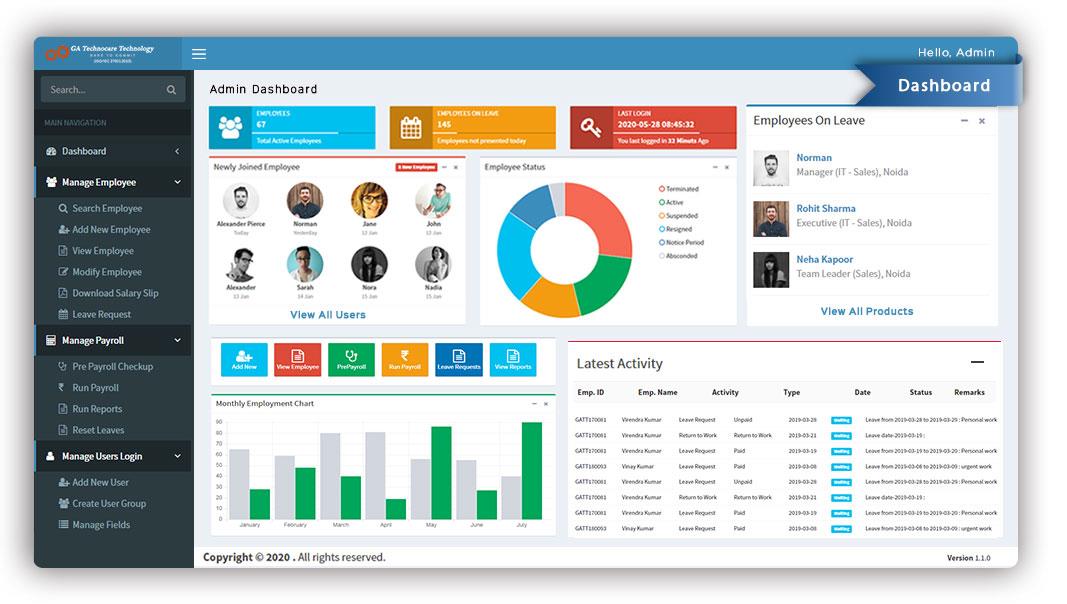
Customer Relationship Software: 10 Features That Improve Customer Management
Customer relationship software helps businesses organize customer data, manage interactions, support sales teams, and keep customer service work on track. Instead of relying on spreadsheets, inboxes, and disconnected tools, teams can use one system to maintain a shared view of prospects and customers. This makes customer information easier to find and helps teams follow up with greater consistency.
Modern customer relationship software can support much more than contact storage. It can connect sales, marketing, and service activities, automate routine tasks, track opportunities, and provide reports that help managers understand customer activity. In this guide, we’ll explain how CRM works, explore 10 important features, discuss its benefits and limitations, and cover what to consider when choosing a system.
What Is Customer Relationship Software?
Customer relationship software is a business application that helps companies manage information and interactions related to current and potential customers. It typically stores contact details, communication history, sales activity, customer requests, and other relationship data in one central system.
In practice, the software gives teams a shared customer record. A sales representative can see previous conversations, while a service employee can review relevant customer information before responding to a request. As a result, teams spend less time searching for information and more time acting on it.
Customer relationship management, or CRM, describes the broader strategy and processes used to manage customer relationships. CRM management software puts those processes into a digital system that can centralize information, automate tasks, and support collaboration. Microsoft explains that CRM combines strategy, processes, and technology across areas such as sales, marketing, and service. Microsoft’s CRM overview provides additional context on how these systems work.
Key takeaway
Customer relationship software is not simply a digital address book. It connects customer information with the activities teams perform throughout the customer lifecycle.
How Does CRM Management Software Work?
CRM management software starts by collecting customer and prospect information from the channels a business uses. Depending on the system, that information can include contact records, emails, phone interactions, sales opportunities, service requests, purchases, and marketing activity.
The software then organizes this information into customer records and workflows. Teams can use those records to schedule follow-ups, update opportunities, assign tasks, respond to customer requests, and monitor progress.
For example, imagine a company receives a new inquiry through its website. The CRM can create a prospect record, assign the inquiry to a sales representative, record communication, and move the prospect through the sales process. If the prospect becomes a customer, the same record can continue to support future sales and service interactions.
This centralized approach can also reduce information silos. Salesforce describes CRM as technology that helps businesses manage relationships with customers and prospects while tracking interaction data in one place. Salesforce’s CRM basics guide explains the role of CRM in managing customer relationships and interaction data.
10 Key Features of Customer Relationship Software
1. Contact and Account Management
A central contact database is one of the most important CRM features. It allows businesses to store names, phone numbers, email addresses, company information, notes, communication history, and other relevant details.
Instead of keeping customer details across separate spreadsheets or personal files, teams can work from a shared record. Account management can also group individual contacts under the right company or organization.
2. Interaction and Communication Tracking
Customer conversations often happen across email, phone calls, meetings, forms, and other channels. CRM software can bring relevant interaction history together so employees can understand what has already happened before contacting a customer.
This matters because customers should not have to repeat the same information every time they speak with a different employee. A complete interaction history also helps sales and service teams prepare for more informed conversations.
3. Lead Management
Lead management helps businesses organize prospects from their first interaction through qualification and conversion. Teams can capture lead information, assign ownership, record activities, and monitor the next action.
For companies with many incoming prospects, this feature can create a more consistent process. Instead of letting inquiries sit in an inbox, employees can see which leads need attention and when they should follow up.
Businesses that want a deeper look at this area can also explore lead tracking software features and how they support organized sales activity.
4. Sales Pipeline Management
A CRM can give sales teams a visual view of opportunities as they move through different stages. Typical stages might include new inquiry, qualified lead, proposal, negotiation, and closed deal.
Managers can use this information to understand the status of active opportunities. Meanwhile, sales representatives can focus on the next action for each prospect instead of maintaining a separate manual tracker.
For example, a consulting company could use pipeline stages to track prospects from an initial consultation to proposal submission and final agreement. This creates a clear process without requiring multiple spreadsheets.
5. Task and Follow-Up Management
Good customer management depends on timely follow-up. CRM management software can help employees create tasks, schedule reminders, assign activities, and track completed work.
For instance, after a sales call, a representative might create a task to send pricing information the following day. Similarly, a service employee could schedule a follow-up after resolving a customer issue.
By connecting tasks to customer records, employees can understand why an activity matters rather than treating every reminder as an isolated task.
6. Customer Service Management
Customer relationship software can also support customer service teams. Depending on the platform, employees may track service requests, complaints, support interactions, and follow-up activities from the same customer record.
This shared information can help service representatives understand the customer’s history before responding. Businesses can therefore create a more connected experience between sales and support.
For businesses that want to improve the customer journey from the beginning, the customer onboarding process is another important area to consider.
7. Reporting and Dashboards
Reports turn CRM data into information managers can use. Depending on the system, reports may cover leads, opportunities, sales activity, customer service requests, conversion activity, or team performance.
Dashboards can make this information easier to review by bringing important metrics into one view. Therefore, managers can identify bottlenecks, review activity levels, and make decisions using current business data instead of relying only on manual updates.
8. Workflow Automation
Many CRM systems can automate repetitive steps. For example, the software might assign a new lead to a specific team member, create a follow-up task after a customer interaction, or trigger a notification when an opportunity changes stage.
Automation does not remove the need for human judgment. Instead, it handles predictable administrative work so employees can spend more time on conversations, decisions, and customer problems.
9. Integration With Other Business Systems
Customer information rarely exists in only one application. Businesses may also use accounting software, email platforms, websites, inventory systems, help desks, marketing tools, or ERP systems.
CRM integrations can connect these systems so information can move between them more efficiently. For example, connecting CRM with inventory data can help sales teams understand product availability before making commitments to customers.
This is especially useful for businesses that already have several operational systems and want to reduce duplicate data entry.
10. Mobile and Remote Access
Sales representatives, field teams, and managers may need customer information while away from their desks. Mobile CRM access can allow authorized users to review records, update activities, add notes, and manage tasks from supported devices.
As a result, customer information does not have to remain tied to a single office computer. However, businesses should still evaluate mobile security, permissions, device support, and offline capabilities before selecting a platform.
Benefits of Using Customer Relationship Software
The main value of customer relationship software comes from connecting customer data with everyday business processes. A CRM can provide several practical benefits when teams use it consistently.
- Centralized customer information: Teams can access customer and prospect details from a shared system.
- Better follow-up: Tasks and reminders can help employees stay on top of customer commitments.
- Improved collaboration: Sales, marketing, and service teams can work from shared customer information.
- More organized sales activity: Pipeline management gives teams a structured way to monitor opportunities.
- Less manual administration: Automation can reduce repetitive data entry and routine workflow steps.
- Better visibility: Reports and dashboards help managers understand customer and sales activity.
- More consistent service: Employees can review previous interactions before handling customer requests.
However, these benefits depend on data quality and user adoption. A CRM cannot solve poor processes simply because a company installs the software. Teams still need clear workflows, accurate records, appropriate permissions, and regular use.
Customer Relationship Software vs. Spreadsheets
Spreadsheets can work for very small customer lists and simple processes. However, they become harder to manage as customer records, employees, interactions, and sales activities increase.
| Area | Spreadsheet | CRM Software |
|---|---|---|
| Customer records | Usually stored in rows and sheets | Structured customer and account records |
| Follow-ups | Often managed manually | Tasks, reminders, and workflows |
| Sales pipeline | Requires manual tracking | Dedicated opportunity stages and views |
| Automation | Limited or requires additional setup | Built-in workflow automation may be available |
| Reporting | Often requires manual formulas and updates | Dashboards and CRM reports |
| Team collaboration | Can become difficult with multiple users | Shared records and permissions |
Therefore, the right choice depends on the complexity of the business. A small team with a simple customer process may not need an extensive CRM immediately. On the other hand, growing teams often benefit from a dedicated system when manual tracking starts creating missed follow-ups or duplicated information.
How to Choose CRM Management Software
Choosing CRM management software should start with business requirements rather than a list of flashy features. First, identify the customer processes that need improvement.
- Define your main use case: Decide whether the primary need involves sales, customer service, marketing, account management, or a combination.
- Map your current workflow: Document how leads become customers and how teams handle ongoing relationships.
- Check essential features: Look for contact management, pipeline tracking, task management, reporting, automation, and integrations that match your process.
- Review usability: A powerful platform will have limited value if employees struggle to use it.
- Evaluate integration needs: Check whether the CRM connects with the systems your business already relies on.
- Consider security and permissions: Review user roles, access controls, data protection, and administrative options.
- Plan for growth: Select a system that can support additional users, customers, workflows, and data as the business changes.
Pro tip
Before comparing vendors, write down the five customer processes that consume the most manual work. Then use those processes as your CRM evaluation checklist.
Common CRM Implementation Mistakes
Even a capable CRM can create problems when businesses implement it without a clear plan. Fortunately, most common issues are preventable.
Adding Too Much Data
Businesses sometimes create large numbers of fields because the software allows them to. However, unnecessary fields can make customer records harder to maintain. Keep required information focused on what employees actually need.
Ignoring Data Quality
Duplicate contacts, outdated information, inconsistent company names, and incomplete records can reduce the value of CRM reports. Establish basic data standards before importing large amounts of information.
Automating Poor Processes
Automation works best when the underlying process already makes sense. If a workflow contains unnecessary steps, automating it may simply make the same inefficient process happen faster.
Failing to Train Users
Employees need to understand not only how to use the software but also why the business uses it. Clear training and simple internal guidelines can improve adoption and data consistency.
When Should a Business Use Customer Relationship Software?
A business should consider customer relationship software when customer information has become difficult to manage across separate tools. Warning signs include missed follow-ups, duplicate records, unclear sales opportunities, scattered communication history, and difficulty answering basic questions about customer activity.
Growing businesses may also need CRM when several employees interact with the same customers. In that situation, a shared system can give everyone a consistent view of the relationship.
However, not every business needs a complex platform. If the company has a small customer base and a simple workflow, a lightweight CRM may provide enough functionality. The goal is to match the system to the business process rather than choosing the most complicated option available.
Custom CRM Software for Unique Business Processes
Off-the-shelf CRM platforms can cover many common business requirements. However, some companies have specialized workflows that do not fit neatly into standard CRM features.
For example, a business may need a CRM connected to a custom quoting process, industry-specific customer records, internal approval workflows, inventory data, or a specialized customer portal. In those cases, custom CRM development can provide a way to design the system around existing processes rather than forcing employees to change every part of their workflow.
Custom development also makes sense when a company needs deeper integrations with internal applications or wants specific automation that standard CRM tools cannot support easily. The key consideration is whether the business requirements justify the additional development and maintenance involved.
Frequently Asked Questions
Frequently Asked Questions
What is customer relationship software used for?
Customer relationship software helps businesses manage customer and prospect information, track interactions, organize sales opportunities, manage follow-ups, support customer service, and analyze relationship data.
Is CRM management software the same as CRM software?
Yes, the terms often refer to the same type of technology. CRM management software is designed to put customer relationship management processes into a centralized digital system.
What features should customer relationship software have?
Important features include contact management, interaction tracking, lead management, sales pipeline management, task management, reporting, automation, integrations, customer service tools, and mobile access.
Can small businesses use customer relationship software?
Yes. Small businesses can use CRM software to organize customer information, manage leads, track follow-ups, and create more consistent sales and service processes. The system should match the company’s size and workflow.
When should a business consider custom CRM development?
A business may consider custom CRM development when its workflows, integrations, data structures, or automation requirements go beyond what standard CRM platforms can support efficiently.
Final Thoughts
Customer relationship software gives businesses a structured way to manage customer information, sales activity, communication, service, and follow-ups. More importantly, it creates a shared view of customer relationships that teams can use throughout the customer lifecycle.
The right CRM management software should fit the way your business works. Therefore, focus on essential processes, data quality, user adoption, integrations, security, and future growth before choosing a platform. For businesses with highly specialized requirements, a custom approach can also provide greater control over workflows and integrations.
Start by identifying where your current customer management process creates the most friction. Then choose the features and technology that directly address those problems.
Build software around how your business works
If standard CRM tools do not fit your workflows, custom software can help connect customer data, processes, and business systems around your specific requirements.Talk to our team
