
Software License Management Tools: 10 Features for Better License Control
Software license management tools help businesses track software purchases, license assignments, renewals, usage, costs, and compliance from one place. As companies rely on more applications across teams and devices, manual spreadsheets can make it harder to know what software the business owns, who uses it, and when agreements expire. A software license management system brings these details together so teams can make better decisions about software access and spending.
In this guide, we will explain how license management works, the key features to look for, the benefits and limitations, how to choose the right platform, and the common mistakes businesses should avoid.
What Are Software License Management Tools?
Software license management tools are applications that help organizations manage the licenses they purchase and use. They can store license details, track assignments, monitor renewal dates, connect software with users or devices, and help teams review whether their software usage matches their licensing rights.
A software license defines how an organization can use a particular product. Depending on the vendor and product, licensing may depend on users, devices, subscriptions, installations, usage levels, or other conditions. For example, Adobe explains that its licensing methods can connect software access to individual users or shared devices, depending on the organization’s licensing model.
Because licensing terms vary, businesses need more than a simple list of software purchases. They also need a clear record of entitlements, assignments, usage, renewal dates, and supporting documents.
How Does a Software License Management System Work?
A software license management system creates a central record for software licenses and related information. First, a business adds details such as the product name, vendor, license quantity, purchase date, cost, agreement number, renewal date, and relevant terms.
Next, the system can connect licenses with users, departments, devices, or software installations. This helps teams see how purchased licenses relate to actual usage.
For example, imagine a company owns 100 licenses for a design application. The system can help administrators identify how many licenses the company has purchased, how many employees have assignments, and which licenses remain available.
In addition, some platforms can discover installed software or connect with other IT systems. This gives organizations a broader view of their software environment instead of relying entirely on manual updates.
ISO/IEC 19770-1 provides requirements for IT asset management systems, while the ISO/IEC 19770 family also includes standards covering software entitlement information and resource utilization measurement. These standards provide useful context for organizations building structured IT asset management processes.
ISO/IEC 19770-1:2017 requirements for IT asset management systems
10 Key Features of Software License Management Tools
1. Centralized License Inventory
A centralized inventory gives teams one place to record software licenses and related information. Instead of checking invoices, spreadsheets, emails, and vendor portals separately, administrators can maintain a structured license database.
Useful inventory fields can include the vendor, product, license type, quantity, purchase date, renewal date, contract reference, assigned users, and current status.
As a result, teams can quickly answer basic questions about their software environment without searching through multiple systems.
2. License Assignment Tracking
License assignment tracking shows which users, teams, or devices have access to particular software. This feature becomes especially useful when an organization has many employees or manages multiple software subscriptions.
For instance, when an employee leaves the company, administrators can identify the licenses associated with that person and determine whether they should be reclaimed or reassigned.
Therefore, assignment tracking can help businesses avoid buying new licenses when an existing license is already available.
3. Renewal and Expiration Alerts
Software renewals can easily become difficult to manage when different vendors use different dates and contract terms. A centralized system can track upcoming expirations and notify the appropriate people.
More importantly, alerts give teams time to review usage before a renewal decision. Instead of automatically renewing every product, administrators can check whether the organization still needs each license.
This approach can also help finance teams plan software expenses more effectively.
4. Software Discovery
Software discovery helps organizations identify applications installed or used across their technology environment. This can reveal software that does not appear in the official purchasing records.
For example, an employee may install a tool without going through the normal procurement process. If the organization only tracks purchase records, that application may remain invisible.
Discovery can therefore provide another source of information for software inventory reviews. However, businesses should still validate discovered data because automated discovery does not always provide complete licensing context.
5. License Compliance Tracking
License compliance tracking helps organizations compare their software rights with actual assignments or deployments. The purpose is to identify potential mismatches that require review.
For example, a company may purchase 50 seats but assign access to more users than its agreement permits. A license management system can help flag this situation so the responsible team can investigate.
However, software license management tools do not replace the actual license agreement. Vendor terms remain the source for determining permitted use, so organizations should review the applicable agreement before making compliance decisions.
6. Contract and Entitlement Management
License information becomes more useful when businesses can connect it with the contracts and entitlements that support those licenses. Teams can maintain purchase documents, agreement numbers, quantities, pricing information, and renewal conditions alongside the relevant software record.
This approach can also improve contract visibility. For organizations managing many supplier agreements, contract management software can provide broader support for organizing contracts throughout their lifecycle.
As a result, license administrators can find important documentation faster when reviewing renewals or resolving questions about software rights.
7. Usage and Optimization Insights
Knowing how many licenses a company owns is useful, but knowing how those licenses are used provides more context.
Usage information can help teams identify inactive accounts, underused products, duplicate applications, or licenses that no longer match business needs. For example, a company with 100 purchased seats may discover that only 70 employees actively need access.
That does not automatically mean the remaining licenses should be removed. Some may support temporary workers, new employees, backup requirements, or planned expansion. However, the information gives decision-makers a better starting point for review.
8. Reporting and Dashboards
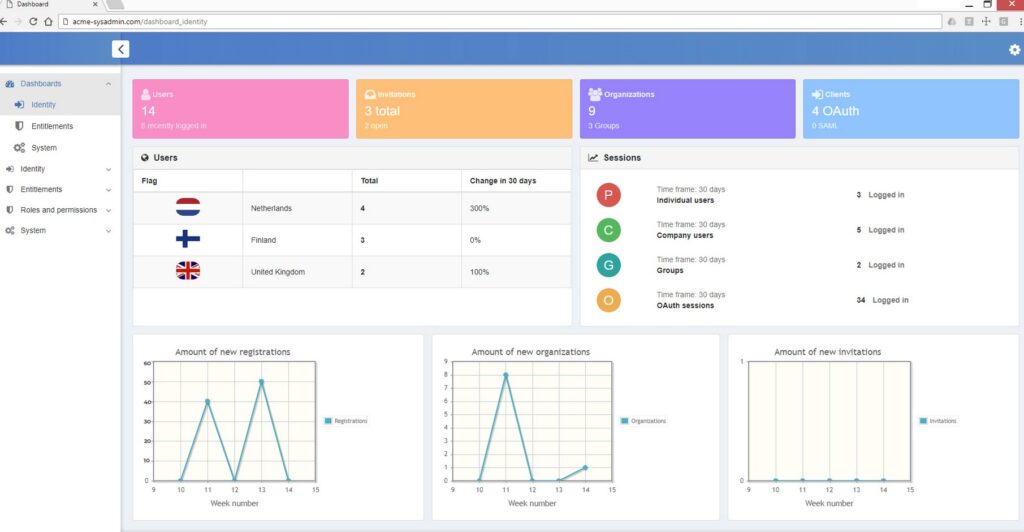
Reports and dashboards turn license records into information that managers can use. Instead of reviewing individual entries, teams can view upcoming renewals, license counts, assignments, costs, and potential exceptions.
Useful reports might answer questions such as:
- How many licenses does the company own?
- How many licenses remain available?
- Which contracts expire soon?
- Which users have specific software assignments?
- Which products have low or unclear usage?
- Which software records require review?
Therefore, reporting can make license reviews faster and easier to repeat.
9. Role-Based Access
License management often involves IT, finance, procurement, department managers, and other stakeholders. However, every user does not need access to every record or administrative function.
Role-based access lets organizations control who can view, edit, approve, or manage license information. This can help keep responsibilities clear while reducing unnecessary access to purchasing and employee-related information.
In addition, an audit trail can help organizations understand who changed important records and when those changes occurred.
10. Integrations
Integrations allow license management to connect with other business and IT systems. Depending on the platform, useful connections may include identity management, endpoint management, procurement, finance, IT service management, and asset management systems.
For example, connecting license records with an asset management platform can help teams understand which software runs on which devices. Businesses that need broader technology asset visibility can also explore asset management software and its role in organizing asset information.
As a result, integrations can reduce duplicate data entry and provide a more complete view of the organization’s technology environment.
Benefits of Using Software License Management Tools
Better Software Spending Control
License data can help businesses identify unused, duplicate, or underused software before purchasing more licenses. Teams can then review whether they should reassign existing licenses or adjust future purchases.
More importantly, this process gives finance and procurement teams better information when planning software budgets.
Improved License Visibility
A centralized system makes it easier to understand what the organization owns and how those licenses relate to users, devices, and departments.
Without this visibility, teams may depend on outdated spreadsheets or individual employees who remember where certain information exists.
More Organized Renewal Planning
Renewal dates can spread across the entire year. Therefore, a central calendar and alert system can help teams review upcoming renewals before deadlines arrive.
For example, an administrator can review a renewal several weeks ahead, check usage, confirm the required quantity, and involve procurement or finance before making a decision.
Stronger Compliance Processes
Organizations can maintain clearer records of software purchases, entitlements, assignments, and deployments. This can support internal reviews and provide better documentation when a vendor asks questions about licensing.
Microsoft, for example, provides dedicated resources for managing volume licensing agreements, product terms, license acquisition information, and related administration.
Microsoft’s volume licensing management guidance provides current information about managing volume licensing agreements and related administration.
Less Manual Administration
Automation can reduce repetitive work such as checking renewal dates, preparing reports, updating assignments, and reviewing license records.
However, automation works best when the organization has clear ownership and reliable data. A tool cannot fix inconsistent purchasing practices or incomplete records by itself.
Software License Management vs. Software Asset Management
Software license management and software asset management are closely connected, but they are not identical.
License management focuses mainly on software rights, entitlements, assignments, renewals, costs, and compliance. Software asset management, often called SAM, covers a broader range of software lifecycle activities.
| Area | License Management | Software Asset Management |
|---|---|---|
| Main focus | Licenses, rights, assignments, and renewals | Broader software lifecycle management |
| Typical records | Entitlements, agreements, quantities, assignments | Inventory, usage, purchases, lifecycle data, and licenses |
| Primary goal | Improve license visibility and control | Manage software assets across their lifecycle |
| Relationship | One part of broader SAM activities | Can include license management processes |
ISO/IEC 19770-1 describes IT asset management as a structured discipline covering the management, control, and protection of IT assets throughout their lifecycle. Therefore, businesses can treat license management as an important part of a wider asset management strategy.
How to Choose the Right Software License Management System
Start With Your Software Environment
First, list the applications, vendors, users, devices, contracts, and license models your business currently manages. This step helps you understand which capabilities you actually need.
A small business with a limited SaaS portfolio may need simple subscription and renewal tracking. In contrast, a larger organization may need discovery, integrations, entitlement tracking, automated reporting, and more detailed access controls.
Check Supported License Models
Different vendors use different licensing models. Therefore, make sure the system can represent the license structures your organization uses.
Check whether the platform can handle user-based, device-based, subscription, perpetual, concurrent, or other licensing arrangements relevant to your software portfolio.
Review Integration Capabilities
Ask which systems the platform can connect with. Integrations can make a major difference when your organization already uses separate systems for employee identities, devices, purchasing, finance, or IT operations.
Good integration support can also reduce the amount of duplicate data entry required from administrators.
Evaluate Reporting and Alerts
Look for reports that answer practical business questions rather than simply displaying large amounts of data. Renewal alerts, license utilization, assignment reports, and cost summaries can be especially useful.
Consider Scalability
Your software environment can change as your business grows. New employees, applications, devices, departments, and locations can all increase management requirements.
Therefore, choose a platform that can handle additional records and workflows without making administration unnecessarily difficult.
Review Security and Permissions
Finally, examine user permissions, authentication options, audit trails, and data protection capabilities. License systems can contain sensitive purchasing, contract, and employee information, so access should match each user’s responsibilities.
Common Software License Management Mistakes
Even the best software license management tools need good processes behind them. Avoid these common mistakes:
- Tracking purchases but not assignments: A purchase record does not show who currently uses a license.
- Ignoring software discovery: Unapproved or unrecorded applications can create gaps in your inventory.
- Waiting until renewal dates: Late reviews can leave little time to compare usage and business requirements.
- Keeping incomplete contract records: Missing agreement details can make license reviews harder.
- Giving every administrator the same permissions: Use role-based access to separate responsibilities.
- Assuming every unused license should be canceled: Review business needs before reducing quantities.
- Relying completely on automation: Automated data collection still needs validation and human oversight.
Pro tip
Start license reviews before renewal deadlines. Give IT, finance, procurement, and department managers enough time to confirm usage, quantities, contract terms, and future needs.
When Should a Business Use a Software License Management System?
A dedicated system becomes more useful as the number of applications, users, devices, and vendors increases.
A small business with a few software subscriptions may manage them with a structured spreadsheet and calendar. However, that approach becomes harder to maintain when multiple departments purchase software or when the company uses dozens of applications with different renewal dates.
A software license management system can also help organizations that have grown through acquisitions or rapid expansion. In those situations, teams may inherit overlapping software products, inconsistent purchasing records, and unclear ownership.
Similarly, businesses with strict internal procurement processes can use centralized license records to connect purchasing decisions with actual software usage.
Can Custom Business Software Support License Management?
Off-the-shelf software license management tools can cover many common requirements. However, some organizations have workflows that do not fit neatly into a standard product.
For example, a company may need license records to connect with custom procurement approvals, employee onboarding, finance workflows, asset records, or internal reporting. In that situation, a tailored business application can connect license management with the processes the organization already uses.
The key is to start with the workflow rather than the technology. If a standard system handles the required processes well, customization may not be necessary. If important processes remain fragmented, custom software can provide another option for bringing those workflows together.
Frequently Asked Questions
Frequently Asked Questions
What are software license management tools used for?
They help businesses track software licenses, assignments, usage, renewals, costs, contracts, and compliance information from a centralized system.
What is a software license management system?
A software license management system is a platform that helps organizations manage software rights, purchases, assignments, renewals, usage, and related records throughout the software lifecycle.
How can license management software reduce software costs?
It can help teams identify unused or underused licenses, duplicate software, upcoming renewals, and available licenses that they can reassign before purchasing more.
Is software license management the same as software asset management?
No. License management focuses on software rights, entitlements, assignments, renewals, and related controls. Software asset management covers a broader range of software lifecycle activities.
What features should software license management tools have?
Important features include centralized license inventory, assignment tracking, renewal alerts, software discovery, compliance tracking, contract records, reporting, permissions, integrations, and scalability.
Conclusion
Software license management tools give businesses a structured way to track what software they own, who uses it, when agreements expire, and where potential licensing issues may exist. A well-organized process can also help teams improve software spending decisions and reduce manual administration.
Start by documenting your current software, licenses, users, devices, vendors, contracts, and renewal dates. Then, compare your current process with the features you need from a software license management system.
Build software around how your business works
If your license, asset, procurement, or business workflows need a more tailored solution, explore how custom business software can bring those processes together.Talk to our team
