
Customer Onboarding: 9 Steps to Create a Better Customer Experience
Customer onboarding is the process of guiding a new customer from the point of purchase to the point where they can confidently use a product or service and achieve meaningful value. A clear onboarding process helps businesses set expectations, organize tasks, answer questions, and create a smoother start for every customer.
However, onboarding involves more than sending a welcome email or giving customers access to an account. It can include setup, data collection, training, communication, support, progress tracking, and follow-up. In this guide, we will cover nine practical customer onboarding steps, explain how a customer onboarding system can support the process, discuss key benefits and mistakes, and show what businesses should consider when building or improving their onboarding workflow.
What Is Customer Onboarding?
Customer onboarding is a structured process that helps new customers understand, configure, and start using a product or service. It usually begins after a purchase or signup and continues until the customer reaches an agreed level of adoption or achieves an initial goal.
For example, a software company might begin onboarding with a welcome message, followed by account setup, data import, product training, configuration, and a first success milestone. A service company may instead collect customer information, confirm requirements, introduce the account team, and establish the next steps.
The exact process varies by business. However, the goal remains similar: reduce confusion, create momentum, and help customers reach value without unnecessary friction.
Key takeaway
Good customer onboarding turns a new customer into an informed and confident user through clear steps, timely communication, and measurable milestones.
Why Customer Onboarding Matters
The period immediately after a purchase can shape how customers view their decision. If they cannot understand what to do next, they may delay adoption or lose confidence in the product.
On the other hand, a structured onboarding journey gives customers a clear path forward. It also gives internal teams a consistent process for managing new accounts.
According to Gainsight, onboarding focuses on helping customers reach value while building the foundation for long-term customer success. Its guidance also highlights the importance of clear goals, personalized support, education, and progress tracking. Gainsight’s customer onboarding guide provides additional detail on these practices.
In practice, an effective process can help businesses:
- Set clear expectations from the beginning
- Reduce confusion during setup
- Help customers understand important features
- Track onboarding tasks and milestones
- Identify issues before they become larger problems
- Create a consistent experience across accounts
- Build stronger communication between teams and customers
9 Steps for an Effective Customer Onboarding Process
1. Prepare Before the Customer Starts
Customer onboarding should begin with internal preparation. Before contacting the customer, review the information collected during the sales process and confirm what the customer expects to achieve.
Next, identify the people responsible for onboarding, support, implementation, and account management. Make sure everyone understands the customer’s goals, timeline, requirements, and any commitments made during the sales process.
This preparation reduces repeated questions and creates a smoother handoff from sales to the team responsible for customer success.
2. Send a Clear Welcome Message
The first customer-facing step should explain what happens next. A welcome message can introduce the assigned contact, confirm important details, provide access instructions, and outline the onboarding timeline.
Keep the message simple. Customers should not need to search through multiple emails to understand their next action.
For example, a welcome message might include:
- Account or login information
- Onboarding contact details
- First required action
- Expected milestones
- Training or meeting details
- Support instructions
3. Collect Customer Information
Different customers have different goals, workflows, users, and requirements. Therefore, onboarding should capture the information needed to personalize the experience.
A customer onboarding form might collect company details, user roles, business objectives, existing processes, technical requirements, integrations, and preferred communication methods.
However, avoid asking for information that the team does not actually need. A long form can create unnecessary friction before the customer even begins using the product.
4. Configure the Product or Service
Once the required information is available, configure the product or service around the customer’s needs. This step may include account settings, user permissions, data import, integrations, workflows, branding, or other setup tasks.
For software businesses, configuration often represents an important part of the onboarding experience. A CRM, for example, may need customer fields, user roles, pipelines, notifications, and integrations configured before the team can use it effectively.
Businesses with complex requirements may benefit from project management software for organizing implementation tasks across internal teams.
5. Provide Relevant Training
Customers need more than access. They also need to understand how the product or service fits into their daily work.
Training can include live demonstrations, tutorials, documentation, guided walkthroughs, videos, or role-specific sessions. The best format depends on the product and customer.
For example, an administrator may need detailed configuration training, while regular users may only need guidance on the features they use every day.
It also helps to organize educational resources in one place. A structured knowledge management system can support this approach by keeping useful information easier to find and maintain.
6. Create Early Success Milestones
Do not make customers complete dozens of tasks before they experience value. Instead, identify an early milestone that demonstrates why the product or service matters.
For a CRM, that milestone might involve importing contacts and completing the first customer workflow. For a project platform, it could mean creating a project, assigning tasks, and tracking the first deliverable.
These early wins create momentum. More importantly, they help customers connect the product’s features with their actual business goals.
Pro tip
Define the customer’s first meaningful outcome before onboarding begins. Then build the early steps around reaching that outcome as quickly and clearly as possible.
7. Track Progress and Follow Up
Onboarding should not depend on memory or scattered spreadsheets. Teams need visibility into completed tasks, pending actions, customer questions, and upcoming milestones.
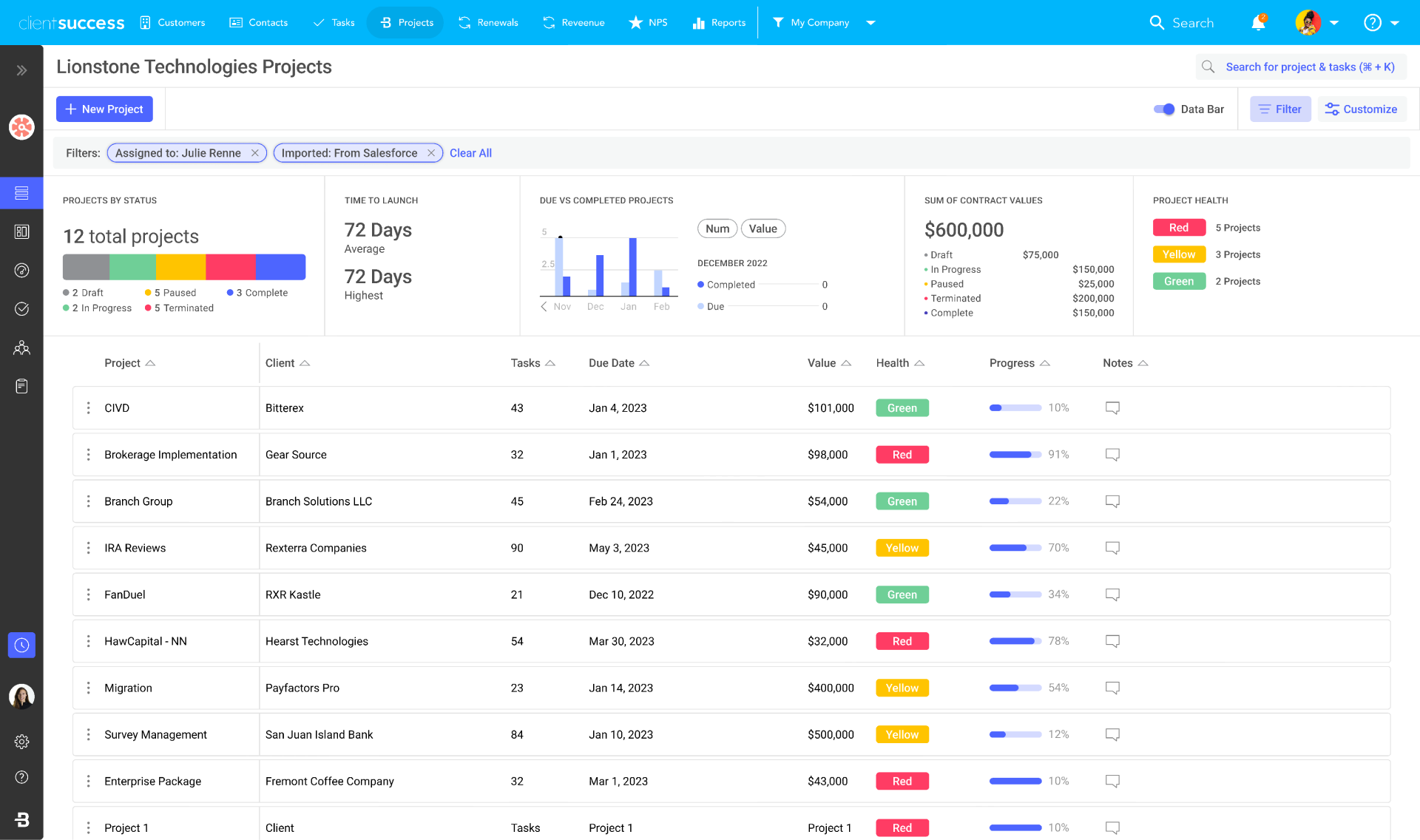
A customer onboarding system can centralize these details and show which customers need attention. Automated reminders can also prompt customers or internal team members when an action remains incomplete.
Regular check-ins provide another layer of visibility. Instead of waiting for a customer to report a problem, teams can review progress and address obstacles proactively.
8. Manage Customer Information Carefully
Onboarding often involves collecting important customer information, documents, requirements, communication records, and configuration details. Keeping these records organized helps teams maintain continuity throughout the customer relationship.
A structured records management system can complement onboarding workflows when teams need a consistent way to organize business records and retrieve information later.
At the same time, businesses should limit access to sensitive information based on role and follow applicable privacy and security requirements.
9. Complete the Handoff to Ongoing Support
Onboarding should have a clear ending. Once the customer reaches the agreed milestones, transition the account into the normal support, customer success, or account management process.
Before the handoff, summarize the customer’s goals, configuration, completed tasks, open questions, and future priorities. This prevents the customer from having to explain the same information again to a new team.
Finally, ask for feedback. A short survey or conversation can reveal confusing steps, missing resources, slow responses, or recurring questions that the business can address in future onboarding journeys.
What Is a Customer Onboarding System?
A customer onboarding system is a software-based solution that helps businesses organize, automate, and monitor the process of bringing new customers into a product or service.
Instead of managing onboarding through separate emails, spreadsheets, documents, and chat messages, teams can centralize customer information and onboarding activities in one workflow.
A customer onboarding system may support tasks such as:
- Customer intake and information collection
- Onboarding checklists
- Task assignments
- Automated notifications and reminders
- Customer communication
- Document management
- Training resources
- Progress tracking
- Milestone management
- Reporting and onboarding analytics
For example, when a new customer signs a contract, the system could automatically create an onboarding record, assign tasks to the appropriate team members, send a welcome email, and schedule follow-up reminders.
HubSpot’s current customer onboarding guidance similarly describes onboarding around preparation, kickoff, setup, configuration, training, first value, progress tracking, and the transition to long-term success. HubSpot’s customer onboarding checklist provides a useful example of how businesses can structure these stages.
Key Features to Look for in a Customer Onboarding System
Not every business needs the same onboarding tools. However, several capabilities can make the process easier to manage as the customer base grows.
Centralized customer profiles
Keep customer details, requirements, contacts, tasks, and onboarding history together so teams can access the information they need.
Workflow automation
Trigger routine actions such as reminders, task creation, notifications, and status changes without requiring manual updates.
Task and milestone tracking
Give teams a clear view of completed, pending, and overdue onboarding activities.
Customer communication
Keep important messages, updates, and follow-ups organized around the customer’s onboarding journey.
Reporting
Track onboarding progress, completion rates, delays, and recurring issues so teams can improve the process over time.
Customer Onboarding vs. Customer Support
Customer onboarding and customer support work together, but they serve different purposes.
| Area | Customer Onboarding | Customer Support |
|---|---|---|
| Main purpose | Help new customers get started and reach value | Resolve questions and problems during ongoing use |
| Typical timing | Early customer journey | Throughout the customer relationship |
| Common activities | Setup, training, configuration, milestones | Troubleshooting, issue resolution, product guidance |
| Primary outcome | Successful adoption and initial value | Continued product use and issue resolution |
In practice, the two functions should share information. A question that appears repeatedly during support may indicate that the onboarding process needs better documentation or training.
Common Customer Onboarding Mistakes
Even businesses with a formal onboarding process can create unnecessary friction. Therefore, review the process regularly and look for avoidable problems.
- Too many steps: Requiring customers to complete unnecessary tasks can slow adoption.
- Unclear ownership: Customers should know who to contact when they need help.
- Poor sales handoffs: Missing customer context can lead to repeated questions and incorrect expectations.
- Too much information at once: Long training sessions can overwhelm new users.
- No progress tracking: Without visibility, teams may miss delayed tasks or inactive customers.
- Ignoring feedback: Repeated customer questions often reveal opportunities to improve the onboarding journey.
For example, if customers frequently contact support because they cannot find a particular resource, the business could improve its onboarding materials instead of treating each question as an isolated support issue. Similarly, a structured complaint management system can help organizations organize and respond to customer complaints when onboarding issues develop into formal complaints.
How to Improve Customer Onboarding Over Time
A customer onboarding process should evolve as the business learns more about its customers. Start by identifying where customers commonly stop, ask questions, or require extra assistance.
Next, review onboarding data and customer feedback. Look for patterns such as delayed setup, incomplete training, repeated support questions, or milestones that take longer than expected.
Then, simplify the process where possible. Automate repetitive tasks, improve instructions, personalize training, and remove steps that do not contribute to customer value.
It is also useful to segment onboarding. A small customer with a simple setup may need a self-service journey, while a larger customer with integrations and multiple users may require guided implementation.
Important
Automation should support the customer experience, not replace useful human interaction. Complex accounts may still need personal guidance, especially during implementation and early adoption.
When Should You Use a Customer Onboarding System?
A basic checklist may work when a business handles only a few customers at a time. However, manual processes become harder to maintain as customer volume, team size, and onboarding complexity increase.
A customer onboarding system becomes more useful when multiple people handle onboarding, customers follow different workflows, tasks frequently require follow-up, or managers need visibility into account progress.
Businesses should also consider integration with existing CRM, support, project management, communication, or reporting tools. The goal is to reduce duplicate data entry and create a connected customer journey.
Frequently Asked Questions
Frequently Asked Questions
What is customer onboarding?
Customer onboarding is the structured process of helping a new customer complete setup, understand a product or service, and reach initial value.
What does a customer onboarding system do?
A customer onboarding system helps teams manage customer information, tasks, milestones, communication, reminders, training, and progress from one organized workflow.
What are the main stages of customer onboarding?
Common stages include preparation, welcome, information collection, setup, training, first value, progress tracking, feedback, and handoff to ongoing customer success or support.
How can businesses automate customer onboarding?
Businesses can automate welcome messages, task creation, reminders, status updates, document requests, notifications, and follow-ups while keeping human support for complex needs.
What should businesses track during onboarding?
Useful measures include task completion, milestone progress, time to initial value, customer engagement, support questions, delays, and feedback.
Conclusion
Effective customer onboarding gives new customers a clear path from purchase to meaningful product or service value. The process works best when businesses combine clear expectations, organized setup, relevant training, early success milestones, regular communication, and ongoing feedback.
A customer onboarding system can make this process easier to manage by centralizing customer information, automating routine tasks, tracking progress, and giving teams better visibility. However, technology should support a well-designed process rather than compensate for an unclear one.
As onboarding becomes more complex, businesses can also connect their onboarding workflows with CRM and other business systems. When standard tools cannot support specific workflows, custom CRM development can help businesses create a customer management system around their own processes, data, and integration requirements.
Build software around how your business works
Need a CRM that supports your customer onboarding workflow, customer data, and business processes? Explore a custom approach designed around your team’s requirements.Talk to our team
