
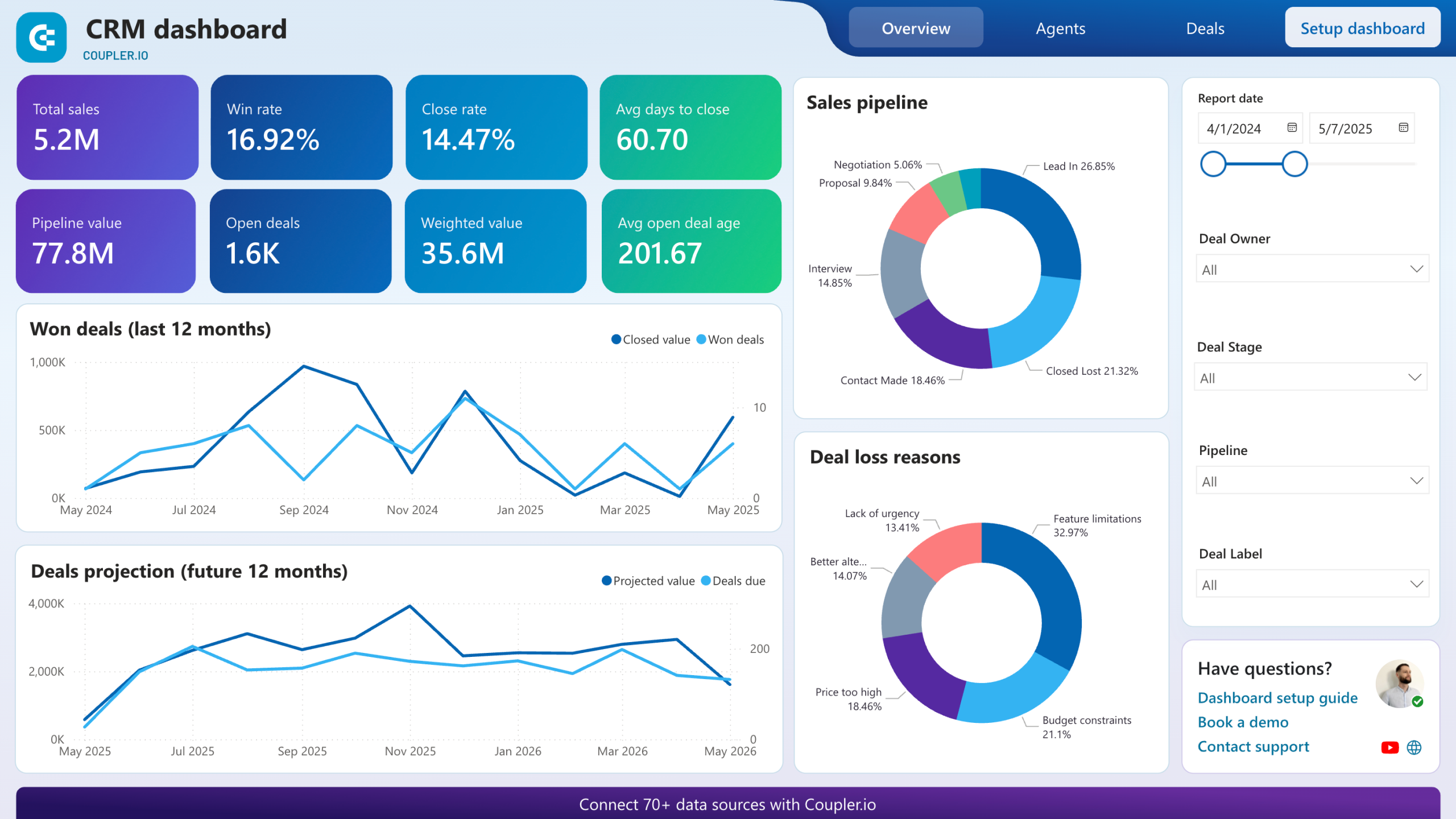
Relation Management Software: 10 Features That Improve Customer Relationships
Relation management software helps businesses organize customer information, track interactions, manage follow-ups, and keep teams aligned around every relationship. While the term often overlaps with customer relationship management (CRM) software, the core goal remains the same: give teams a clear view of customers and prospects so they can communicate consistently and act at the right time.
For growing businesses, this matters because customer information can quickly become scattered across spreadsheets, email inboxes, notes, and separate applications. In this guide, we’ll explain how relation management software works, explore 10 important features, compare common approaches, discuss implementation considerations, and show how to choose software that fits your business.
What Is Relation Management Software?
Relation management software is a system that centralizes information about customers, prospects, accounts, and interactions. It allows teams to store contact details, record conversations, schedule follow-ups, track opportunities, and review relationship history from one place.
In practice, relation management software usually falls within the broader CRM category. CRM platforms connect customer data with processes such as sales, service, marketing, and reporting. For example, Salesforce explains that CRM systems manage customer and prospect relationships while tracking data from interactions.
Instead of asking employees to search through different tools, a CRM can bring relevant information into a shared customer record. As a result, employees can understand the context of a relationship before they make a call, send an email, or respond to a service request.
Key takeaway
Good relation management software does more than store contacts. It connects customer information, communication history, tasks, opportunities, and follow-ups so teams can manage relationships consistently.
How Does Relation Management Software Work?
The basic process is straightforward. First, a business collects customer and prospect information in the system. Next, employees record or automatically capture interactions such as calls, emails, meetings, notes, and sales activities.
The software then organizes this information into customer profiles, account records, activities, and workflows. Teams can use those records to plan the next action and monitor relationship progress.
For instance, imagine a consulting company speaking with a potential client. The sales representative can create a contact record, add company information, record discovery notes, schedule a follow-up, and move the opportunity through defined sales stages. Another employee can later open the same record and understand the conversation without asking the customer to repeat everything.
Modern CRM platforms can also connect with other business applications. HubSpot, for example, describes CRM as a centralized system for customer data, interactions, activities, deals, and pipeline management. Its CRM overview explains how these capabilities work together.
10 Important Features of Relation Management Software
1. Contact and Account Management
Contact management provides a central place for customer and prospect information. A typical record can include names, job titles, email addresses, phone numbers, company details, notes, and communication history.
Account management adds another layer by connecting multiple contacts to the same organization. This structure helps teams understand both individual relationships and broader account activity.
For example, a B2B company may have several contacts at one client organization. Instead of keeping each contact in a separate spreadsheet, the CRM can connect them under one account.
2. Interaction History
Relationship management depends heavily on context. Therefore, software should make it easy to see previous emails, calls, meetings, notes, tasks, and other customer activities.
This history helps employees avoid repeated questions and improves handoffs between team members. It also gives managers better visibility into how customer relationships develop over time.
However, businesses should define what information employees need to record. Collecting excessive or irrelevant information can make records harder to use and may create unnecessary privacy concerns.
3. Task and Follow-Up Management
Strong relationships often depend on timely follow-ups. Relation management software can help employees create tasks, assign responsibilities, set due dates, and receive reminders.
For example, after a product demonstration, a sales representative can create a follow-up task for three days later. The activity remains connected to the relevant customer or opportunity, which makes the next action easier to understand.
As a result, teams can reduce reliance on personal notes, memory, and scattered calendars.
4. Sales Pipeline Management
Many relationship management systems include a visual sales pipeline. The pipeline shows where prospects sit in the buying process and what action should happen next.
Typical stages might include new inquiry, qualification, discovery, proposal, negotiation, and closed. Businesses can customize these stages to match their actual sales process.
If your team needs deeper visibility into deal progression, sales pipeline software and its key deal-management features provide a useful related area to consider.
5. Customer Onboarding
The relationship does not end when a prospect becomes a customer. The onboarding stage can shape how the customer experiences the business after the sale.
Relation management software can help teams track onboarding tasks, assign responsibilities, store customer requirements, and monitor important milestones. This creates a smoother transition from sales to delivery or customer success.
For businesses that want to improve this stage specifically, customer onboarding strategies can complement the processes managed inside a CRM.
6. Reporting and Analytics
Reports turn customer data into information managers can use. Depending on the platform, teams may track metrics such as open opportunities, customer activity, sales stages, follow-up completion, account activity, or team performance.
Good reporting should answer practical questions. Which opportunities need attention? Which accounts have had little recent activity? Where do deals commonly slow down?
Therefore, businesses should choose reporting tools that match their decisions rather than selecting a platform simply because it offers a large number of dashboards.
7. Workflow Automation
Automation reduces repetitive administrative work. A CRM can trigger tasks, notifications, assignments, or other actions when specific conditions occur.
For example, when a prospect reaches a particular sales stage, the system could create a follow-up task for the assigned representative. Similarly, a new customer could trigger an onboarding checklist.
Automation works best when the underlying process already makes sense. Automating a poorly designed workflow can simply make a bad process happen faster.
8. Integrations
Businesses rarely operate through one application. Email, calendars, accounting platforms, marketing tools, support systems, websites, and other applications may all contain customer information.
Integrations allow these systems to exchange relevant information instead of forcing employees to enter the same data repeatedly. This can reduce manual work and improve consistency.
When evaluating integrations, check whether the software supports the tools your team already uses. Also consider whether the integration works in both directions or only sends information one way.
9. Mobile Access
Customer-facing employees may need relationship information while traveling, visiting clients, attending events, or working away from their desks. Mobile access can give them the ability to review records, update activities, and manage tasks from a phone or tablet.
However, mobile availability alone does not guarantee a good experience. Check whether the mobile interface supports the actions employees perform most often.
10. Customization and Security
Every business manages relationships differently. A software company may need account and subscription information, while a professional services firm may need project details, client requirements, and renewal dates.
Customization can include custom fields, workflows, user roles, dashboards, and business-specific processes. At the same time, access controls and security features should limit sensitive information to authorized users.
Privacy also deserves attention. The NIST Privacy Framework provides a structured approach that organizations can use to manage privacy risks. While it does not replace applicable laws or industry requirements, it can help businesses think more carefully about how they collect, store, and use customer information.
Relation Management Software vs. Spreadsheets
Spreadsheets can work for simple contact lists. However, they become harder to manage as the number of customers, employees, interactions, and processes grows.
| Capability | Spreadsheet | Relation Management Software |
|---|---|---|
| Contact storage | Basic lists | Structured customer records |
| Interaction history | Usually manual | Centralized activity records |
| Follow-ups | Manual reminders | Tasks and automated reminders |
| Sales pipeline | Custom spreadsheets | Dedicated pipeline views |
| Automation | Limited | Workflow-based automation |
| Reporting | Manual setup | Dashboards and reports |
| Team collaboration | Depends on setup | Shared customer records and activities |
The choice depends on business complexity. A small company with a basic contact list may not need a full CRM immediately. However, once multiple employees need shared customer context, structured follow-ups, reporting, and repeatable workflows, dedicated software becomes more useful.
How to Choose the Best Client Relationship Management Software
The best client relationship management software depends on your business processes, team size, budget, and required integrations. Instead of choosing based only on the number of features, start by identifying the problems the software needs to solve.
Start With Your Current Workflow
Map how a prospect becomes a customer. Identify where your team stores contact information, records conversations, schedules follow-ups, creates proposals, handles onboarding, and manages ongoing communication.
Next, identify the points where information gets lost or work gets repeated. These areas can help define your CRM requirements.
Check Ease of Use
A system can have many features and still create problems if employees struggle to use it. Therefore, evaluate the interface, search tools, record layouts, mobile experience, and daily workflows.
Ask employees to complete realistic tasks during a trial or demonstration. For example, have them create a contact, update an opportunity, record a call, and schedule a follow-up.
Review Integration Requirements
Make a list of the applications your team already uses. Then check whether the CRM integrates with those systems directly or requires a third-party connector.
Also consider future needs. A platform that works today but cannot connect with important systems later may create migration problems as your company grows.
Consider Scalability and Customization
Your requirements may change as the business expands. Therefore, look at user limits, data structures, workflows, reporting, permissions, and integration options before making a long-term decision.
For organizations with highly specific processes, custom CRM development can make sense when standard platforms cannot support important workflows without excessive workarounds.
Common Mistakes When Implementing Relationship Management Software
Choosing software is only the first step. Implementation also determines whether employees actually use the system consistently.
- Adding too many fields: Only collect information that teams genuinely need.
- Skipping data cleanup: Remove duplicates and outdated records before migration.
- Ignoring user adoption: Involve employees who will use the system every day.
- Automating too early: Build clear processes before adding complex automation.
- Using inconsistent data: Define standards for names, account records, deal stages, and activity notes.
- Failing to review the system: Check reports, workflows, and data quality regularly.
For example, if five sales representatives use five different definitions for a qualified lead, the resulting reports will remain inconsistent regardless of the CRM platform. A clear process should come first, followed by software configuration.
When Should a Business Use Relation Management Software?
There is no single company size that determines when a business needs CRM software. Instead, look for operational signals.
A CRM may become useful when customer information exists in multiple places, employees struggle to remember follow-ups, managers lack visibility into opportunities, or customers repeatedly explain their history to different employees.
Similarly, rapid growth can create a need for more structured relationship management. As the number of customers and employees increases, informal processes become harder to maintain.
Pro tip
Choose software around your most important customer workflows, not around the longest feature list. A focused CRM that employees use consistently can be more useful than a complex system that teams avoid.
Frequently Asked Questions
Frequently Asked Questions
What is relation management software used for?
Relation management software helps businesses organize customer information, track interactions, manage follow-ups, monitor opportunities, and coordinate customer-facing activities from one system.
Is relation management software the same as CRM software?
The terms often refer to similar software. CRM, or customer relationship management, is the more common industry term for platforms that organize customer data, interactions, sales activities, service processes, and related workflows.
What features should relationship management software have?
Important features include contact management, interaction history, follow-up tasks, sales pipeline management, reporting, workflow automation, integrations, mobile access, customization, and security controls.
Can small businesses use relation management software?
Yes. Small businesses can use CRM software to centralize customer information and create consistent follow-up processes. The right platform should match the company’s actual workflow and budget.
How does relation management software improve customer service?
It gives service employees access to relevant customer information and previous interactions. As a result, employees can understand the customer’s history and provide more consistent support.
Final Thoughts
Relation management software gives businesses a structured way to manage customer and prospect relationships. By centralizing contact information, interaction history, follow-ups, opportunities, reporting, and workflows, it can replace scattered processes with a shared system.
However, software alone does not create strong relationships. Businesses still need clear processes, accurate data, employee adoption, and thoughtful communication. Therefore, start by identifying your biggest relationship-management challenges, then choose a platform that supports those workflows without adding unnecessary complexity.
If standard CRM platforms cannot accommodate important business processes, a custom approach may provide more flexibility. The key is to build around how your team actually works rather than forcing every customer relationship into a rigid process.
