
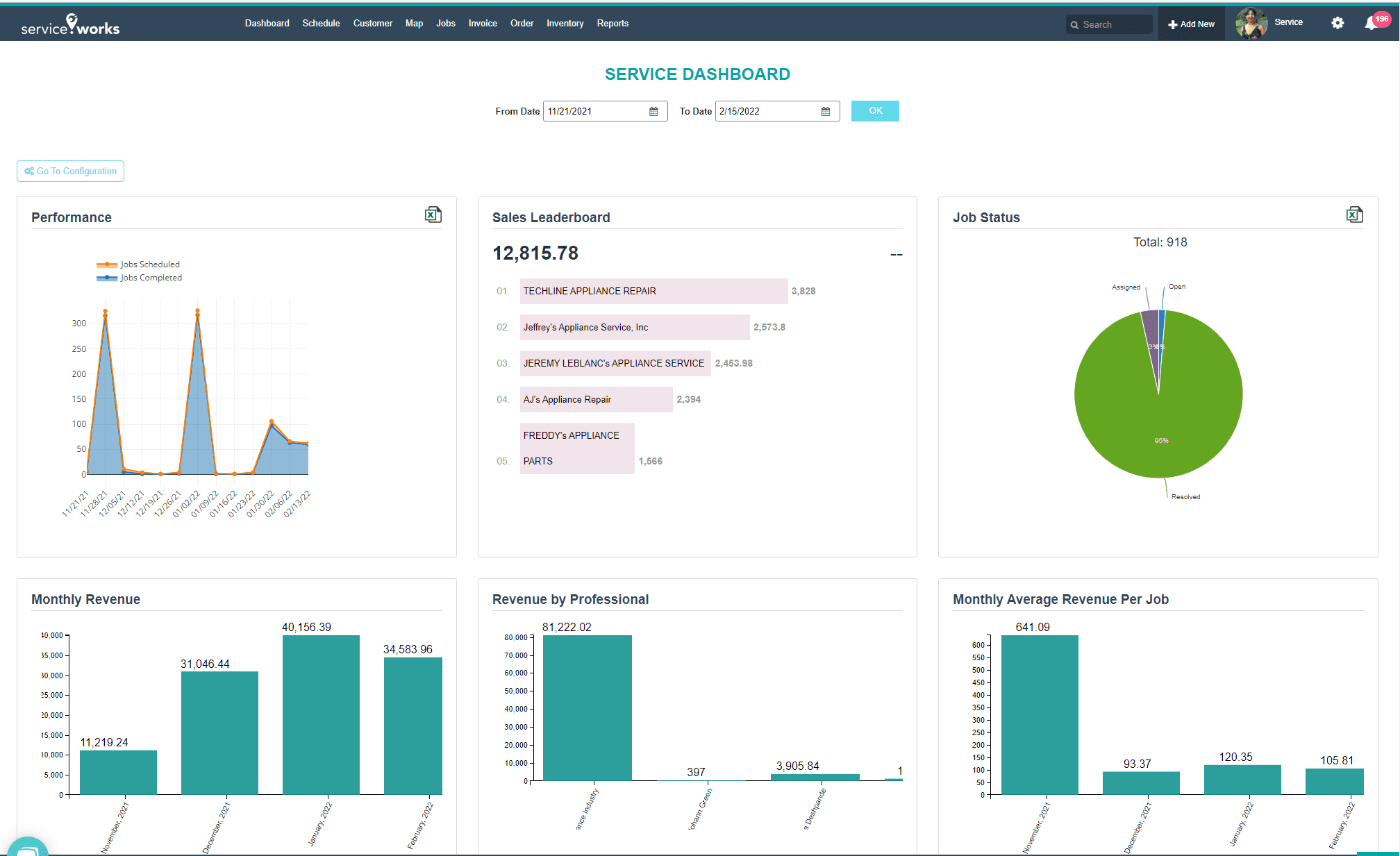
HVAC Management Software: 10 Features That Keep Service Operations on Track
HVAC management software helps heating, ventilation, and air conditioning businesses organize service calls, technicians, equipment, maintenance, inventory, and customer records in one system. Instead of relying on spreadsheets, paper forms, separate calendars, and disconnected tools, service teams can manage daily operations from a central platform.
This matters because HVAC work involves more than sending a technician to a job. Teams must schedule visits, assign work, track equipment, record service history, manage parts, communicate with customers, and follow up on recurring maintenance. In this guide, we will cover the key features of HVAC management software, its benefits, how it compares with plumbing software, common implementation mistakes, and when custom software makes sense.
What Is HVAC Management Software?
HVAC management software is a business system designed to help heating and cooling service companies manage their field and office operations. Depending on the platform, it can support scheduling, work orders, customer management, asset tracking, inventory, invoicing, technician workflows, reporting, and maintenance planning.
In practice, the software connects information that teams often keep in separate places. For example, when a customer reports that an air conditioning unit is not cooling properly, an office employee can create a service request, assign a technician, review the equipment history, check available parts, and track the job through completion.
The goal is not simply to digitize paperwork. Instead, good HVAC management software gives managers a clearer view of jobs, resources, customers, and equipment so they can make faster operational decisions.
Key takeaway
HVAC management software works best when it connects customer records, work orders, technicians, equipment, inventory, and maintenance activities instead of treating each task as a separate process.
Why HVAC Businesses Need a Central Management System
HVAC companies often handle several jobs at different locations while technicians work in the field. As a result, even a small communication gap can create delays. A missed appointment, unavailable replacement part, or incomplete service note can affect both the customer experience and the team’s schedule.
Centralized software helps reduce these gaps by keeping important information accessible to authorized staff. Managers can see open jobs, technicians can access assigned work, and office staff can review customer and equipment information without searching through multiple files.
Equipment information also matters. The U.S. Department of Energy explains that HVAC systems play an important role in building energy use and that effective controls, monitoring, fault detection, and maintenance can support better system performance. Department of Energy HVAC resources provide additional technical background for businesses that want to understand HVAC systems and efficiency.
10 Key Features of HVAC Management Software
1. Work Order Management
Work orders give technicians and office teams a shared view of what needs to happen. A work order can include the customer, service location, equipment, problem description, assigned technician, priority, scheduled time, parts, notes, and job status.
For example, an office manager can move a job from “New” to “Scheduled,” “In Progress,” and “Completed.” This simple workflow makes it easier to identify delayed or unfinished work.
For a deeper look at this capability, businesses can review work order management software features and see how different functions support job tracking.
2. Scheduling and Technician Dispatch
HVAC service depends heavily on scheduling. The system should help dispatchers assign jobs based on availability, location, skills, priority, and workload.
Instead of managing appointments through separate calendars and messages, teams can maintain a shared schedule. Furthermore, technicians can see their upcoming assignments and update job status as they work.
3. Customer Management
Customer records should provide more than a name and phone number. An HVAC business may need to store service addresses, contact details, equipment information, previous jobs, maintenance plans, notes, and communication history.
When a customer calls again, staff can therefore review the account before creating another service request. This gives the team useful context without asking the customer to repeat the same information.
4. Equipment and Asset Tracking
HVAC businesses often service equipment such as air conditioners, furnaces, heat pumps, ventilation systems, boilers, and related components. Asset tracking lets teams maintain a record for each unit.
A useful equipment record may include the model, serial number, installation date, location, service history, warranty information, and maintenance schedule.
This information can also help technicians prepare before arriving at a site. Instead of starting with limited background information, they can review previous repairs and equipment details first.
5. Preventive Maintenance Scheduling
Reactive repairs are only one part of HVAC service. Many businesses also provide recurring maintenance to help customers keep equipment operating according to their maintenance plans.
HVAC management software can track upcoming maintenance tasks and create reminders based on dates, service intervals, or equipment requirements. Consequently, teams can organize recurring work rather than relying on manual reminders.
This approach also connects closely with broader maintenance processes. Businesses can review the maintenance management system features that support planned maintenance and asset reliability.
6. Inventory and Parts Management
Technicians cannot complete many repairs without the right parts. Therefore, HVAC management software should help businesses monitor items such as filters, motors, capacitors, belts, thermostats, refrigerant-related supplies, and other service materials.
Inventory tracking can show current stock, reserved items, reorder levels, and parts used on specific jobs. When a technician uses a part, the system can associate that usage with the relevant work order.
This creates a clearer connection between field service and inventory. For companies that also sell equipment or manage larger product inventories, CRM inventory management software provides another useful perspective on connecting customer and stock information.
7. Mobile Access for Technicians
Field technicians need information while they work, not only when they return to the office. A mobile-friendly system can let them review job details, update statuses, add notes, upload photos, record parts used, and capture customer approvals.
As a result, office staff receive updates sooner and customers can get more accurate information about job progress.
Pro tip
When evaluating mobile features, focus on the tasks technicians actually perform in the field. A simple workflow that works reliably is often more useful than a complex mobile interface filled with rarely used options.
8. Service History and Maintenance Records
A complete service history can help technicians understand recurring problems. It can also help managers identify equipment that requires frequent repairs.
For instance, if the same commercial unit generates several service calls within a short period, the service history gives the business a clear record of previous work. The manager can then use that information when discussing repair or replacement options with the customer.
9. Reporting and Performance Tracking
Managers need more than a list of open jobs. They may also want to understand technician workload, completed jobs, recurring service issues, parts usage, maintenance activity, and job turnaround times.
Reporting features can turn operational records into useful management information. For example, a manager could review which technicians have the most scheduled work or which equipment assets generate repeated service requests.
10. Integrations and Automation
HVAC companies may already use accounting software, payment systems, email tools, customer databases, or other business applications. Integrations can reduce duplicate data entry between these systems.
Automation can also handle routine actions. For example, the system might notify a customer when a job is scheduled, remind staff about upcoming maintenance, or update inventory after a part gets assigned to a completed work order.
HVAC Management Software vs. Plumbing Software
HVAC and plumbing companies share many operational needs. Both industries schedule field technicians, manage service calls, track customers, create work orders, monitor parts, and maintain service histories.
However, the information stored inside each system can differ. HVAC businesses may need detailed records for heating and cooling equipment, ventilation systems, maintenance intervals, and technical service information. Plumbing businesses may focus more heavily on fixtures, pipes, water heaters, drainage systems, leak repairs, and related assets.
| Business need | HVAC focus | Plumbing focus |
|---|---|---|
| Work orders | Heating, cooling, and ventilation service | Repair, installation, drainage, and water systems |
| Asset tracking | HVAC units, heat pumps, boilers, and related equipment | Water heaters, pumps, fixtures, and plumbing assets |
| Maintenance | Scheduled inspections and equipment servicing | Planned checks and system maintenance |
| Inventory | HVAC parts and service materials | Pipes, fittings, valves, fixtures, and repair parts |
Because the workflows overlap, some service businesses can use a flexible field service platform for both trades. In other cases, specialized HVAC management software or plumbing software may provide a better fit because the system can reflect the company’s specific terminology, equipment, forms, and workflows.
How to Choose HVAC Management Software
Choosing software should start with the company’s actual workflow rather than a long feature checklist. First, map the process from the moment a customer requests service to the point when the team closes the job.
- Identify how customers request service.
- Document how staff schedule and assign technicians.
- List the information technicians need before visiting a site.
- Review how your team records parts, labor, notes, and photos.
- Identify how preventive maintenance gets scheduled.
- Check which reports managers use today.
- List existing systems that need to exchange data.
Next, compare software against these real processes. A platform may offer dozens of features, but those features have little value if technicians struggle to use the system or office staff must still maintain separate spreadsheets.
Also consider permissions and data access. Managers, dispatchers, technicians, and customers may need different levels of access. A good system should make these roles clear without creating unnecessary complexity.
Common Mistakes When Implementing HVAC Software
Trying to Automate Everything at Once
Businesses sometimes attempt to move every process into a new system immediately. Instead, start with high-value workflows such as customer management, scheduling, work orders, and service history. Once the team understands those processes, add more automation.
Ignoring Technician Workflows
The people using the software in the field should have a voice in its design and setup. If a technician needs too many steps to update a job, the team may avoid using the system consistently.
Keeping Duplicate Records
Running the new system alongside multiple spreadsheets can create conflicting information. Therefore, define which system serves as the main source of truth for customers, equipment, work orders, and inventory.
Choosing Features Instead of Workflow Fit
A long feature list does not automatically make software suitable for an HVAC business. More importantly, the platform should support the actual sequence of work from service request to job completion.
Important
HVAC software should support operational decisions, but it should not replace professional judgment on equipment safety, installation, repair methods, refrigerant handling, or regulatory requirements. For example, the U.S. EPA provides specific requirements for refrigerant management and stationary air-conditioning equipment under Section 608.
Businesses operating in the United States can review the EPA guidance on refrigerant management for information about refrigerant handling, technician certification, recordkeeping, and related requirements.
When Custom HVAC Software Makes Sense
Off-the-shelf software can work well when a company’s processes match the platform’s built-in workflows. However, custom development becomes worth considering when the business has specialized processes that standard software cannot handle efficiently.
For example, a company may need custom equipment forms, unusual approval workflows, multi-location inventory rules, specialized maintenance plans, customer portals, or integrations with existing business systems.
Custom software can also make sense when an HVAC company manages multiple service lines. A business that provides HVAC, electrical, plumbing, and other services may want one platform with shared customer records but different job forms and workflows for each trade.
In that situation, custom ERP development can provide a way to connect operations, inventory, customer information, reporting, and other business processes within a system designed around the company’s requirements.
Frequently Asked Questions
Frequently Asked Questions
What does HVAC management software do?
HVAC management software helps service businesses manage customers, work orders, scheduling, technicians, equipment, maintenance, inventory, service history, reporting, and related workflows.
Can HVAC management software track equipment?
Yes. Many systems can maintain equipment records that include model information, serial numbers, service history, maintenance activity, location, and other details relevant to the business.
Can plumbing software and HVAC software use similar workflows?
Yes. Both trades commonly need customer management, scheduling, dispatch, work orders, technician updates, inventory, service history, and reporting. However, each trade may require different forms, asset data, and job-specific fields.
Is custom HVAC management software better than off-the-shelf software?
It depends on the business. Off-the-shelf software may fit standard workflows, while custom software can support specialized processes, integrations, permissions, forms, and reporting requirements.
What should HVAC companies look for in management software?
Start with scheduling, work orders, customer records, technician access, equipment tracking, maintenance, inventory, reporting, integrations, and ease of use. Then compare those features against your actual service workflow.
Final Thoughts
HVAC management software can bring field service and office operations into one connected workflow. The most useful systems help teams manage work orders, schedules, customers, technicians, equipment, maintenance, inventory, and reporting without creating unnecessary administrative work.
At the same time, software selection should focus on workflow fit rather than the number of features. Start by documenting how your team works today, identify the biggest gaps, and then choose a system that can support those processes as the business grows.
Build software around how your business works
If your HVAC, plumbing, or multi-trade service business needs workflows that standard software cannot handle, custom software can be designed around your operations, integrations, and reporting needs.Talk to our team
