
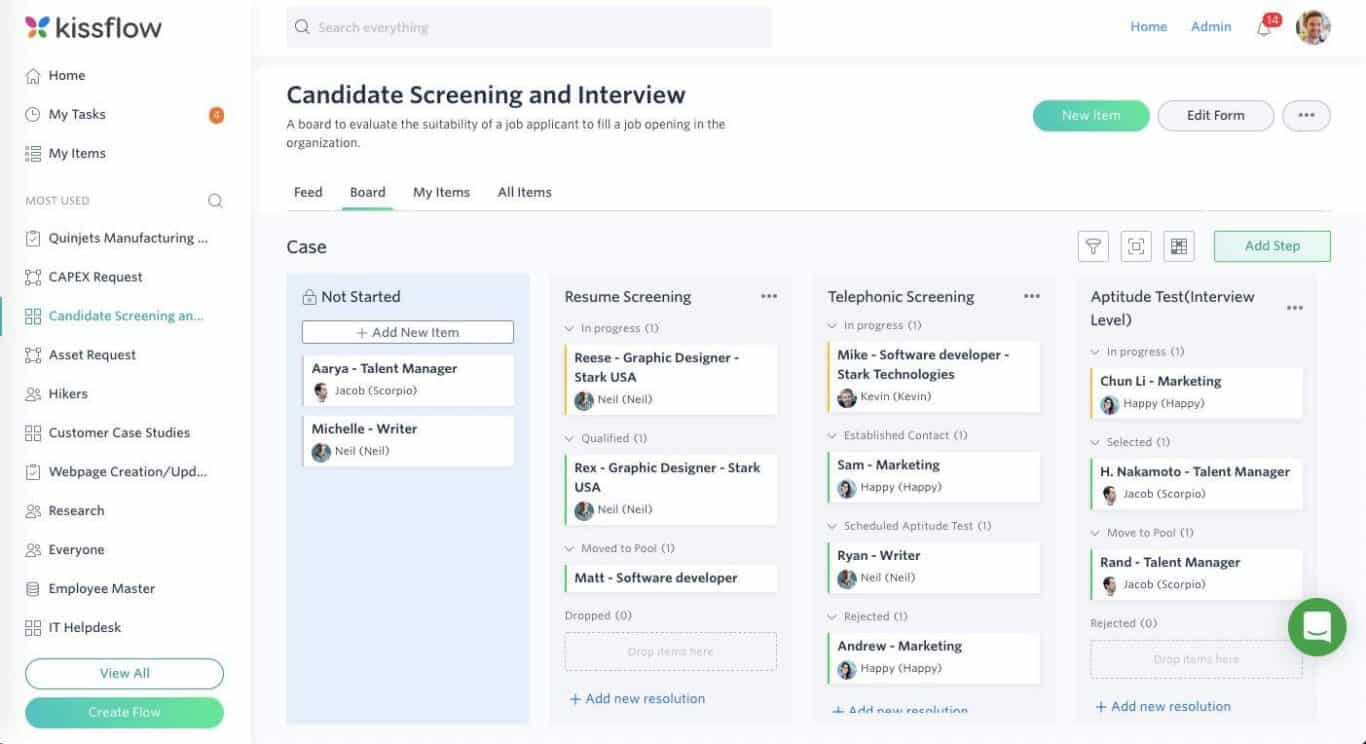
Workflow Management: 9 Ways to Streamline Business Processes
Workflow management is the practice of organizing, assigning, tracking, and improving the steps that teams follow to complete recurring business processes. Instead of relying on scattered emails, spreadsheets, messages, and manual follow-ups, businesses can create clear workflows that show what needs to happen, who owns each task, and what comes next. As a result, teams can reduce confusion, improve consistency, and keep work moving.
In this guide, we will explain how workflow management works, the main benefits it provides, the features to look for in a workflow app, common business use cases, implementation steps, and mistakes that can make workflows harder to manage.
What Is Workflow Management?
Workflow management is the process of designing, organizing, monitoring, and improving a sequence of tasks that leads to a specific business outcome. A workflow can involve people, software, approvals, documents, notifications, and automated actions.
For example, consider a customer request. A simple workflow might start when an employee receives the request, assign it to the right team member, require an approval when necessary, notify the customer, and close the request after completion.
According to IBM, a workflow represents a sequence of tasks that helps people and organizations complete repeatable work. Workflow management software can coordinate tasks between employees and systems, while workflow automation can handle some steps without manual intervention. IBM’s workflow overview provides additional context on workflow design and automation.
Key takeaway
A good workflow does more than list tasks. It defines the order, ownership, conditions, and actions that move work from start to finish.
How Does Workflow Management Work?
Although workflows vary by business, most follow a similar structure. First, an event starts the process. Next, the system or employee completes the required steps. Then, rules determine what happens next until the process reaches its intended outcome.
- Trigger: An event starts the workflow, such as a new request, form submission, purchase, or task.
- Task assignment: The workflow sends the work to the appropriate person or team.
- Action: Employees complete tasks, enter information, upload documents, or review records.
- Decision: Rules determine whether the workflow should continue, stop, branch, or request approval.
- Notification: The relevant people receive updates, reminders, or alerts.
- Completion: The workflow records the final status and closes the process.
For instance, a finance approval workflow might begin when an employee submits an expense. The system can route it to a manager, check whether approval is required, notify the finance team, and update the record after approval.
Modern workflow platforms can also connect multiple applications. Microsoft Power Automate, for example, supports automated flows that can synchronize information, send notifications, collect data, and connect different services. Its documentation also explains how triggers and actions work together to create multi-step processes. Microsoft Power Automate documentation is a useful reference for understanding these concepts.
Why Is Workflow Management Important?
Businesses often struggle when recurring processes depend on memory and manual follow-ups. A team member may forget an approval, send a request to the wrong person, or update one spreadsheet without updating another system.
Workflow management creates a more structured way to handle that work. Instead of asking employees to remember every step, the process itself provides guidance.
More importantly, workflow management helps businesses create consistency. When employees follow a defined process, similar requests can move through similar stages. That makes work easier to monitor and can make process problems easier to identify.
Workflow management also creates a foundation for automation. Once a business understands the steps in a process, it can identify which activities require human judgment and which repetitive actions software can handle.
9 Benefits of Workflow Management
1. Clearer task ownership
Every workflow should make responsibility clear. Employees can see which tasks belong to them instead of relying on emails or informal messages.
As a result, managers can also identify where work currently sits and who needs to take the next action.
2. Fewer manual follow-ups
Manual follow-ups consume time, especially when employees repeatedly ask for approvals or status updates. A workflow app can send reminders and notifications based on defined conditions.
Therefore, employees spend less time checking whether someone has completed a task and more time working on tasks that require their attention.
3. More consistent processes
A documented workflow gives employees a standard process to follow. This matters when different team members handle similar requests.
For example, an onboarding workflow can require the same documents, approvals, and setup steps for every new employee.
4. Faster process completion
Workflow management can reduce delays by routing tasks to the right people and making the next step visible. Automation can also handle repetitive actions without waiting for someone to perform them manually.
However, automation does not automatically make every process faster. Businesses should first remove unnecessary steps and bottlenecks before automating them.
5. Better visibility
A centralized workflow gives managers a clearer view of work in progress. They can identify pending tasks, overdue actions, approval stages, and completed work.
This visibility also helps teams spot recurring bottlenecks. If requests regularly stop at the same approval stage, for example, the business can investigate why.
6. Reduced process errors
Manual processes often depend on employees remembering what to do and when to do it. A structured workflow can guide users through required steps and prevent some common omissions.
For example, a workflow can require important information before allowing a request to move to the next stage.
7. Easier collaboration
Many business processes cross departments. Sales may need information from finance, operations may need input from purchasing, and customer service may need support from technical teams.
Workflow management connects these handoffs. Instead of treating each department as a separate part of the process, the workflow shows how their tasks fit together.
8. Stronger process tracking
Workflow systems can keep records of task statuses, assignments, approvals, and completion. This information can help managers understand how processes perform over time.
In turn, teams can use those observations to improve inefficient steps rather than relying only on assumptions.
9. More opportunities for automation
Once a workflow becomes structured, businesses can identify repetitive tasks that software can handle. These might include sending notifications, creating records, assigning tasks, updating statuses, or requesting approvals.
IBM describes workflow automation as using software to execute some or all parts of a process. IBM’s workflow automation guide explains how automation can support repetitive business processes while reducing manual work.
Key Features to Look for in a Workflow App
A workflow app should support the way your business actually works. A long feature list does not automatically make a platform useful. Instead, focus on capabilities that solve real process problems.
Visual workflow builder
A visual builder helps teams map stages, tasks, conditions, and handoffs without needing to understand complex technical code.
Task assignment
The system should let you assign work to individuals or teams and make ownership visible.
Approval workflows
Approval rules can route requests to managers or designated reviewers before the process continues.
Notifications and reminders
Automated alerts can help employees respond to new assignments, approaching deadlines, and pending approvals.
Conditional logic
Rules can send different requests down different paths depending on factors such as value, department, status, or request type.
Reporting and tracking
Reports should help managers understand pending work, completion status, bottlenecks, and workflow activity.
Integrations
Connections with existing business systems can reduce duplicate data entry and keep information moving between applications.
Common Workflow Management Use Cases
Workflow management can support almost any repeatable process with clear steps and responsibilities. However, the best use cases usually involve frequent work, multiple handoffs, approvals, or repetitive actions.
| Department | Example workflow | Possible automation |
|---|---|---|
| Human resources | Employee onboarding | Task assignment and document reminders |
| Finance | Expense approval | Approval routing and notifications |
| Sales | Customer request handling | Task creation and follow-up alerts |
| Operations | Purchase requests | Approval routing and status updates |
| Customer service | Support requests | Assignment, escalation, and notifications |
| Management | Internal approvals | Routing, reminders, and completion tracking |
For processes that involve projects, teams can also connect workflow management with project tracking. For example, a business may use a defined workflow for approving a project request before moving the approved work into its broader project management process. A related resource on project management software features can help businesses understand that distinction.
Workflow Management vs. Project Management
Workflow management and project management overlap, but they solve different problems.
Workflow management focuses on repeatable processes. It answers questions such as: What happens next? Who owns the task? What conditions determine the next step?
Project management focuses on managing a specific project with defined goals, deadlines, resources, and deliverables. A project may use several workflows during its lifecycle.
For example, a company might manage a website project as a project while using separate workflows for content approval, design review, invoice approval, and client feedback.
How to Implement Workflow Management Successfully
1. Start with one process
Do not try to redesign every business process at once. Choose one recurring process that causes visible delays or requires frequent manual follow-ups.
2. Map the current process
Write down every step from the starting event to the final outcome. Include people, approvals, documents, systems, and decision points.
IBM recommends mapping workflows by identifying the process, gathering information from relevant stakeholders, and examining areas where errors or bottlenecks occur. :contentReference[oaicite:0]{index=0}
3. Remove unnecessary steps
Before automating a process, question each step. If a task does not contribute to the desired outcome, consider removing it.
Important
Do not automate a poor process simply because automation is available. First simplify the process, then automate the repetitive parts that add value.
4. Define ownership and rules
Every important task should have a clear owner. Also define what happens when a task remains incomplete, requires approval, or meets a specific condition.
5. Automate repetitive actions
After defining the process, automate suitable actions. For example, the workflow might create a task when a form arrives, notify a manager when approval is required, and update the status after approval.
6. Monitor and improve
Workflow management should not end after implementation. Review the process regularly and look for delays, unnecessary approvals, repeated errors, or steps that employees consistently bypass.
Business process management follows a similar improvement cycle. IBM describes BPM as an ongoing process of designing, modeling, monitoring, and optimizing business processes rather than a one-time implementation. :contentReference[oaicite:1]{index=1}
Common Workflow Management Mistakes
Even a capable workflow app cannot fix unclear business processes. Therefore, businesses should avoid several common mistakes.
- Automating everything: Not every task needs automation. Some decisions require human judgment.
- Creating overly complex workflows: Too many conditions and approval stages can make a process harder to follow.
- Ignoring employees: The people who use a process every day can identify practical problems that managers may miss.
- Using disconnected tools: If employees must copy the same information between several systems, automation may remain incomplete.
- Failing to review workflows: Business processes change as teams, policies, and customer needs change.
- Measuring activity instead of outcomes: Completing more tasks does not necessarily mean the overall process improved.
When Should a Business Consider a Custom Workflow Solution?
Off-the-shelf workflow tools can work well when a business has common processes that fit the platform’s available features. However, some organizations have specialized approval rules, industry-specific processes, or several systems that need to work together.
In those situations, custom business software may provide more control. A custom solution can connect workflow rules with the company’s existing data, roles, approvals, dashboards, and operational processes.
For example, a business may need a workflow that starts inside its CRM, checks customer information, routes an approval to a specific role, updates an ERP record, and sends a notification to another department. When these requirements become highly specific, custom ERP development can help create software around the organization’s actual processes.
How to Choose the Right Workflow App
Before selecting a workflow app, define what you want it to accomplish. Start with your existing process rather than the software’s feature list.
Consider these questions:
- Which processes need better structure?
- How many people participate in each process?
- Which tasks require approval?
- Which repetitive actions could software handle?
- Which applications need to exchange information?
- Do managers need workflow reports or dashboards?
- Will the workflow need to change as the business grows?
- Does the platform support the security and access rules your business requires?
In addition, test the workflow with real users before rolling it out across the organization. A process that looks simple on paper may create friction when employees use it in real situations.
Final Thoughts on Workflow Management
Effective workflow management gives businesses a practical way to structure recurring work, clarify responsibilities, reduce unnecessary follow-ups, and identify opportunities for automation. The goal is not to add more software or more steps. Instead, the goal is to make important processes easier to understand, execute, and improve.
Start with one process, map how it works today, remove unnecessary steps, define ownership, and automate repetitive actions where they make sense. As the workflow becomes more reliable, you can expand the same approach to other areas of the business.
Build software around how your business works
If your business needs workflows that connect processes, approvals, data, and teams in one system, custom software can help you build around your actual operating model.Talk to our team
Frequently Asked Questions
What is workflow management in simple terms?
Workflow management means organizing a series of tasks so the right people complete the right actions in the right order. It can include manual tasks, approvals, notifications, and automation.
What is a workflow app?
A workflow app is software that helps businesses create, assign, track, and automate repeatable processes. Depending on the platform, it may also provide approvals, notifications, integrations, reporting, and conditional rules.
What can workflow management automate?
Workflow management can automate repetitive actions such as task creation, notifications, approvals, record updates, document routing, and status changes. The exact capabilities depend on the software.
What is the difference between workflow management and project management?
Workflow management focuses on repeatable business processes, while project management focuses on specific projects with defined goals, timelines, resources, and deliverables. A project can contain several workflows.
How do I start implementing workflow management?
Start with one recurring process. Map its steps, identify bottlenecks, remove unnecessary work, assign ownership, define rules, and then automate suitable tasks. Monitor the results and improve the workflow over time.
