
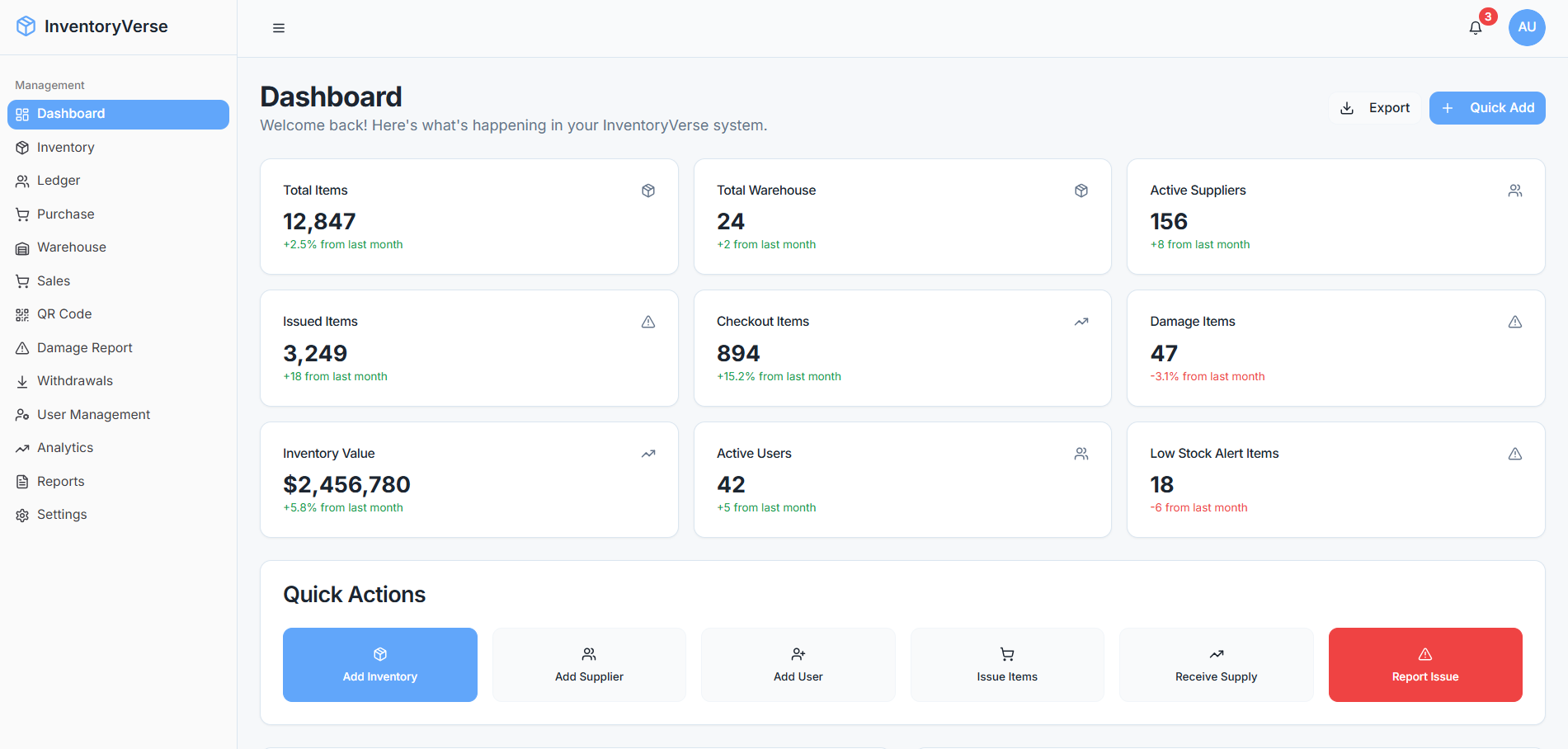
Small Business Inventory Management: 9 Practical Strategies to Control Stock and Reduce Waste
Small business inventory management is the process of tracking, organizing, purchasing, storing, and selling products so you always know what you have and what you need. For a growing business, accurate inventory records can help prevent stockouts, reduce excess stock, improve purchasing decisions, and keep daily operations organized. A structured approach also gives owners a clearer view of how products move through the business.
However, many small businesses still rely on spreadsheets, paper records, or disconnected tools. Those methods can work at a very small scale, but they become harder to maintain as product counts, orders, suppliers, and sales increase. In this guide, we will cover nine practical inventory management strategies, explain what a small business inventory system should include, compare common approaches, and highlight mistakes that can create unnecessary inventory problems.
What Is Small Business Inventory Management?
Small business inventory management covers the complete flow of products from purchasing to storage and finally to sale or use. It includes recording quantities, monitoring stock movement, setting reorder points, checking inventory accuracy, and reviewing product demand.
In practice, the goal is simple: keep enough inventory available to meet demand without tying too much money up in products that sit on shelves.
For example, imagine a small hardware store that sells 500 different products. If employees cannot quickly see which items are available, which products are running low, and which items have already been ordered, the business may purchase products it does not need while missing products customers actually want.
Therefore, effective inventory management connects purchasing, sales, storage, and financial decisions instead of treating stock as a separate task.
Key takeaway
Good inventory management is not simply about counting products. It helps a business make better decisions about what to buy, when to reorder, what to sell, and where to reduce waste.
Why Inventory Management Matters for Small Businesses
Inventory directly affects cash, customer service, purchasing, and daily operations. When records are inaccurate, even a profitable business can face avoidable problems.
For instance, too much stock can tie up money and consume valuable storage space. On the other hand, too little stock can lead to missed sales and frustrated customers.
The U.S. Small Business Administration recommends that business owners maintain organized financial and business records as part of managing their operations. Inventory information can form an important part of that broader recordkeeping process. SBA guidance on managing a small business provides additional information on financial management, recordkeeping, and operational responsibilities.
More importantly, accurate inventory data gives owners a practical way to understand which products move quickly, which products remain inactive, and where purchasing decisions need adjustment.
9 Practical Strategies for Small Business Inventory Management
1. Create a Central Inventory Record
Start by creating one reliable record for every product. Each item should have a clear name, SKU or product code, current quantity, purchase cost, selling price, supplier, and relevant product details.
A centralized record prevents employees from maintaining separate spreadsheets or informal lists. As a result, everyone works from the same information.
If you already use separate tools for sales, purchasing, and inventory, consider whether they can share data. A connected system can reduce the need to enter the same information multiple times.
2. Set Minimum and Reorder Levels
A reorder point tells you when to purchase more stock. A minimum stock level represents the quantity you want to keep available before replenishment becomes necessary.
For example, a coffee shop might decide that it should never have fewer than five bags of a particular coffee bean in storage. When stock reaches that level, the purchasing process begins.
However, avoid using the same threshold for every product. Fast-selling products, seasonal items, expensive goods, and products with long supplier lead times may require different reorder rules.
3. Track Stock as It Moves
Inventory changes whenever products arrive, sell, return, transfer, expire, or get damaged. Your records should reflect those changes as close to real time as practical.
This becomes especially important when several employees handle stock. If someone sells an item but does not update the inventory record, another employee may assume that the product remains available.
Modern inventory tools can connect stock records with sales activity. For example, QuickBooks explains how its inventory features can update quantities as businesses buy and sell products and provide low-stock alerts. QuickBooks inventory tracking information provides an example of how digital inventory tracking can work.
4. Perform Regular Inventory Counts
Even a digital system needs physical checks. Products can break, get misplaced, arrive with quantity differences, or leave the business without a properly recorded transaction.
Regular stock counts help you compare the physical quantity with the quantity shown in your system. You can then investigate differences instead of allowing small errors to accumulate.
Some businesses perform a full inventory count periodically. Others use cycle counting, where employees check smaller groups of products on a rotating schedule.
Pro tip
Start with high-value and fast-moving products when introducing cycle counts. These items often deserve closer attention because inventory errors can affect purchasing and sales decisions quickly.
5. Monitor Fast and Slow-Moving Products
Not every product deserves the same inventory strategy. Fast-moving products may require frequent replenishment, while slow-moving products may need smaller purchase quantities.
Review sales and inventory reports regularly to identify these differences. Then adjust purchasing decisions based on actual demand rather than assumptions.
For example, a small clothing retailer might discover that basic black shirts sell consistently while a particular seasonal color moves slowly. The business can respond by replenishing the popular product more frequently and reducing future purchases of the slower item.
6. Connect Inventory With Purchasing
Inventory and purchasing should work together. When stock reaches its reorder level, the purchasing process should provide enough information to decide what to order and from which supplier.
A purchase order management process can help businesses organize supplier orders, quantities, prices, and purchasing information. For businesses that want to explore this area further, see purchase order management software.
Similarly, a broader purchase management system can help connect buying activities with wider procurement processes.
7. Organize Inventory by Location
Physical organization matters just as much as digital tracking. If employees cannot quickly locate a product, accurate inventory numbers will not solve the operational problem.
Use clear product labels and consistent storage locations. For businesses with multiple storage areas, record the location of each item in the inventory system.
As the business grows, this approach can also make transfers between locations easier to track.
8. Use Inventory Reports to Guide Decisions
Inventory data becomes more valuable when you turn it into useful reports. Depending on your business, useful reports may include current stock levels, low-stock items, inventory valuation, product movement, purchase history, and stock adjustments.
For example, a business owner can review product movement before placing a large supplier order. Instead of relying only on memory, the owner can use recent sales patterns and current stock levels to make the purchasing decision.
Inventory reporting can also support broader customer and sales processes. If your business wants to connect inventory information with customer records, you can explore CRM inventory management software as an example of how customer and stock information can work together.
9. Review and Improve the Process Regularly
Inventory management should evolve with the business. A process that works for 100 products may become difficult when the catalog reaches 1,000 products or when multiple employees start handling stock.
Review your process when product volume, sales channels, storage locations, or supplier relationships change. Then remove unnecessary manual steps and introduce automation where it provides a clear operational benefit.
What Should a Small Business Inventory System Include?
A small business inventory system can range from a basic spreadsheet to specialized inventory software or a larger business management platform. The right option depends on product volume, sales channels, storage complexity, budget, and the number of people managing inventory.
At a minimum, a useful system should help you maintain accurate product records and understand stock movement.
| Capability | Why It Matters |
|---|---|
| Product records | Keeps product names, SKUs, costs, and quantities organized. |
| Stock tracking | Shows products received, sold, transferred, or adjusted. |
| Low-stock alerts | Helps employees identify products that may need replenishment. |
| Purchase tracking | Connects supplier orders with inventory needs. |
| Inventory reports | Supports decisions using current and historical inventory data. |
| User access | Helps control who can view or change inventory information. |
| Integrations | Can connect inventory with sales, accounting, or other business tools. |
Spreadsheet vs. Small Business Inventory System
Spreadsheets can provide a practical starting point for businesses with limited products and simple operations. They are flexible and familiar, but they require consistent manual updates.
As inventory becomes more complex, dedicated software can provide automation, alerts, reporting, and connections with other business processes.
| Area | Spreadsheet | Inventory System |
|---|---|---|
| Setup | Usually simple | Requires configuration |
| Manual updates | Often higher | Can automate many updates |
| Alerts | Requires setup | Often built in |
| Reporting | Can require manual work | Usually more structured |
| Multiple users | Can become harder to control | Designed for shared access |
| Integrations | May require additional work | Often available through built-in connections or APIs |
Therefore, the decision should focus on operational needs rather than choosing the most advanced tool available. A simple business may not need a complex platform, while a growing company may quickly outgrow manual tracking.
Common Inventory Management Mistakes to Avoid
Even businesses that use inventory software can develop weak processes. The following mistakes often create inaccurate records and poor purchasing decisions:
- Failing to update inventory when products move.
- Using inconsistent product names or SKUs.
- Ignoring damaged, lost, returned, or expired products.
- Ordering based only on intuition instead of sales and stock data.
- Skipping physical inventory counts.
- Keeping separate inventory records across multiple spreadsheets.
- Giving too many people unrestricted access to inventory adjustments.
- Ignoring slow-moving products until they become a storage problem.
More importantly, avoid treating inventory data as isolated operational information. Inventory affects purchasing, sales, cash management, storage, and customer service. Therefore, better results often come from connecting these processes.
When Should a Small Business Upgrade Its Inventory Process?
There is no single product count that tells every business when to move from spreadsheets to dedicated software. Instead, look for operational signals.
Consider upgrading when employees regularly spend significant time checking stock manually, inventory discrepancies become common, multiple people need access to the same data, or the business operates across several sales or storage channels.
Another signal appears when purchasing decisions depend heavily on manual calculations. If employees must combine sales reports, spreadsheets, supplier records, and stock counts before placing an order, a more connected system may simplify the process.
Important
Do not choose software only because it has a long feature list. First document your current inventory process, identify the biggest problems, and then choose features that directly address those problems.
How to Implement Better Inventory Management
Start with your current process rather than immediately buying new software. Write down how products enter the business, where employees record them, how sales reduce stock, how returns are handled, and how purchasing decisions happen.
Next, clean your existing inventory data. Remove duplicate products, standardize names, verify quantities, and assign consistent SKUs where appropriate.
Then establish simple operating rules. Decide who can create products, who can adjust quantities, who approves purchases, and when employees should perform stock counts.
Finally, measure whether the new process actually improves daily work. Look for fewer inventory discrepancies, faster stock checks, clearer purchasing decisions, and better visibility into product movement.
When Custom Inventory Software Makes Sense
Off-the-shelf inventory tools can meet many small business needs. However, some businesses have workflows that standard software cannot support without workarounds.
For example, a company may need inventory to connect with a custom sales portal, multiple warehouses, specialized purchasing rules, customer accounts, or an existing business management platform.
In those cases, custom software can bring the workflow into one system. The goal should not be customization for its own sake. Instead, custom development makes sense when the business has specific processes that create measurable operational value when connected.
Frequently Asked Questions
What is the simplest way to manage inventory for a small business?
Start with a centralized product list that records quantities, SKUs, suppliers, costs, and stock movements. For a small catalog, a well-structured spreadsheet may work. As operations grow, dedicated inventory software can provide more automation and reporting.
What should a small business inventory system track?
It should typically track products, SKUs, quantities, purchases, sales, adjustments, suppliers, storage locations, and reorder levels. Depending on the business, it may also track product costs, batches, serial numbers, or expiration dates.
How often should a small business count inventory?
The right schedule depends on product volume, value, and operational risk. Businesses can use periodic full counts or cycle counting, where employees check smaller groups of products on a rotating schedule.
Can a small business use Excel for inventory management?
Yes. Excel can work for businesses with relatively simple inventory needs. However, manual spreadsheets can become harder to maintain as product counts, employees, locations, and sales channels increase.
When should a small business use inventory software?
Consider inventory software when manual tracking causes frequent errors, employees spend too much time checking stock, multiple users need shared access, or purchasing depends on information from several disconnected tools.
Conclusion
Effective small business inventory management starts with accurate records and clear processes. By centralizing product information, tracking stock movement, setting reorder levels, counting inventory regularly, and reviewing product demand, businesses can gain better control over daily operations.
A small business inventory system can take these practices further by connecting inventory data with purchasing, sales, reporting, and other business processes. The right solution depends on the complexity of your operation, so begin by identifying the problems you need to solve and then choose the tools that support those needs.
Build software around how your business works
If your inventory process requires custom workflows, integrations, or connections with other business systems, Oxen Softwares can help you plan and build a solution around your operational needs.Talk to our team
